Back to Technology

GNU Make Mastery Part 2: Targets, Prerequisites & Execution Model

February 19, 2026 Wasil Zafar 18 min read

Deep-dive into Make rule anatomy — multiple targets, default target behaviour, order-only prerequisites, file vs phony targets, and building complete clean/build/run workflow pipelines.

Table of Contents

  1. Rule Anatomy
  2. Types of Prerequisites
  3. File vs Phony Targets
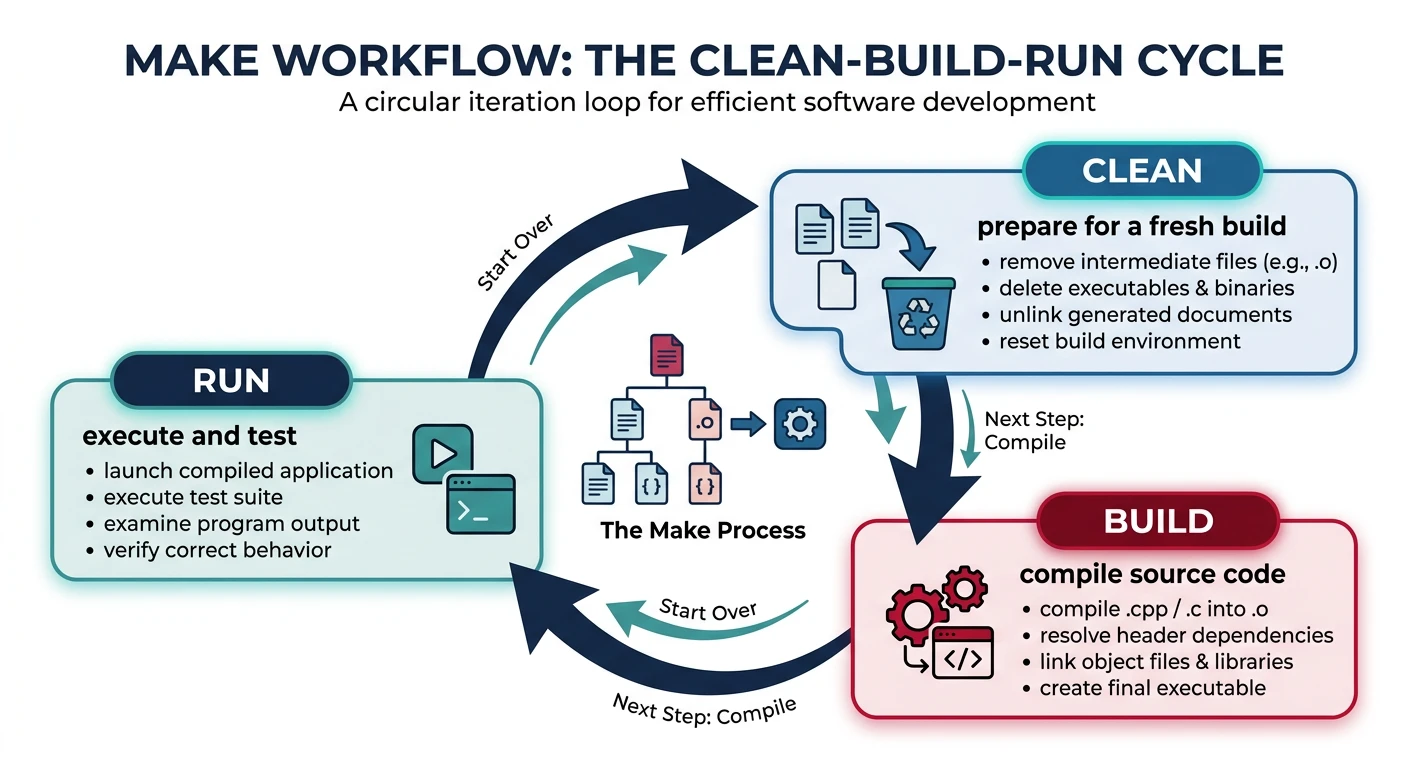
  4. Clean/Build/Run Workflows
  5. Next Steps

Rule Anatomy

Part 2 of 16 — GNU Make Mastery Series. In Part 1 we covered why build systems exist and Makefile fundamentals. Now we go deeper into how Make actually executes rules and makes decisions about what to rebuild.

Every Make rule follows the same three-part structure. Understanding this structure — and the precise semantics of each part — is the foundation for everything else in Make.
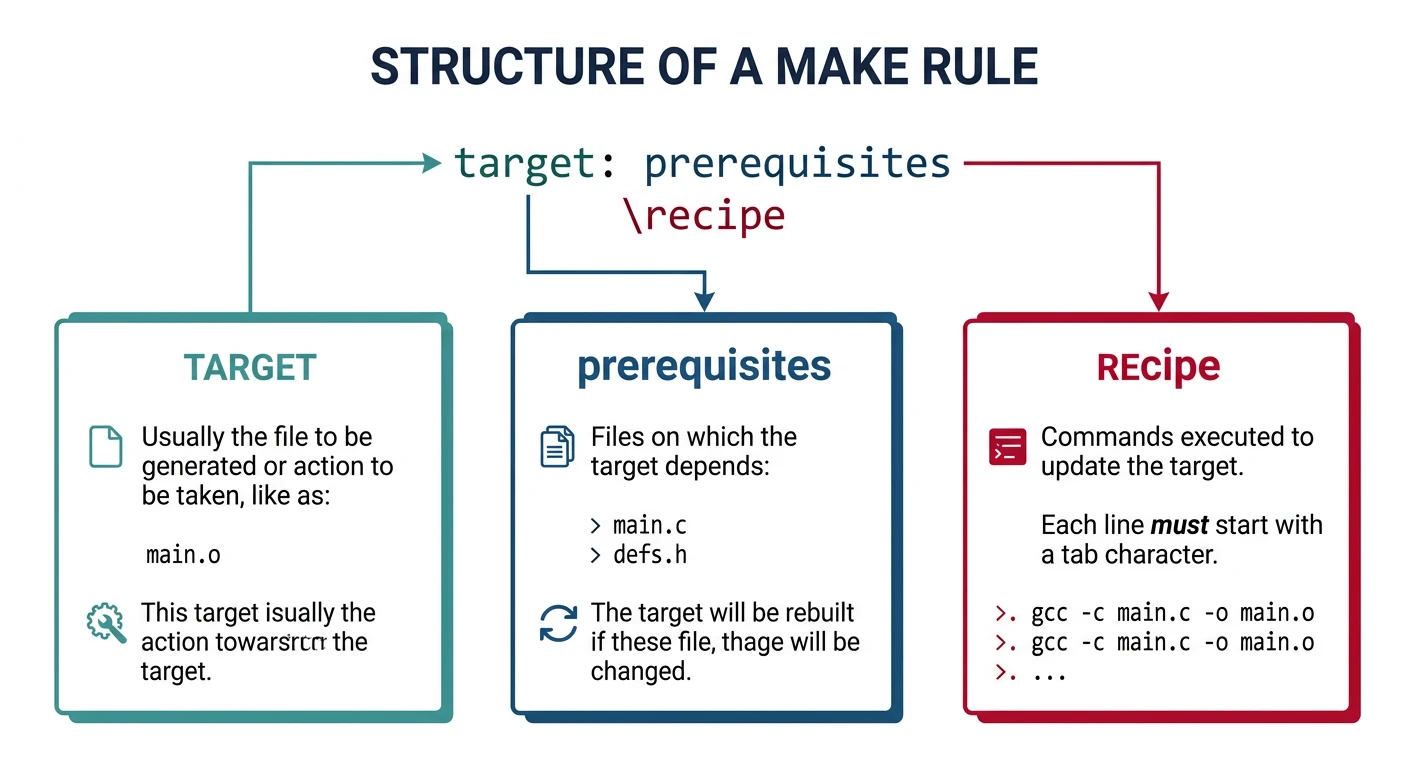
target [target2 ...]: [prerequisites] [| order-only-prerequisites]
	recipe-line-1
	recipe-line-2

Default Target Behaviour

When you run make with no arguments, Make builds the first target it encounters in the Makefile (excluding targets whose names begin with .). This is called the default goal.
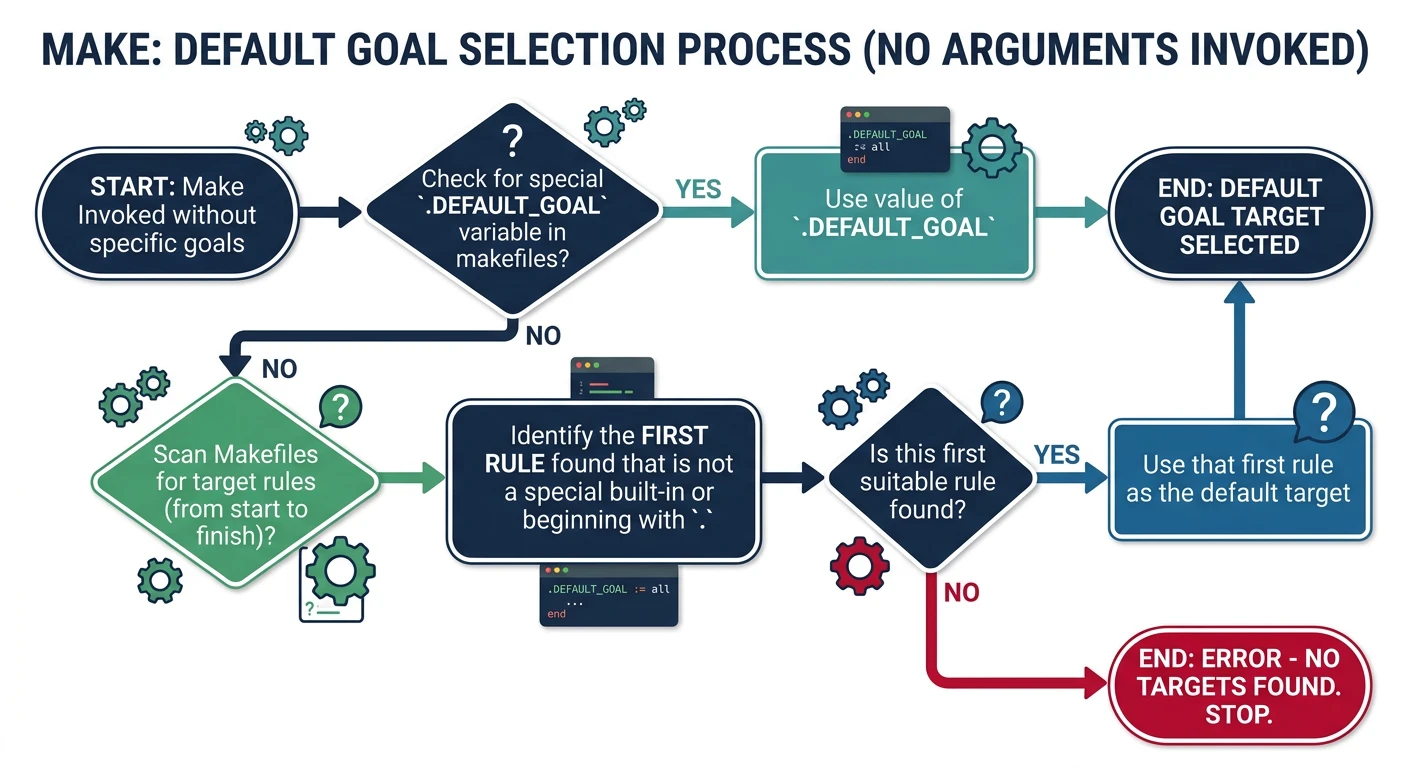
Best Practice: Always make the first target either all or your main build artefact. Use .DEFAULT_GOAL := all to make the intent explicit and immune to file ordering accidents.
# Explicit default goal — immune to Makefile reordering
.DEFAULT_GOAL := all

.PHONY: all clean test

all: myapp

myapp: main.o utils.o
	$(CC) -o $@ $^

Multiple Targets

A rule can list several targets on the left-hand side. This is shorthand: Make creates one rule per target, all sharing the same prerequisites and recipe.

# Build two executables from separate main files
server client: common.o config.o
	$(CC) $(CFLAGS) -o $@ $@.o $^

# Equivalent to writing:
# server: common.o config.o
#     $(CC) $(CFLAGS) -o server server.o common.o config.o
# client: common.o config.o
#     $(CC) $(CFLAGS) -o client client.o common.o config.o
Types of Prerequisites

Normal Prerequisites

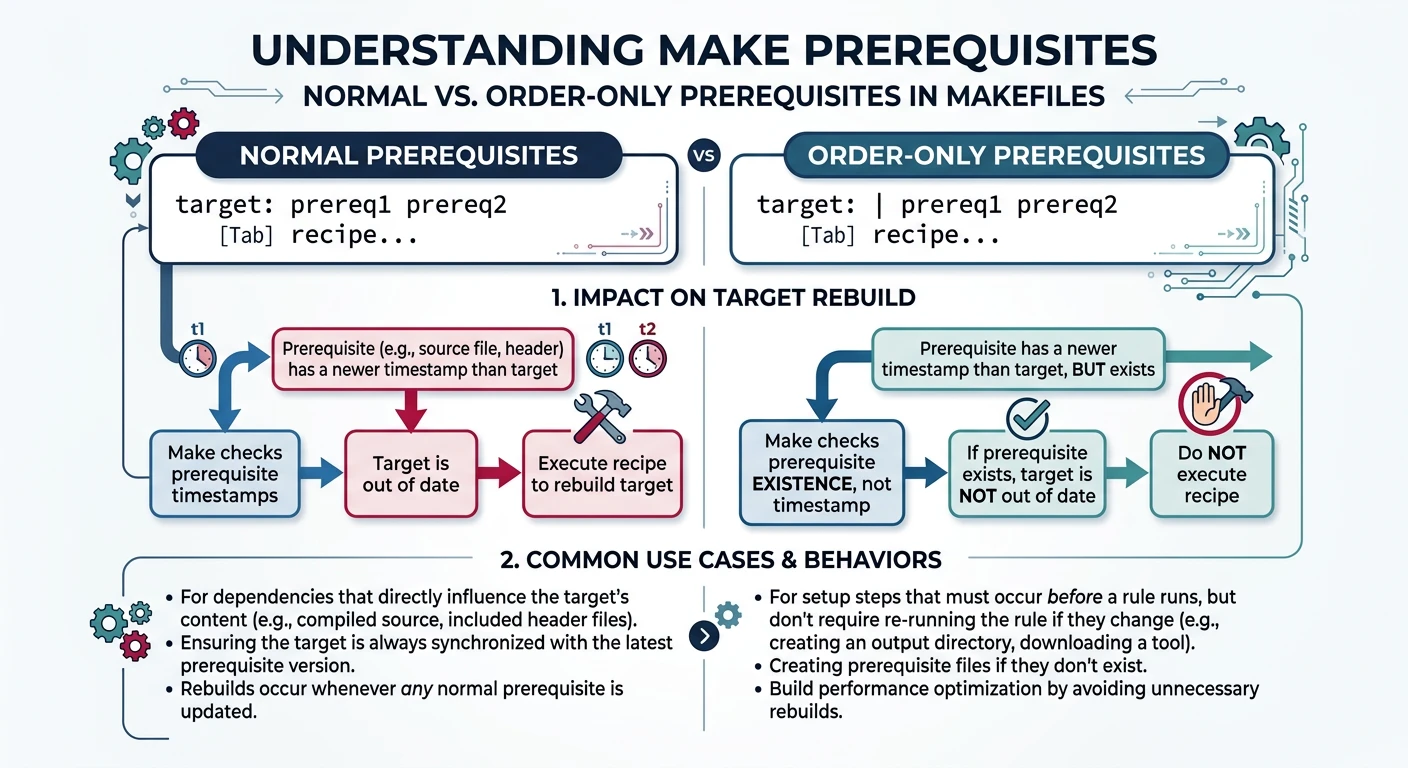
Normal prerequisites (target: prereq1 prereq2) impose two constraints on Make:

  1. All prerequisites must be up to date before the target's recipe runs.
  2. If any prerequisite is newer than the target, the target is considered out of date and its recipe runs.

Order-Only Prerequisites (|)

Order-only prerequisites (listed after |) impose execution order but do not trigger a rebuild if they are newer than the target. This is ideal for ensuring directories exist before writing files into them.

BUILD_DIR := build

# build/ directory must exist before writing .o files,
# but a timestamp change on the dir should NOT force recompiling all objects
$(BUILD_DIR)/%.o: %.c | $(BUILD_DIR)
	$(CC) $(CFLAGS) -c $< -o $@

$(BUILD_DIR):
	mkdir -p $@
Common Mistake

Directory as Normal Prerequisite

If you list a directory as a normal prerequisite, Make will rebuild all its targets every time any file in the directory changes (since the directory mtime updates). Use | to make it order-only — you only need the directory to exist, not to be unchanged.

File vs Phony Targets

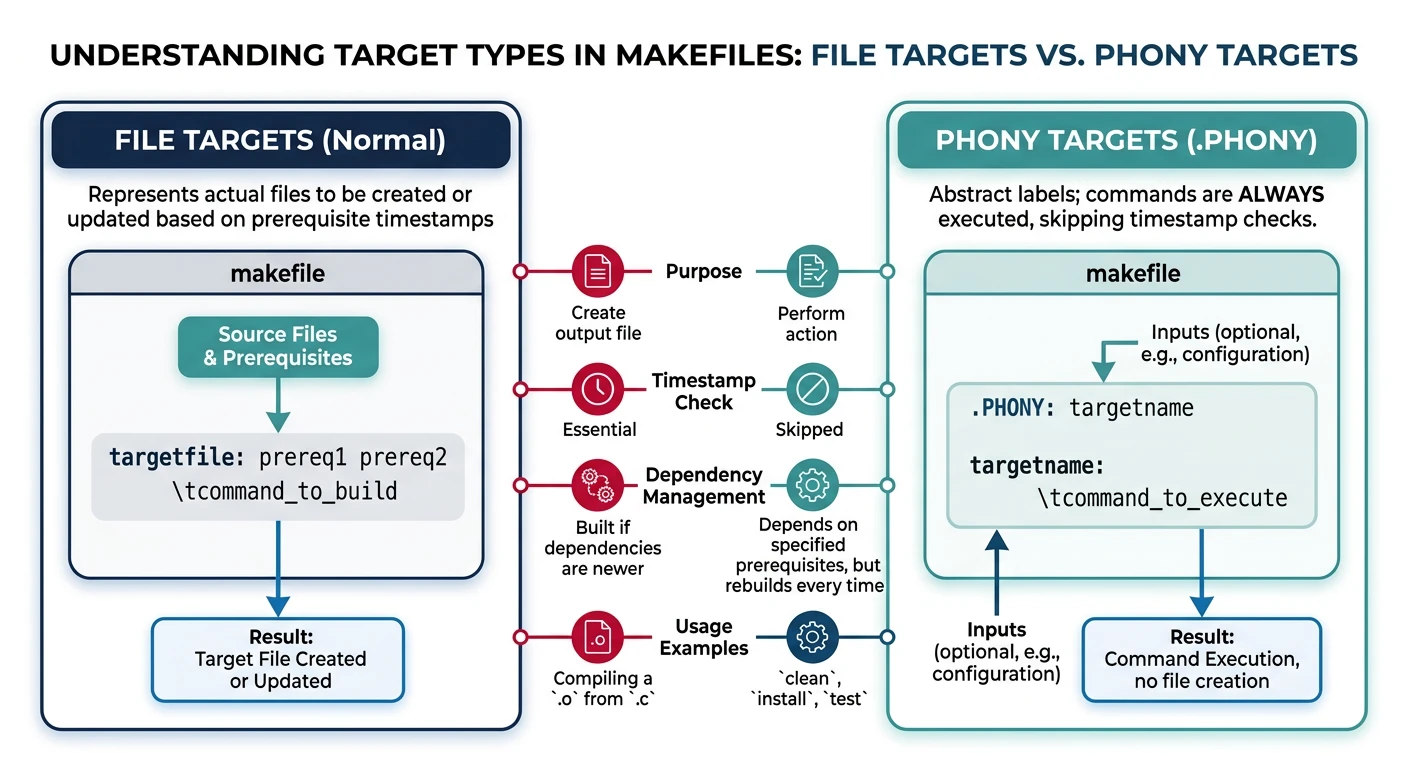
By default, every Make target is assumed to be a file. If a file named clean exists in the directory, running make clean will report "Nothing to be done" — the target appears up to date because the file exists and has no prerequisites.

Declaring a target as .PHONY tells Make: this target is not a file — always run its recipe when requested.

# Declare these targets as "not real files" — always run their recipes
.PHONY: all clean build test install uninstall

clean:                          # remove all build outputs
	rm -rf build/ *.o

test: all                       # build first, then run tests
	./run_tests.sh

install: all                    # build first, then copy binary
	cp myapp /usr/local/bin/

Common Phony Conventions

Convention

Standard Phony Targets

TargetPurpose
allBuild everything (default goal)
cleanRemove all generated files
distcleanRemove everything including configuration
testRun test suite
installInstall built artefacts
uninstallRemove installed artefacts
helpPrint available targets

Clean/Build/Run Workflows

The following complete Makefile expects a src/ directory with C files. Create them first:

# --- Setup: create project structure ---
mkdir -p src

cat > src/main.c << 'EOF'
#include <stdio.h>
void greet(const char *name);
int main(void) {
    greet("Make");
    printf("Build system demo running!\n");
    return 0;
}
EOF

cat > src/utils.c << 'EOF'
#include <stdio.h>
void greet(const char *name) {
    printf("Hello from %s!\n", name);
}
EOF
# ── Variables ────────────────────────────────────────
CC      := gcc
CFLAGS  := -Wall -Wextra -std=c11
TARGET  := myapp
SRCS    := $(wildcard src/*.c)                    # auto-discover all .c files under src/
OBJS    := $(patsubst src/%.c, build/%.o, $(SRCS)) # map src/foo.c → build/foo.o

.PHONY: all clean run rebuild help

# ── Default target ─────────────────────────────────
all: $(TARGET)

# ── Link: combine .o files into final binary ─────
$(TARGET): $(OBJS)
	$(CC) $(CFLAGS) -o $@ $^              # $@ = target name, $^ = all prerequisites

# ── Compile: .c → .o (order-only prereq creates build/ dir first)
build/%.o: src/%.c | build
	$(CC) $(CFLAGS) -c $< -o $@           # $< = first prerequisite (the .c file)

build:                                     # create the output directory if missing
	mkdir -p build

# ── Utility targets ───────────────────────────────
clean:                                     # delete all generated files
	rm -rf build $(TARGET)

run: all                                   # build then execute
	./$(TARGET)

rebuild: clean all                         # fresh build from scratch

help:
	@echo "Available targets:"
	@echo "  all      - Build $(TARGET) (default)"
	@echo "  clean    - Remove build artefacts"
	@echo "  run      - Build and run"
	@echo "  rebuild  - Clean then build"
	@echo "  info     - Display variable values"
	@echo "  help     - Show this message"

# ── Info: display variable values — run: make info ──
info:
	@echo "CC      = $(CC)"
	@echo "CFLAGS  = $(CFLAGS)"
	@echo "TARGET  = $(TARGET)"
	@echo "SRCS    = $(SRCS)"
	@echo "OBJS    = $(OBJS)"
# --- Try the workflow targets ---
make              # build the project
make info         # display all variable values
make run          # build and run
make clean        # remove artefacts
make rebuild      # clean + build in one step
make help         # list available targets

Hands-On Milestone

Milestone: By the end of Part 2 you should be able to:
  • ✅ Build a simple input → processed → output pipeline with Make rules
  • ✅ Use order-only prerequisites (|) for build directories
  • ✅ Declare all non-file targets with .PHONY
  • ✅ Add clean, run, rebuild, and help workflow targets

Next in the Series

In Part 3: Variables, Expansion & Scope, we explore the full variable system — recursive vs simple expansion, conditional assignment, CLI overrides, target-specific variables, and multiline define/endef macros.

Technology