We use cookies to enhance your browsing experience, serve personalized content, and analyze our traffic. By clicking "Accept All", you consent to our use of cookies. See our Privacy Policy for more information.
GNU Make Mastery Part 13: Make as Automation & DevOps Tool
February 27, 2026Wasil Zafar19 min read
Make is not just for C compilation. Use it as a universal task runner: orchestrate Docker builds, write GNU-standard install/uninstall targets, harness .ONESHELL for multi-line scripts, and produce reproducible release tarballs — all without leaving your Makefile.
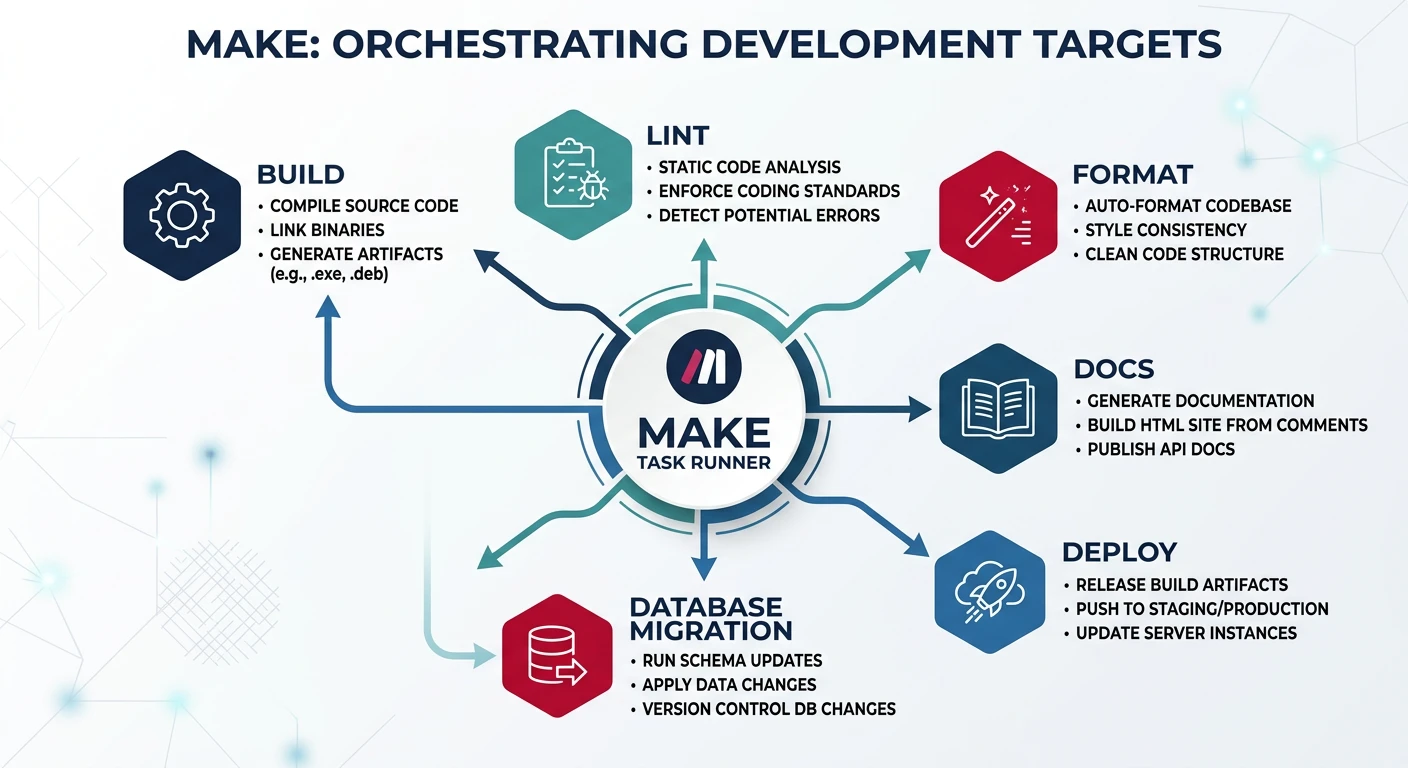
Part 13 of 16 — GNU Make Mastery Series. Once you master building software with Make, you already have a powerful task runner for your entire project lifecycle: linting, formatting, documentation generation, database migrations, Docker operations, and more — all invocable with make <target>.
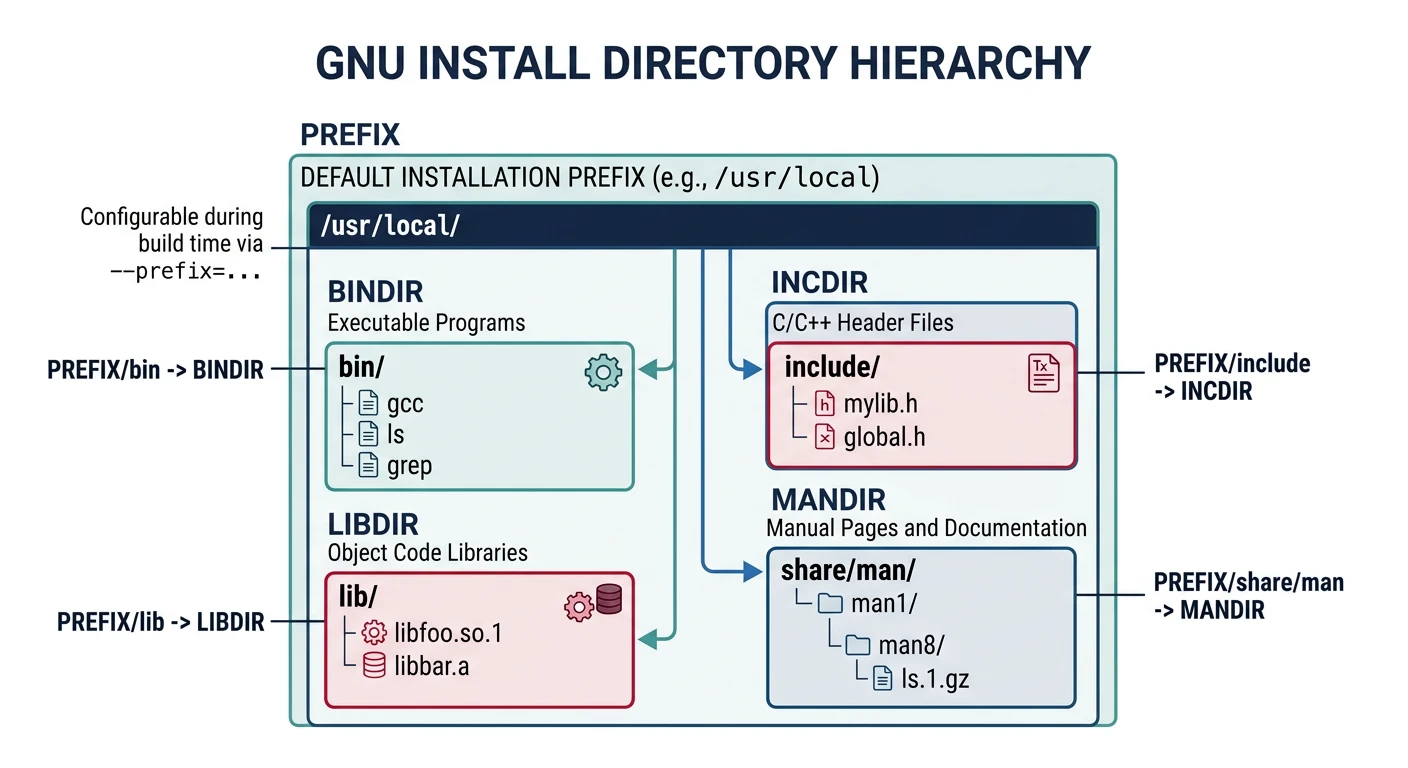
GNU coding standards define install, install-strip, uninstall, and DESTDIR for staged installs. Following these conventions makes your software compatible with package managers.
GNU install conventions: PREFIX-based directory hierarchy for binaries, libraries, headers, and man pages with DESTDIR staging support
DESTDIR usage:make install DESTDIR=/tmp/staging installs to /tmp/staging/usr/local/bin/... without touching the live system. Package maintainers use this to build .deb or .rpm packages.
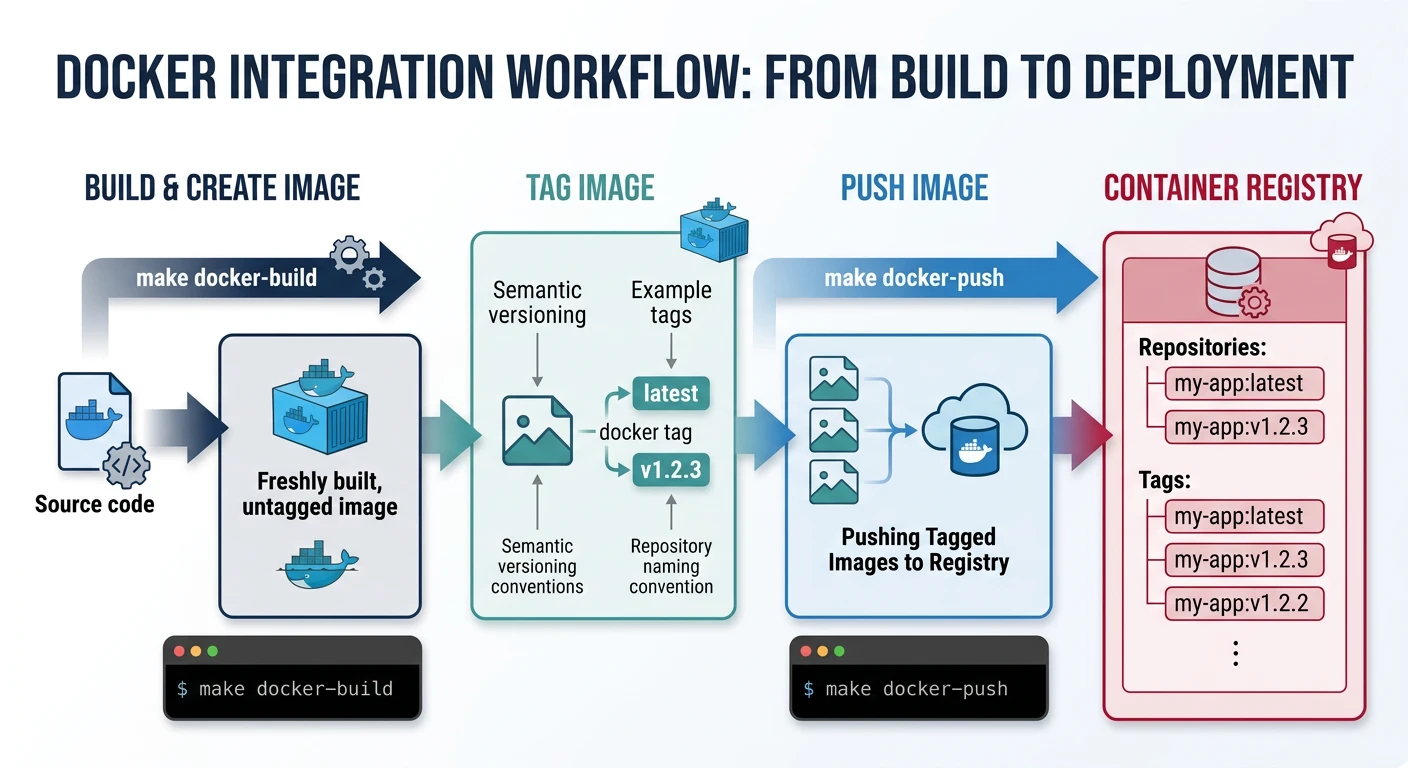
Docker integration workflow: build image with git-derived tags, push to registry, and run locally via Make targets
Docker Compose Targets
.PHONY: up down logs
up: ## Start all services with docker compose
	docker compose up -d

down: ## Stop and remove containers
	docker compose down

logs: ## Tail all service logs
	docker compose logs -f --tail=100
.ONESHELL
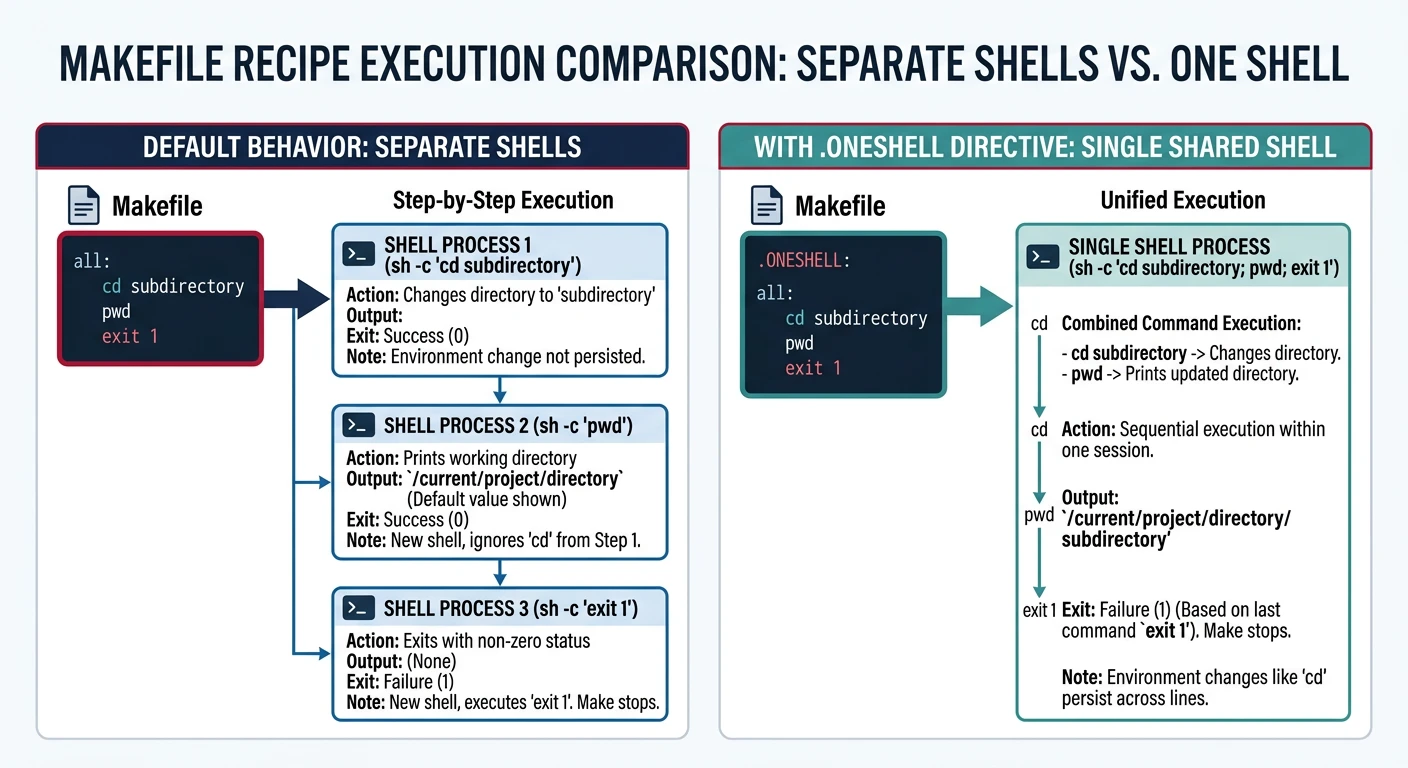
By default, each line in a Make recipe runs in a separate shell. Variables set in one line don't survive to the next. .ONESHELL changes this behaviour so the entire recipe runs in a single shell instance.
.ONESHELL runs all recipe lines in a single shell, preserving cd, variables, and here-documents across lines
# Without .ONESHELL — this FAILS because 'cd' is forgotten by next line:
deploy-old:
	cd dist
	tar czf release.tar.gz .     # Still in the original directory!

# With .ONESHELL — all lines share one shell:
.ONESHELL:
deploy:
	cd dist
	tar czf ../release.tar.gz .
	scp ../release.tar.gz deploy@prod:/releases/
# Example: database transactions need a single shell connection
.ONESHELL:
db-seed: ## Populate test database (atomic transaction)
	psql -U $(DB_USER) -d $(DB_NAME) <<'SQL'
	BEGIN;
	INSERT INTO config VALUES ('version', '1.0');
	INSERT INTO config VALUES ('env', 'test');
	COMMIT;
	SQL
Release Packaging
# Derive version from latest git tag, falling back to 0.0.0
VERSION     ?= $(shell git describe --tags --abbrev=0 2>/dev/null || echo 0.0.0)
DIST_NAME   := $(PROJECT)-$(VERSION)
DIST_DIR    := dist/$(DIST_NAME)

.PHONY: dist release
dist: ## Create source tarball in dist/
	mkdir -p $(DIST_DIR)
	git archive HEAD | tar -x -C $(DIST_DIR)  # export tracked files at HEAD
	tar czf dist/$(DIST_NAME).tar.gz -C dist $(DIST_NAME)
	@echo "Source archive: dist/$(DIST_NAME).tar.gz"

release: dist ## Tag, build, and prepare binaries for release
	git tag -a v$(VERSION) -m "Release v$(VERSION)"   # annotated tag
	$(MAKE) -j$(NPROC) all
	mkdir -p dist/$(DIST_NAME)/bin
	cp build/$(TARGET) dist/$(DIST_NAME)/bin/
	tar czf dist/$(DIST_NAME)-linux-amd64.tar.gz -C dist $(DIST_NAME)/bin
	@echo "Release artifacts in dist/"
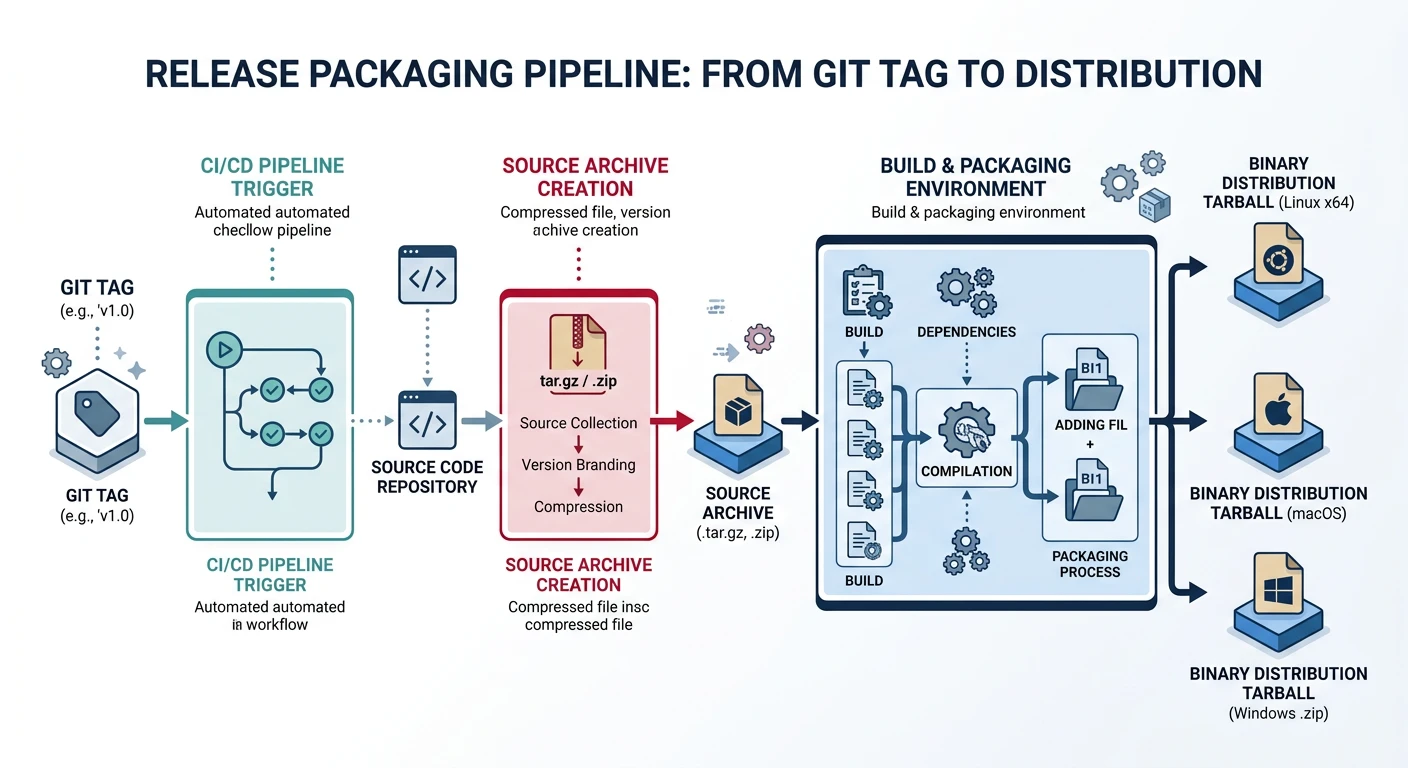
Release packaging pipeline: tag the repository, create source archives with git archive, and bundle platform-specific binaries
Reproducible Builds
# Strip timestamps and non-deterministic metadata from gcc output:
# These -fprefix-map flags replace $(PWD) with '.' in debug info/macros
# so binaries built in different directories produce identical bytes.
CFLAGS += -ffile-prefix-map=$(PWD)=.
CFLAGS += -fdebug-prefix-map=$(PWD)=.
CFLAGS += -fmacro-prefix-map=$(PWD)=.

# Reproducible archives (same content = identical bytes):
# Use tar's --sort and --mtime options (GNU tar 1.28+)
dist:
	tar czf dist.tar.gz \
	    --sort=name \                        # alphabetical file ordering
	    --mtime='1970-01-01 00:00:00' \       # fixed timestamp (epoch)
	    --owner=0 --group=0 --numeric-owner \ # root:root, no usernames
	    dist/
Try It — Self-Documenting Help & Install
Create a project with help and staged install targets:
mkdir -p src

cat > src/main.c << 'EOF'
#include <stdio.h>
int main(void) { printf("myapp v1.0\n"); return 0; }
EOF

cat > Makefile << 'EOF'
CC       := gcc
CFLAGS   := -Wall -O2
TARGET   := myapp
PREFIX   ?= /usr/local
DESTDIR  ?=
VERSION  := 1.0.0

.PHONY: all install uninstall dist clean help info

all: $(TARGET) ## Build the application

$(TARGET): src/main.c
	$(CC) $(CFLAGS) -o $@ $^

install: $(TARGET) ## Install to PREFIX (supports DESTDIR)
	install -d $(DESTDIR)$(PREFIX)/bin
	install -m 755 $(TARGET) $(DESTDIR)$(PREFIX)/bin/
	@echo "Installed to $(DESTDIR)$(PREFIX)/bin/$(TARGET)"

uninstall: ## Remove installed binary
	rm -f $(DESTDIR)$(PREFIX)/bin/$(TARGET)

dist: ## Create release tarball
	mkdir -p dist
	tar czf dist/$(TARGET)-$(VERSION).tar.gz src/ Makefile
	@echo "Created dist/$(TARGET)-$(VERSION).tar.gz"

clean: ## Remove build artifacts
	rm -f $(TARGET)
	rm -rf dist/

info: ## Print variable values
	@echo "CC      = $(CC)"
	@echo "CFLAGS  = $(CFLAGS)"
	@echo "TARGET  = $(TARGET)"
	@echo "PREFIX  = $(PREFIX)"
	@echo "DESTDIR = $(DESTDIR)"
	@echo "VERSION = $(VERSION)"

help: ## Show this help
	@grep -E '^[a-zA-Z_-]+:.*?## ' Makefile | \
	    awk 'BEGIN {FS = ":.*?## "}; {printf "  %-12s %s\n", $$1, $$2}'
EOF

# Self-documenting help
make help

# Inspect variables
make info

# Build and stage install
make
make install DESTDIR=/tmp/staging
ls -la /tmp/staging/usr/local/bin/
/tmp/staging/usr/local/bin/myapp

# Create release tarball
make dist
tar tzf dist/myapp-1.0.0.tar.gz

make clean
Continue the Series
Part 14: CI/CD Integration
Wire Makefiles into GitHub Actions and GitLab CI, handle deterministic artifact builds, and cache object files across pipeline runs.