Back to Technology

GNU Make Mastery Part 6: Conditionals & Configurable Builds

February 22, 2026 Wasil Zafar 21 min read

Write a single Makefile that adapts to any environment: use ifeq, ifdef, OS detection, and feature flags to target debug vs release, Linux vs macOS vs Windows, and native vs cross-compilation — all without editing the file.

Table of Contents

  1. Conditional Directives
  2. Debug & Release Builds
  3. OS & Platform Detection
  4. Feature Flags & Optional Modules
  5. config.mk Pattern
  6. Hands-On Milestone
  7. Next Steps

Conditional Directives

Part 6 of 16 — GNU Make Mastery Series. We've mastered variables, pattern rules, and Make's function library. In this part we add decision-making — the ability to build different things in different ways from a single Makefile.

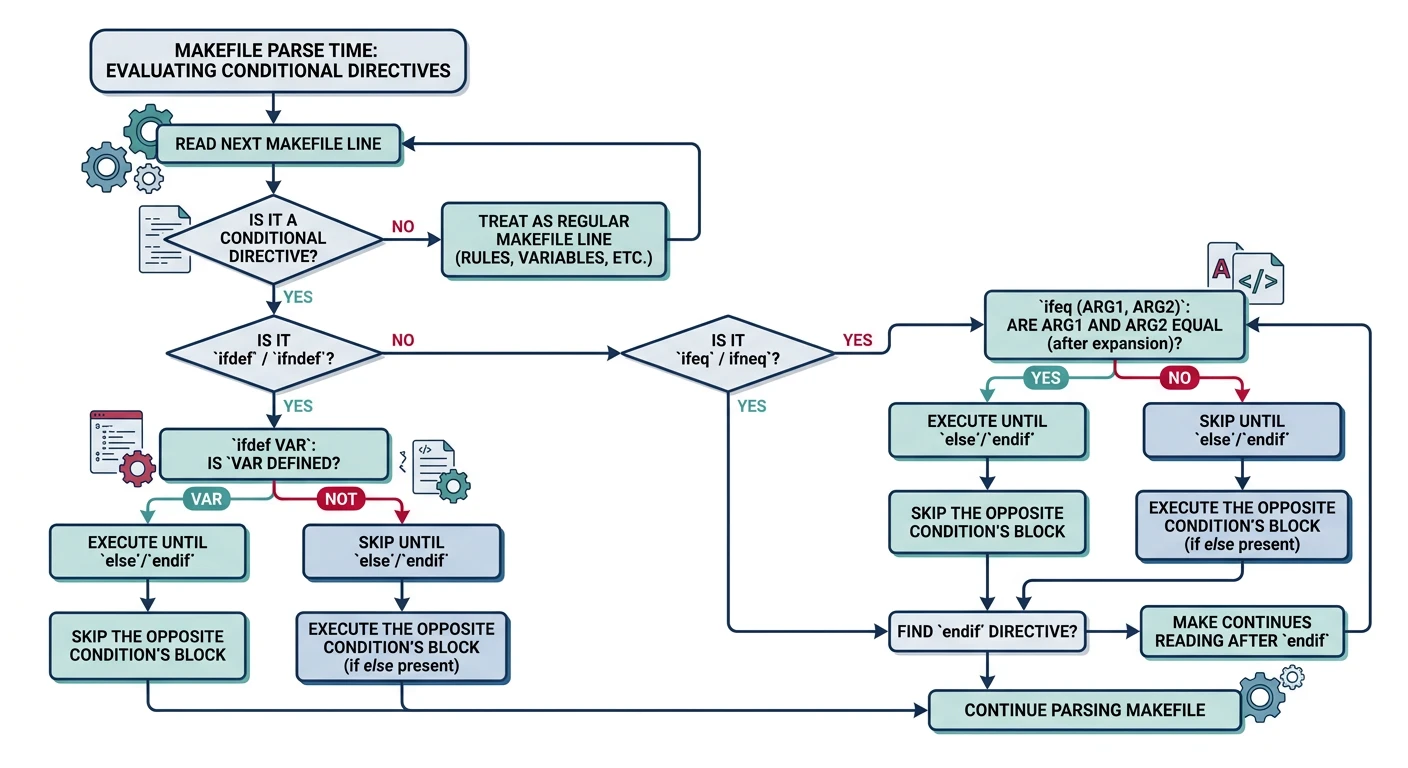
Conditional directives are processed at parse time — before any rules are executed. They control which variable assignments and rules are even seen by Make, making them fundamentally different from shell if statements in recipes.

Reference

Conditional Directive Summary

DirectiveTrue when…
ifeq (a,b)a equals b (after expansion)
ifneq (a,b)a does not equal b
ifdef VARVAR is defined and non-empty
ifndef VARVAR is undefined or empty

ifeq / ifneq

BUILD ?= debug                  # default if not set on CLI

ifeq ($(BUILD),debug)            # string comparison at parse time
    CFLAGS += -O0 -g3 -DDEBUG   # no optimisation + full debug info
    OUTDIR := build/debug
else ifeq ($(BUILD),release)
    CFLAGS += -O3 -DNDEBUG      # max optimisation + disable assert()
    OUTDIR := build/release
else
    $(error Unknown BUILD type: $(BUILD). Use debug or release.)  # stop Make with error
endif

ifdef / ifndef

# Enable verbose output only if V is set (e.g. make V=1)
ifdef V
    Q :=
else
    Q := @      # prefix @ suppresses echo
endif

# Use $(Q) before every recipe command
%.o: %.c
	$(Q)$(CC) $(CFLAGS) -c $< -o $@
	$(Q)echo "  CC  $@"

Common Pitfalls

Pitfall 1 — Trailing whitespace: ifeq ($(BUILD), debug) — note the space after the comma. The right-hand side becomes " debug" (with leading space), which will never match the string "debug". Always omit spaces around values: ifeq ($(BUILD),debug).
Pitfall 2 — Conditionals inside recipes: Conditional directives (ifeq) cannot go inside recipe lines. For runtime logic in recipes, use the shell's if statement instead.

Debug & Release Builds

Flag Sets

CC    := gcc
BUILD ?= debug

# Shared flags (always applied)
CFLAGS  := -Wall -Wextra -std=c11 -MMD -MP    # -MMD -MP = auto-generate .d dependency files

# Build-type flags
ifeq ($(BUILD),debug)
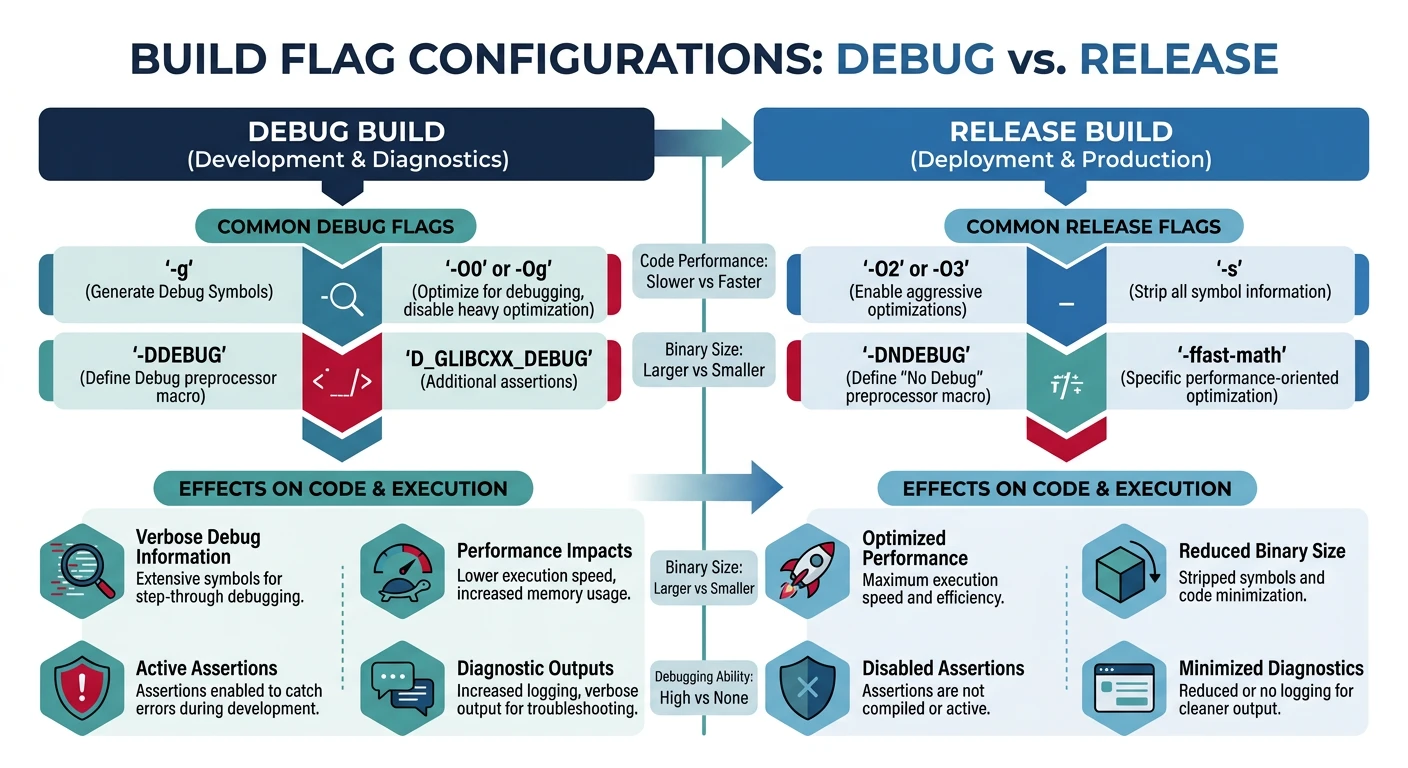
    CFLAGS  += -O0 -g3 -fsanitize=address,undefined -DDEBUG   # sanitizers catch memory/UB bugs
    LDFLAGS += -fsanitize=address,undefined                    # linker must also get sanitizer flag
else ifeq ($(BUILD),release)
    CFLAGS  += -O3 -march=native -flto -DNDEBUG  # max speed + link-time optimisation
    LDFLAGS += -O3 -flto -s                       # -s strips debug symbols from binary
else ifeq ($(BUILD),profile)
    CFLAGS  += -O2 -pg -DNDEBUG                   # -pg enables gprof profiling
    LDFLAGS += -pg
else
    $(error BUILD must be debug, release, or profile)
endif

Separate Build Directories Per Configuration

BUILD   ?= debug
OUTDIR  := build/$(BUILD)                              # e.g. build/debug or build/release
SRCS    := $(wildcard src/*.c)                          # auto-discover sources
OBJS    := $(patsubst src/%.c,$(OUTDIR)/%.o,$(SRCS))   # map src/foo.c → build/debug/foo.o
TARGET  := $(OUTDIR)/myapp

all: $(TARGET)

# Link all .o files into the binary
$(TARGET): $(OBJS)
	$(CC) $(LDFLAGS) -o $@ $^              # $^ = all object files

# Compile each .c → .o into build type dir
$(OUTDIR)/%.o: src/%.c
	@mkdir -p $(OUTDIR)                     # create output dir if needed
	$(CC) $(CFLAGS) -c $< -o $@            # $< = source file

OS & Platform Detection

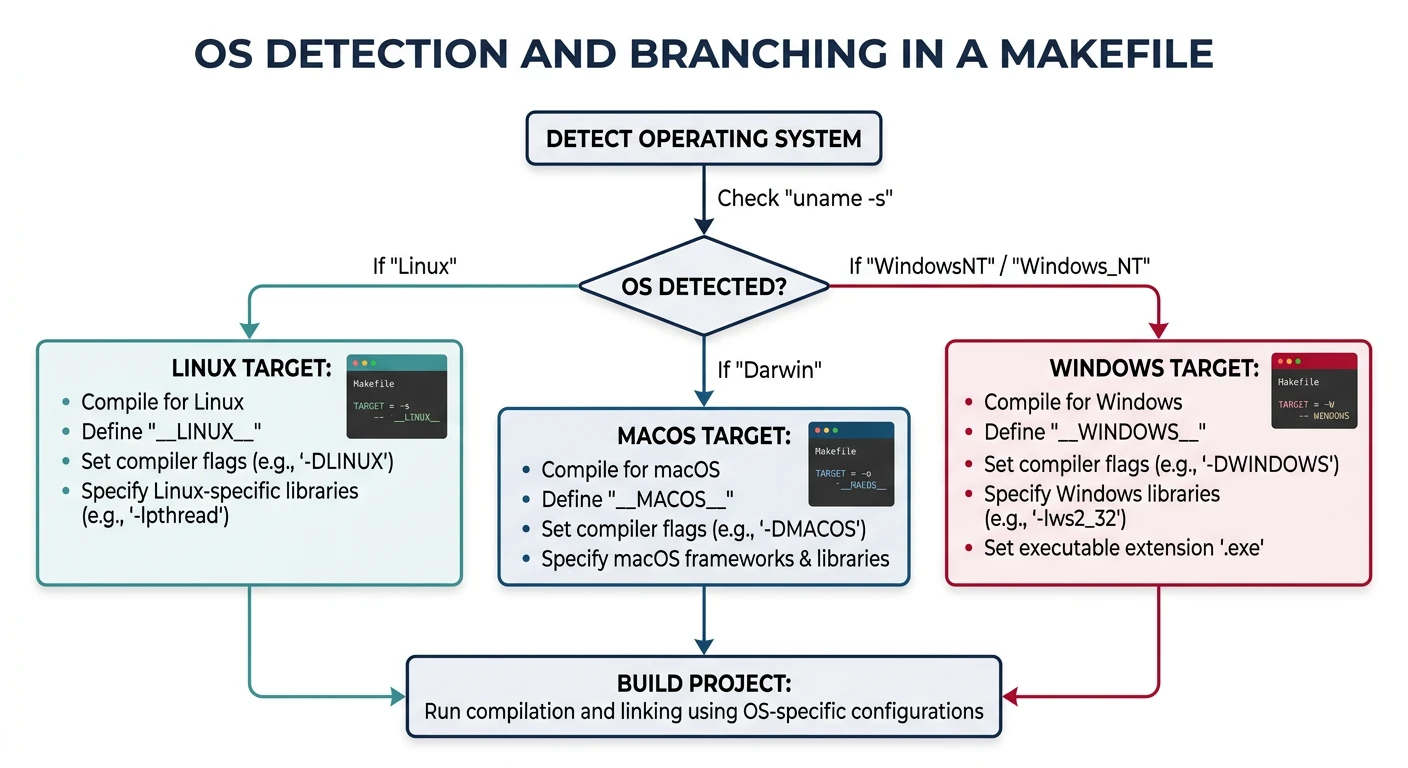
# Detect the host OS at parse time
OS := $(shell uname -s 2>/dev/null || echo Windows)

ifeq ($(OS),Linux)
    PLATFORM    := linux
    SHARED_EXT  := .so
    EXE_EXT     :=
    CFLAGS      += -D_GNU_SOURCE
    LDLIBS      += -lpthread -lrt
else ifeq ($(OS),Darwin)
    PLATFORM    := macos
    SHARED_EXT  := .dylib
    EXE_EXT     :=
    CFLAGS      += -D_DARWIN_C_SOURCE
    CC          ?= clang
else ifeq ($(findstring MINGW,$(OS)),MINGW)
    PLATFORM    := windows
    SHARED_EXT  := .dll
    EXE_EXT     := .exe
    CFLAGS      += -D_WIN32_WINNT=0x0601
    LDLIBS      += -lws2_32
else
    $(error Unsupported OS: $(OS))
endif

TARGET := $(OUTDIR)/myapp$(EXE_EXT)

Feature Flags & Optional Modules

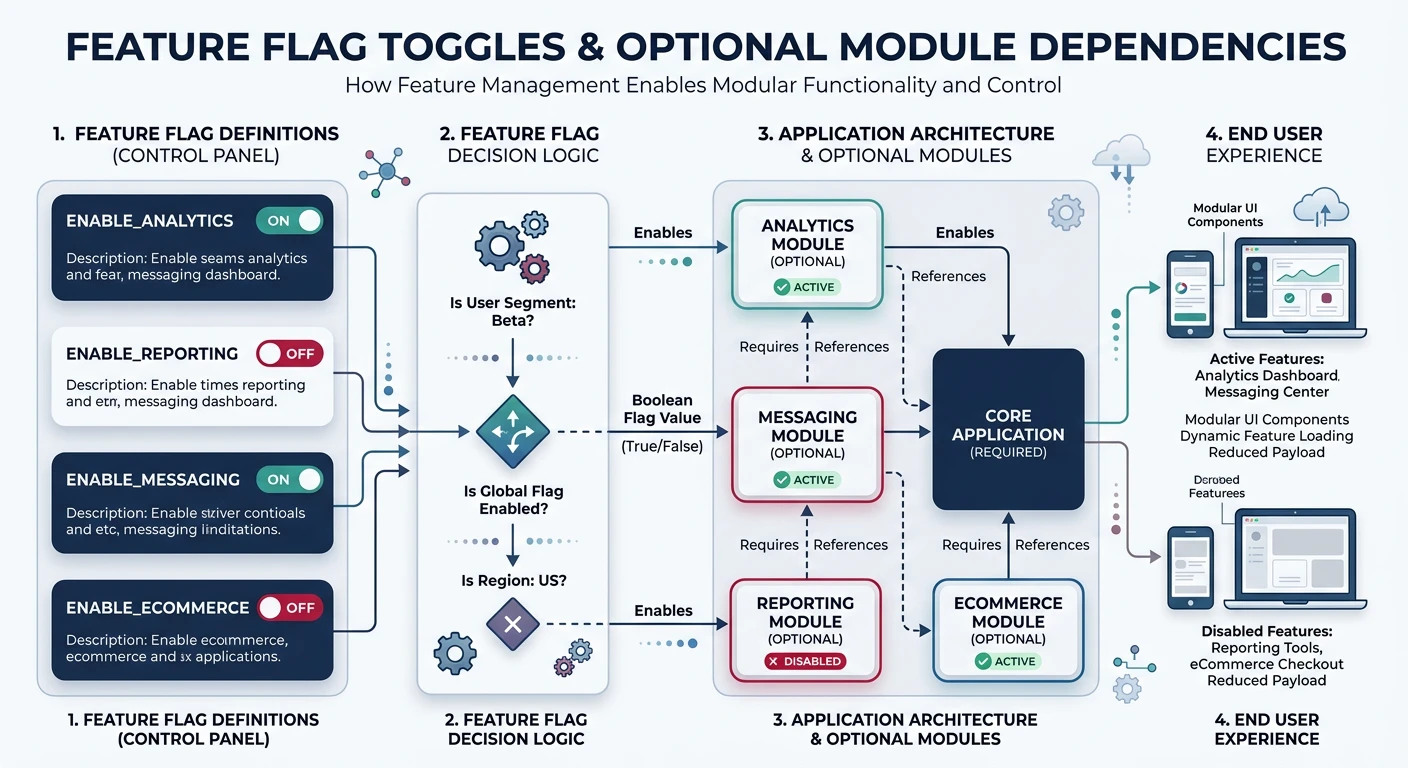
# Optional features: make WITH_SSL=1 WITH_JSON=1
ifdef WITH_SSL
    CFLAGS  += -DWITH_SSL $(shell pkg-config --cflags openssl)
    LDLIBS  += $(shell pkg-config --libs openssl)
    SRCS    += src/ssl_module.c
endif

ifdef WITH_JSON
    CFLAGS  += -DWITH_JSON
    LDLIBS  += -ljson-c
    SRCS    += src/json_handler.c
endif

ifdef WITH_TESTS
    SRCS    += $(wildcard tests/*.c)
    CFLAGS  += -Itests -DUNIT_TESTS
endif

The config.mk Pattern

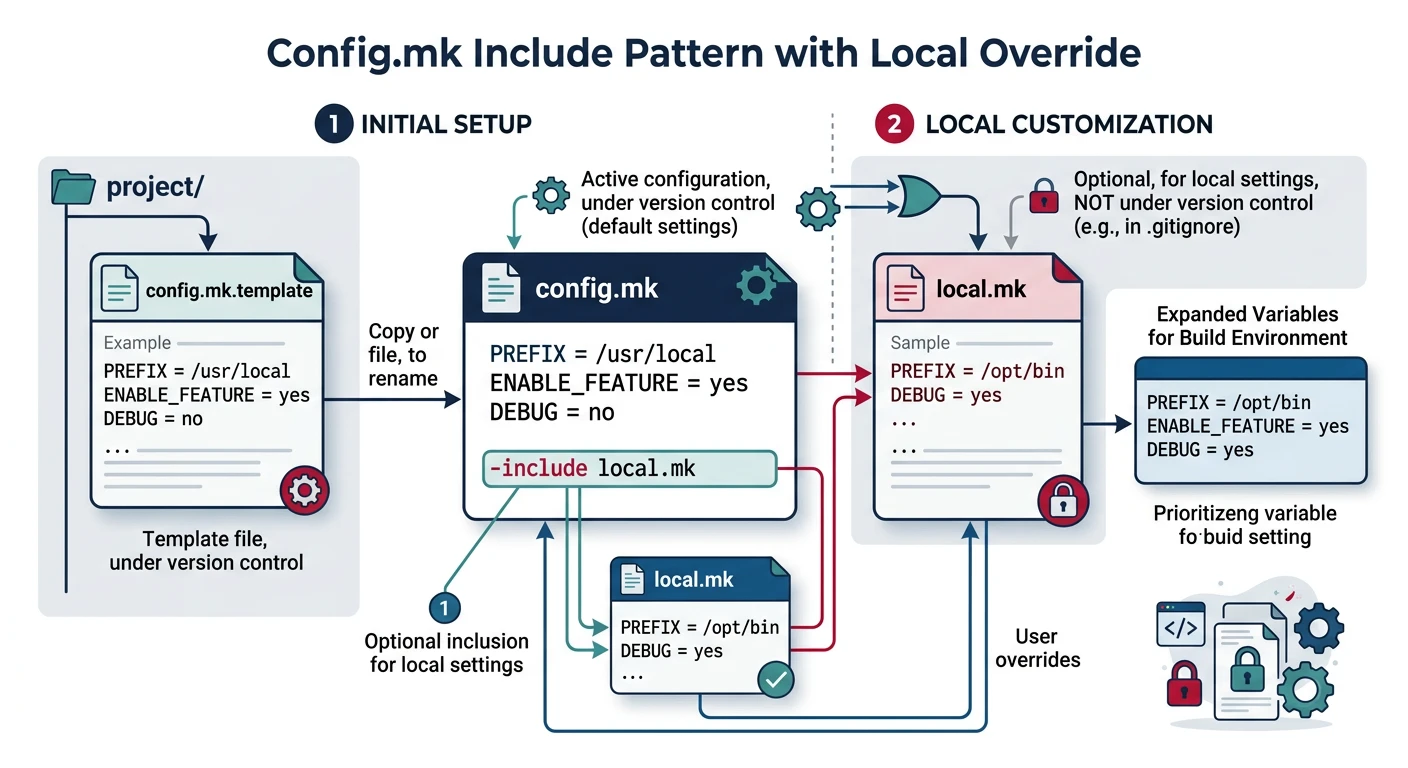
For complex projects, separate build settings into an optional config.mk file that developers create from a template. The main Makefile includes it if present.

# In Makefile — include local config if it exists
-include config.mk       # the - prefix means "don't error if missing"

# Then apply defaults for anything not set in config.mk
CC      ?= gcc
BUILD   ?= debug
PREFIX  ?= /usr/local
# config.mk.example — committed to the repo
# Copy to config.mk and customise:
# CC      = clang
# BUILD   = release
# PREFIX  = /opt/myapp
# WITH_SSL = 1
Best Practice: Add config.mk to .gitignore so each developer's local overrides stay out of version control. Commit only config.mk.example.

Hands-On Milestone

Milestone: A single Makefile that builds on Linux and macOS, supports debug/release switching via BUILD=, optional SSL via WITH_SSL=1, and reads local overrides from config.mk.
# ── Local overrides (optional file, - = don't error if missing) ──
-include config.mk

# ── Defaults (? = set only if not already defined) ──
CC      ?= gcc
BUILD   ?= debug
PREFIX  ?= /usr/local
SRCDIR  := src
BUILDDIR := build/$(BUILD)                              # separate dir per build type
TARGET  := $(BUILDDIR)/myapp

CFLAGS  := -Wall -Wextra -std=c11 -MMD -MP              # -MMD -MP = auto-dep generation
LDLIBS  :=
SRCS    := $(wildcard $(SRCDIR)/*.c)

# ── Build type ──
ifeq ($(BUILD),debug)
    CFLAGS += -O0 -g3 -DDEBUG -fsanitize=address,undefined
    LDFLAGS += -fsanitize=address,undefined
else ifeq ($(BUILD),release)
    CFLAGS += -O3 -DNDEBUG -flto                         # link-time optimisation
    LDFLAGS += -flto -s                                  # strip debug symbols
endif

# ── OS detection ──
OS := $(shell uname -s 2>/dev/null || echo Windows)
ifeq ($(OS),Darwin)
    CC ?= clang                                          # macOS ships clang, not gcc
    LDLIBS += -framework CoreFoundation
endif

# ── Optional SSL (activated: make WITH_SSL=1) ──
ifdef WITH_SSL
    CFLAGS  += -DWITH_SSL $(shell pkg-config --cflags openssl)
    LDLIBS  += $(shell pkg-config --libs openssl)
    SRCS    += $(SRCDIR)/ssl.c
endif

# ── Derived variables ──
OBJS := $(patsubst $(SRCDIR)/%.c,$(BUILDDIR)/%.o,$(SRCS))  # src/foo.c → build/debug/foo.o
DEPS := $(OBJS:.o=.d)                                      # .o → .d (generated dep files)

.PHONY: all clean install info

all: $(TARGET)

# ── Link ──
$(TARGET): $(OBJS)
	$(CC) $(LDFLAGS) -o $@ $^ $(LDLIBS)   # $^ = all .o files, LDLIBS = -l flags at end

# ── Compile ──
$(BUILDDIR)/%.o: $(SRCDIR)/%.c
	@mkdir -p $(BUILDDIR)
	$(CC) $(CFLAGS) -c $< -o $@            # $< = .c source, $@ = .o output

-include $(DEPS)                                # pull in auto-generated .d dependency files

clean:
	rm -rf build

install: $(TARGET)
	install -Dm755 $(TARGET) $(PREFIX)/bin/myapp   # -D creates parent dirs, m755 = rwxr-xr-x

info:
	@echo "OS       = $(OS)"
	@echo "BUILD    = $(BUILD)"
	@echo "CC       = $(CC)"
	@echo "CFLAGS   = $(CFLAGS)"
	@echo "LDFLAGS  = $(LDFLAGS)"
	@echo "LDLIBS   = $(LDLIBS)"
	@echo "PREFIX   = $(PREFIX)"
	@echo "TARGET   = $(TARGET)"
	@echo "SRCS     = $(SRCS)"
	@echo "OBJS     = $(OBJS)"
# --- Setup: create source files (Part 6 has NO source files) ---
mkdir -p src

cat > src/main.c << 'EOF'
#include <stdio.h>

#ifdef DEBUG
  #define LOG(msg) printf("[DEBUG] %s\n", msg)
#else
  #define LOG(msg)
#endif

int main(void) {
    LOG("starting application");
    printf("Hello from myapp!\n");
    return 0;
}
EOF

cat > src/utils.c << 'EOF'
#include <stdio.h>
void utils_init(void) { printf("utils initialized\n"); }
EOF
# --- Try it: test different build configurations ---
make info                       # show default (debug) configuration
make                            # debug build with sanitizers
./build/debug/myapp             # run debug binary

make BUILD=release info         # show release configuration
make BUILD=release              # optimised release build
./build/release/myapp           # run release binary

make clean                      # remove all build artifacts

Next in the Series

In Part 7: Automatic Dependency Generation, we solve one of Make's most notorious limitations — keeping track of which .c files depend on which .h headers. We'll use GCC's -M family of flags to auto-generate and include .d dependency files so that changing any header triggers exactly the right recompilations.

Technology