Game Development
Introduction to Game Development
What game dev is, types, components, rolesChoosing a Game Engine
Unity, Unreal, Godot comparisonProgramming Basics for Games
Real-time programming, patterns2D Game Development
Sprites, animation, tilemaps3D Game Development
Meshes, lighting, camerasPhysics & Collision Systems
Rigidbodies, detection, simulationAudio & Sound Design
SFX, music, spatial audioPublishing Your Game
Builds, optimization, distributionGame Design Fundamentals
Player psychology, fun loopsAI in Games
Pathfinding, behaviors, state machinesMultiplayer & Networking
Client-server, lag compensationProfessional Game Dev Workflow
Version control, pipelinesBuilding a Portfolio
Projects, polish, documentationWhat Game Development Really Is
Game development is the art and science of creating interactive experiences that captivate players. Unlike watching a movie or reading a book, games respond to player input in real-time, creating dynamic experiences that are different every time.
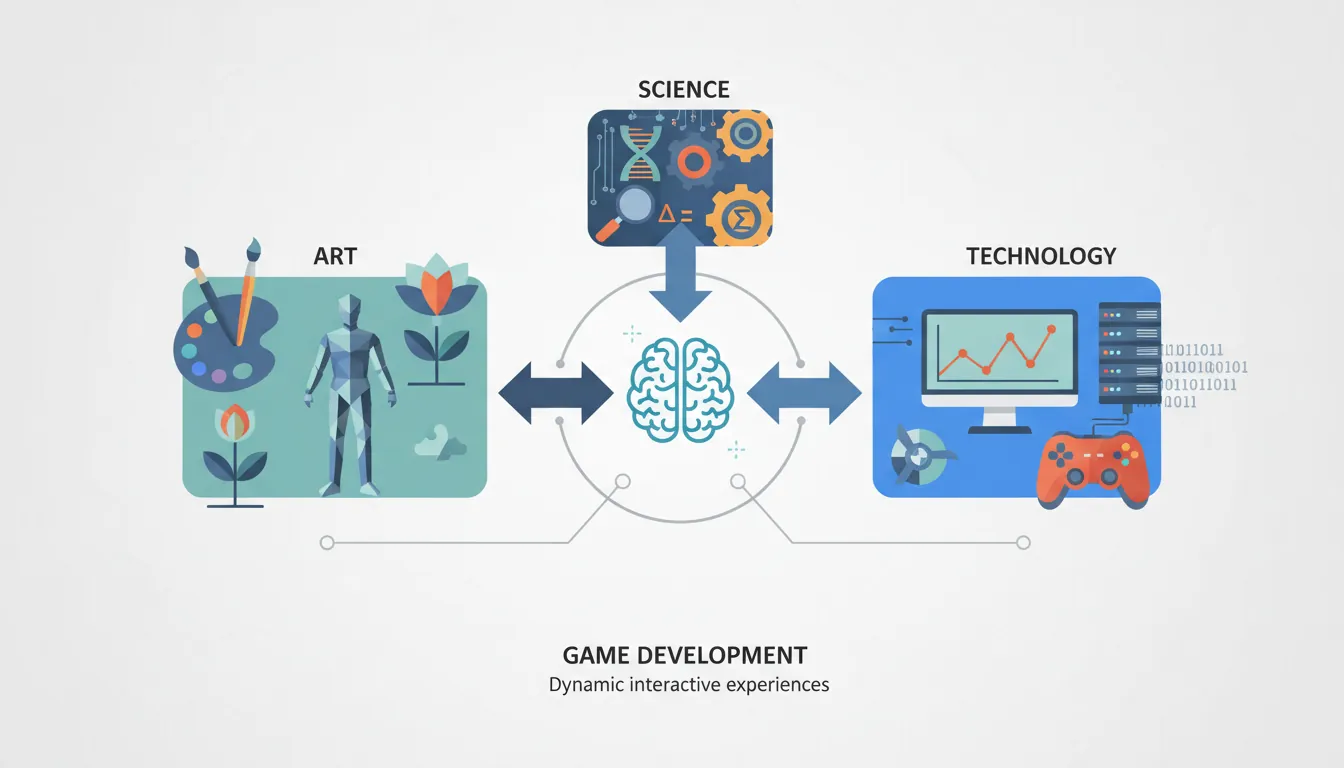
Think of game development as building an interactive world. You're not just creating content—you're creating systems that generate content based on player choices. A movie director decides exactly what the audience sees; a game developer creates the rules and possibilities, then lets players write their own stories.
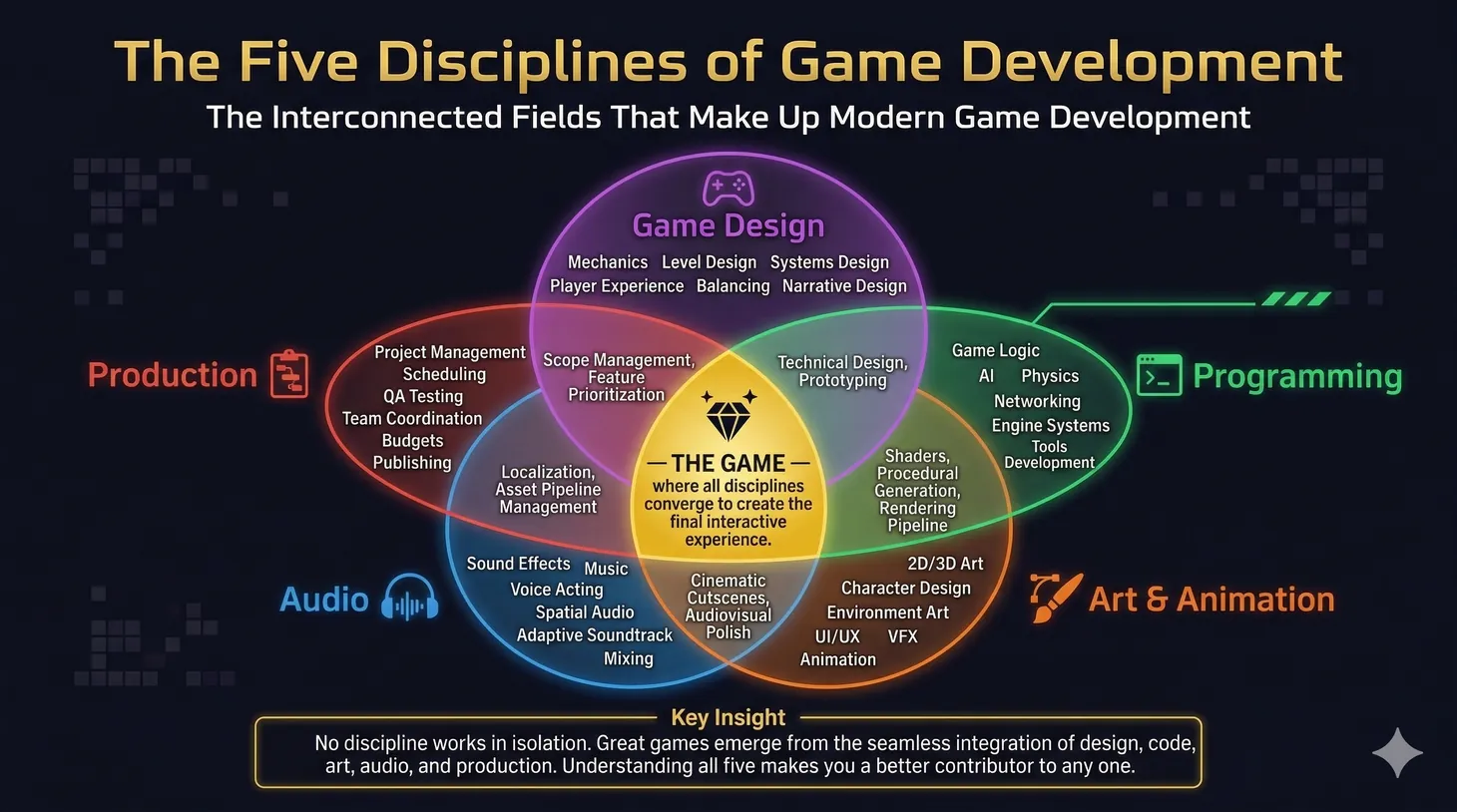
The Five Disciplines
Game development sits at the intersection of multiple creative and technical fields:
| Discipline | What It Does | Example Tasks |
|---|---|---|
| Programming | Makes everything work | Game logic, physics, AI, networking, tools |
| Art | Creates the visual experience | Characters, environments, UI, animations |
| Design | Defines rules and experiences | Mechanics, levels, progression, balance |
| Audio | Creates the soundscape | Music, sound effects, voice acting, ambiance |
| Production | Keeps the project on track | Scheduling, budgeting, team coordination |
Why Make Games?
Games are the most complex form of interactive media, combining:
- Technical Challenge: Real-time systems running at 60+ FPS with complex simulations
- Creative Expression: Tell stories, create worlds, evoke emotions
- Problem Solving: Design systems that are fun, fair, and engaging
- Interdisciplinary Work: Collaborate across art, code, and design
- Direct Impact: See people enjoy what you've created
Types of Games & Platforms
2D vs 3D Games
The fundamental divide in game development is between two-dimensional and three-dimensional games:
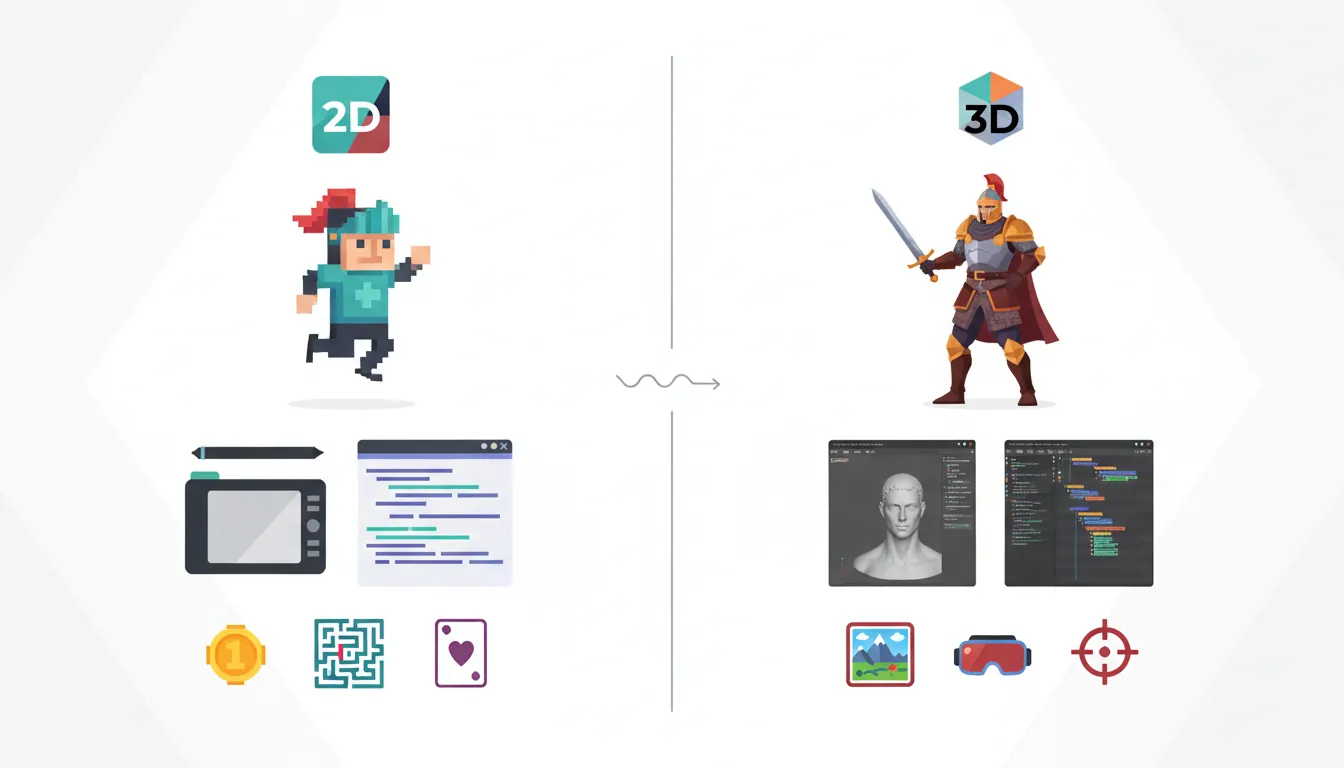
| Aspect | 2D Games | 3D Games |
|---|---|---|
| Complexity | Lower technical barrier | Higher complexity (cameras, lighting, depth) |
| Art Pipeline | Sprites, pixel art, vector graphics | 3D modeling, texturing, rigging, animation |
| Physics | Simpler (X, Y coordinates) | Complex (X, Y, Z + rotation on 3 axes) |
| Performance | Generally less demanding | GPU-intensive, requires optimization |
| Examples | Hollow Knight, Celeste, Stardew Valley | Elden Ring, God of War, Minecraft |
| Best For Beginners? | ✅ Yes - Start here | After mastering 2D fundamentals |
Target Platforms
| Platform | Considerations | Input Methods |
|---|---|---|
| PC (Windows/Mac/Linux) | Most flexible, varied hardware specs, open distribution | Keyboard, mouse, controller |
| Console (PS5, Xbox, Switch) | Fixed hardware, certification required, platform fees | Controller, touchscreen (Switch) |
| Mobile (iOS/Android) | Touch-first design, F2P model common, battery limits | Touchscreen, gyroscope |
| Web Browser | No install needed, limited performance, instant access | Mouse, keyboard, touch |
| VR/AR | Immersive but niche market, motion sickness concerns | Motion controllers, hand tracking |
Indie vs AAA Development
Indie Development
- 1-20 team members
- Budget: $0 - $2M
- Timeline: 6 months - 5 years
- Creative freedom
- Wear multiple hats
- Direct connection with players
Examples: Undertale (1 person), Hollow Knight (3 people), Hades (20 people)
AAA Development
- 100-3000+ team members
- Budget: $50M - $500M+
- Timeline: 3-7+ years
- Publisher oversight
- Specialized roles
- Marketing-driven releases
Examples: God of War, Red Dead Redemption 2, Cyberpunk 2077
Core Components of Every Game
The Game Loop
Every game, from Pong to Elden Ring, runs on a simple concept: the game loop. This is the heartbeat of your game, running 30-144+ times per second:
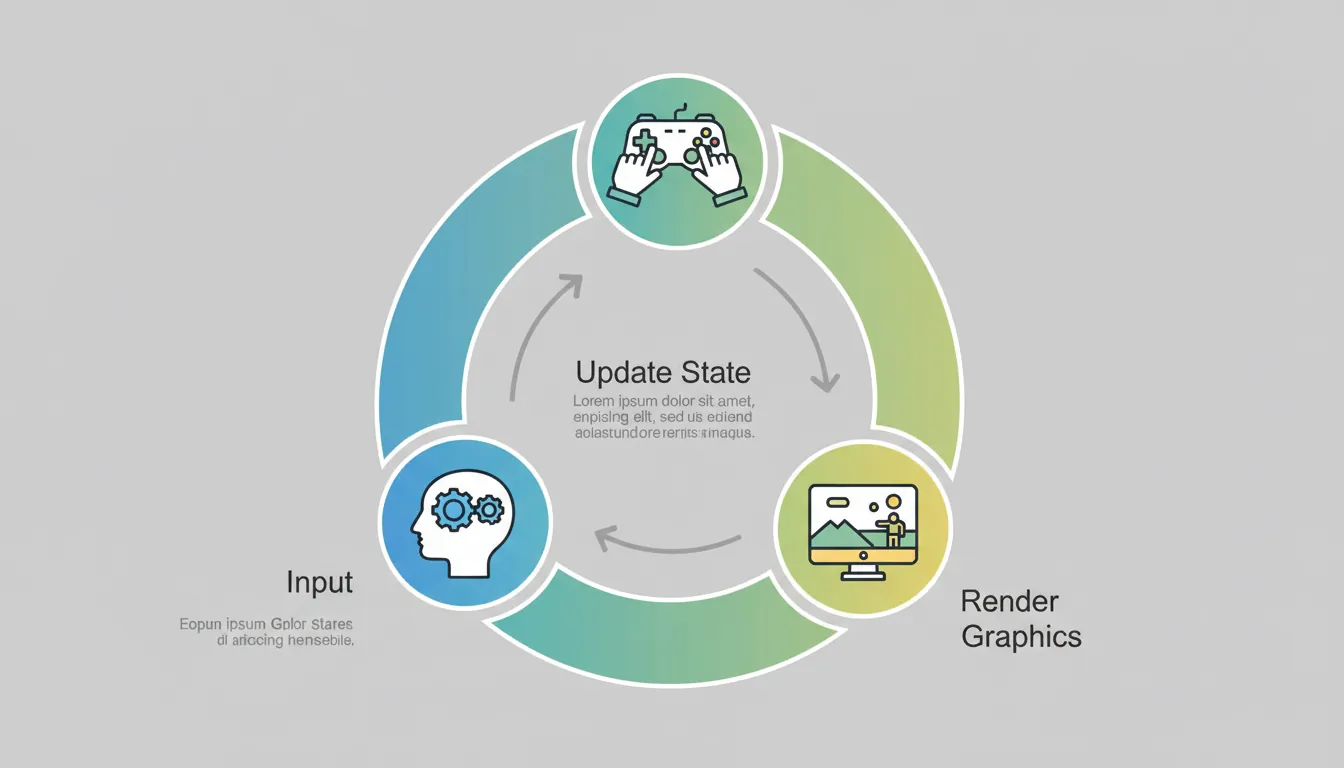
// The fundamental game loop
while (gameIsRunning)
{
    ProcessInput();    // What did the player do?
    UpdateGameState(); // What happens because of that?
    RenderGraphics();  // Show the result on screen
}Essential Game Systems
Every game builds on these fundamental systems:
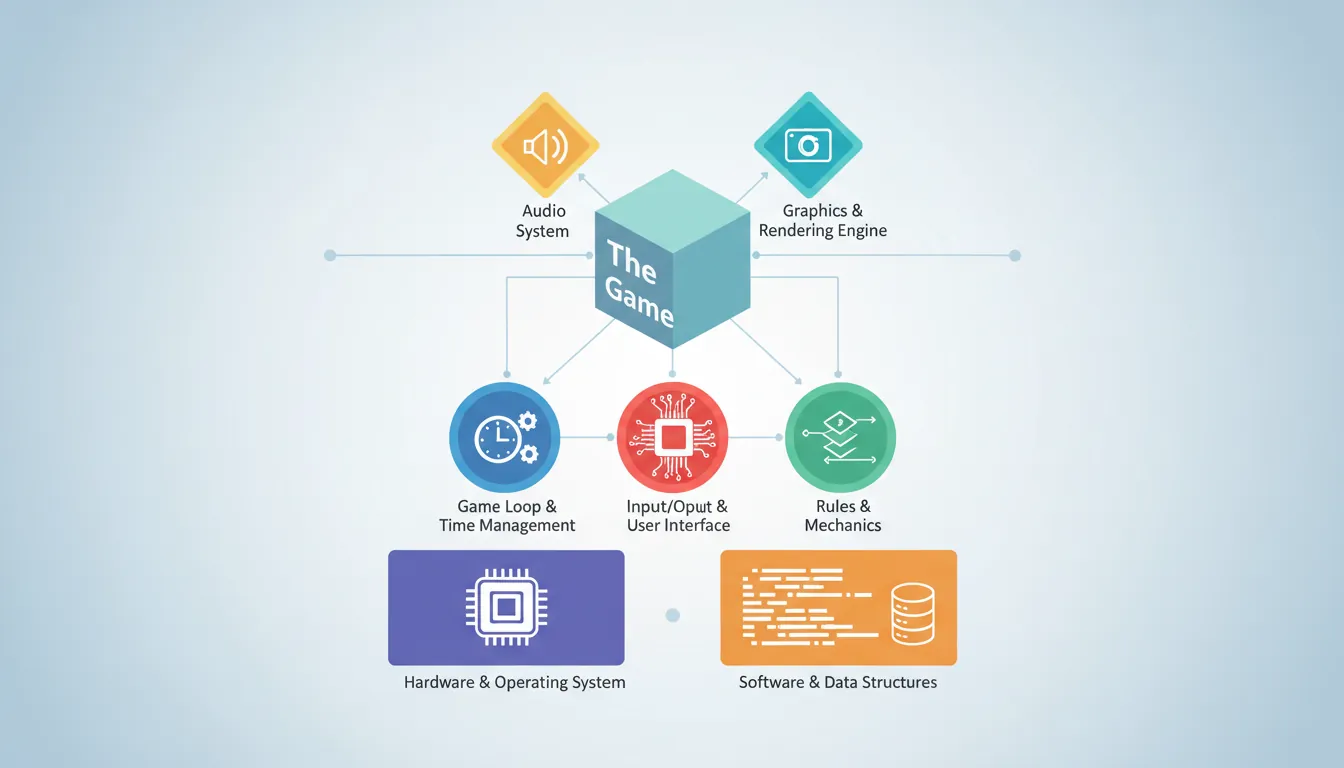
| System | Purpose | Example |
|---|---|---|
| Rendering | Drawing graphics to the screen | Displaying sprites, 3D models, UI |
| Physics | Simulating real-world movement | Gravity, collisions, momentum |
| Input | Reading player actions | Keyboard, mouse, controller, touch |
| Audio | Playing sounds and music | Jump sounds, background music, UI clicks |
| AI | Controlling non-player entities | Enemy behavior, NPC dialogue, pathfinding |
| State Management | Tracking game progress | Health, inventory, save/load, menus |
| Animation | Moving things over time | Character walk cycles, UI transitions |
Game Architecture Overview
┌─────────────────────────────────────────────────────────────┐
│                        GAME ENGINE                          │
├─────────────────────────────────────────────────────────────┤
│                                                             │
│   ┌─────────────┐    ┌─────────────┐    ┌─────────────┐   │
│   │  Rendering  │    │   Physics   │    │    Audio    │   │
│   │   System    │    │   System    │    │   System    │   │
│   └─────────────┘    └─────────────┘    └─────────────┘   │
│                                                             │
│   ┌─────────────┐    ┌─────────────┐    ┌─────────────┐   │
│   │    Input    │    │     AI      │    │  Animation  │   │
│   │   System    │    │   System    │    │   System    │   │
│   └─────────────┘    └─────────────┘    └─────────────┘   │
│                                                             │
├─────────────────────────────────────────────────────────────┤
│                      GAME LOGIC                             │
├─────────────────────────────────────────────────────────────┤
│  Player Controller │ Enemy AI │ Game Rules │ UI Manager   │
└─────────────────────────────────────────────────────────────┘
Game Roles in Industry
Programming Roles
| Role | Responsibilities | Skills Needed |
|---|---|---|
| Gameplay Programmer | Player mechanics, game rules, abilities | C++/C#, design sense, math |
| Graphics/Rendering Programmer | Shaders, visual effects, optimization | HLSL/GLSL, linear algebra, GPU architecture |
| Engine Programmer | Core systems, performance, tools | C++, memory management, systems programming |
| AI Programmer | NPC behavior, pathfinding, decision-making | State machines, behavior trees, algorithms |
| Network Programmer | Multiplayer, servers, synchronization | Networking protocols, client-server, lag compensation |
| Tools Programmer | Level editors, asset pipelines, debugging tools | UI development, scripting, workflow optimization |
Art Roles
| Role | Responsibilities | Tools |
|---|---|---|
| Concept Artist | Visual direction, early ideation | Photoshop, Procreate |
| 3D Modeler | Characters, props, environments | Blender, Maya, ZBrush |
| Texture Artist | Surface details, materials | Substance Painter, Photoshop |
| Animator | Character movement, cinematics | Maya, Blender, MotionBuilder |
| Technical Artist | Art-programming bridge, shaders, pipelines | Houdini, shaders, scripting |
| UI/UX Designer | Menus, HUD, player experience flow | Figma, Adobe XD, Unity UI |
Design Roles
| Role | Responsibilities | Key Skills |
|---|---|---|
| Game Designer | Core mechanics, rules, systems | Systems thinking, documentation, prototyping |
| Level Designer | Game spaces, pacing, encounters | Spatial design, scripting, playtesting |
| Narrative Designer | Story, dialogue, world-building | Writing, storytelling, branching narratives |
| Systems Designer | Economy, progression, balance | Mathematics, spreadsheets, data analysis |
Getting Started: Your Path
Recommended Learning Path
- Month 1-2: Learn a game engine (Unity or Godot recommended for beginners)
- Month 3-4: Complete 2-3 simple tutorials (Pong, Flappy Bird, Platformer)
- Month 5-6: Make your first original game (keep scope tiny!)
- Month 7-12: Join a game jam, learn from feedback, iterate
- Year 2+: Specialize in your area of interest, build portfolio
Essential Resources
| Resource Type | Recommendations |
|---|---|
| Game Engines | Unity (free), Godot (free/open-source), Unreal (free until $1M revenue) |
| Learning Platforms | Unity Learn, GDQuest (Godot), Unreal Learning Portal |
| Game Jams | Ludum Dare, Global Game Jam, itch.io jams |
| Communities | r/gamedev, GameDev.net, Discord servers |
| Books | "The Art of Game Design" (Schell), "Game Programming Patterns" (Nystrom) |
Exercise: Your First Step
Goal: Take the first concrete step toward game development today.
- Download a game engine (we recommend Godot or Unity)
- Complete the "Hello World" tutorial (display something on screen)
- Make one thing move with keyboard input
- Congratulations—you've made a "game"!
Time: 1-2 hours