Game Development
Introduction to Game Development
Industry overview, roles, game design pipelineChoosing a Game Engine
Unity, Unreal, Godot, engine comparison, tradeoffsProgramming Basics for Games
Game loops, input handling, state machines, OOP2D Game Development
Sprites, tilemaps, platformers, 2D physics, animation3D Game Development
Meshes, materials, lighting, cameras, 3D mathPhysics & Collision Systems
Rigidbodies, colliders, raycasting, physics enginesAudio & Sound Design
Sound effects, music, spatial audio, audio middlewarePublishing Your Game
Store submission, marketing, monetization, launch strategyGame Design Fundamentals
Mechanics, dynamics, aesthetics, level design, balancingAI in Games
Pathfinding, behavior trees, state machines, NPC intelligenceMultiplayer & Networking
Client-server, peer-to-peer, netcode, synchronizationProfessional Game Dev Workflow
Version control, CI/CD, QA testing, agile for gamesBuilding a Portfolio
Showcasing projects, demo reels, job applications, indie devRigidbodies & Forces
A Rigidbody is a component that enables physics simulation on a game object. Once added, the physics engine takes over—the object responds to gravity, forces, collisions, and momentum.
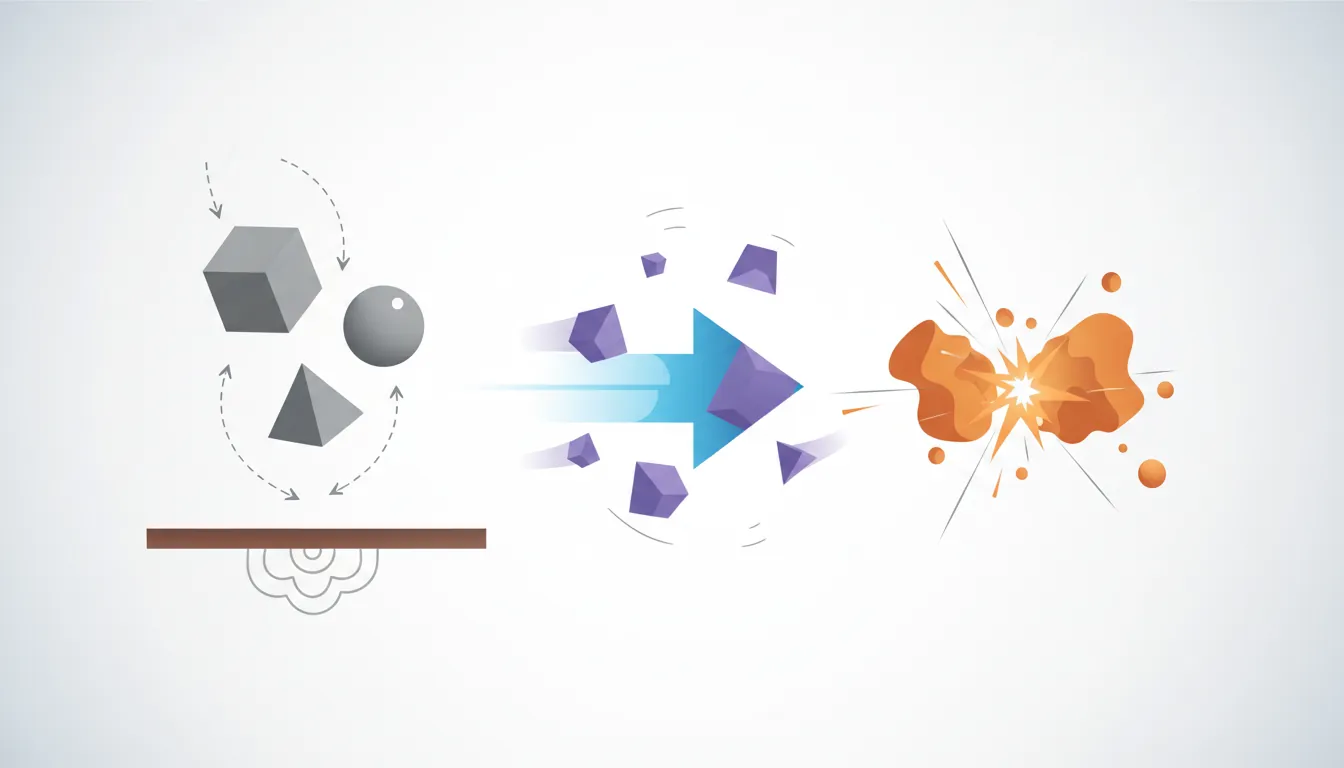
Physics Engine Architecture
Physics Engine Components:

┌─────────────────────────────────────────────────────────┐
│                    PHYSICS ENGINE                        │
│                                                          │
│   ┌──────────────┐   ┌──────────────┐   ┌────────────┐  │
│   │  COLLISION   │   │   PHYSICS    │   │   SOLVER   │  │
│   │  DETECTION   │──▶│  SIMULATION  │──▶│ (Resolve   │  │
│   │  (Who hit?)  │   │  (How move?) │   │ overlaps)  │  │
│   └──────────────┘   └──────────────┘   └────────────┘  │
│          │                  │                  │         │
│          ▼                  ▼                  ▼         │
│   ┌─────────────────────────────────────────────────┐   │
│   │              FIXED TIMESTEP UPDATE              │   │
│   │        (Every 0.02s = 50 physics updates/sec)   │   │
│   └─────────────────────────────────────────────────┘   │
└─────────────────────────────────────────────────────────┘

Popular Physics Engines:
  • PhysX (Unity, Unreal) - Full 3D physics
  • Box2D (Most 2D games) - Lightweight 2D physics
  • Havok (AAA games) - Industry standard
• Bullet (Open source) - Used by Blender, many gamesRigidbody Properties
| Property | What It Does | Real-World Analogy |
|---|---|---|
| Mass | How heavy (affects force needed to move) | Bowling ball vs. beach ball |
| Drag | Air resistance (slows linear movement) | Feather falling vs. rock |
| Angular Drag | Resistance to spinning | Why tops eventually stop |
| Use Gravity | Should gravity affect this object? | On = ball drop, Off = space object |
| Is Kinematic | Move via script, not physics | Animated platform that pushes player |
| Interpolate | Smooth visual movement between physics steps | Reduces jittery appearance |
Applying Forces
public class PhysicsController : MonoBehaviour
{
    private Rigidbody rb;
    public float jumpForce = 500f;
    public float moveForce = 10f;

    void Start()
    {
        rb = GetComponent<Rigidbody>();
    }

    void FixedUpdate()  // Use FixedUpdate for physics!
    {
        // Movement force (continuous)
        float horizontal = Input.GetAxis("Horizontal");
        rb.AddForce(Vector3.right * horizontal * moveForce);

        // Different force modes:
        // Force: Continuous push (affected by mass)
        rb.AddForce(Vector3.forward * 10f, ForceMode.Force);

        // Acceleration: Continuous push (ignores mass)
        rb.AddForce(Vector3.forward * 10f, ForceMode.Acceleration);

        // Impulse: Instant push (affected by mass) - for jumps!
        if (Input.GetButtonDown("Jump"))
            rb.AddForce(Vector3.up * jumpForce, ForceMode.Impulse);

        // VelocityChange: Instant push (ignores mass)
        rb.AddForce(Vector3.up * 5f, ForceMode.VelocityChange);
    }

    // Direct velocity manipulation
    void Jump()
    {
        // Set velocity directly (overrides physics)
        rb.velocity = new Vector3(rb.velocity.x, 10f, rb.velocity.z);
    }
}

// 2D Equivalent
public class Physics2DController : MonoBehaviour
{
    private Rigidbody2D rb2d;

    void FixedUpdate()
    {
        rb2d.AddForce(Vector2.right * 10f);
        rb2d.AddForce(Vector2.up * 500f, ForceMode2D.Impulse);
    }
}
Colliders & Triggers
Colliders define the physical shape of an object for collision detection. They can be solid (blocking) or triggers (detection only).
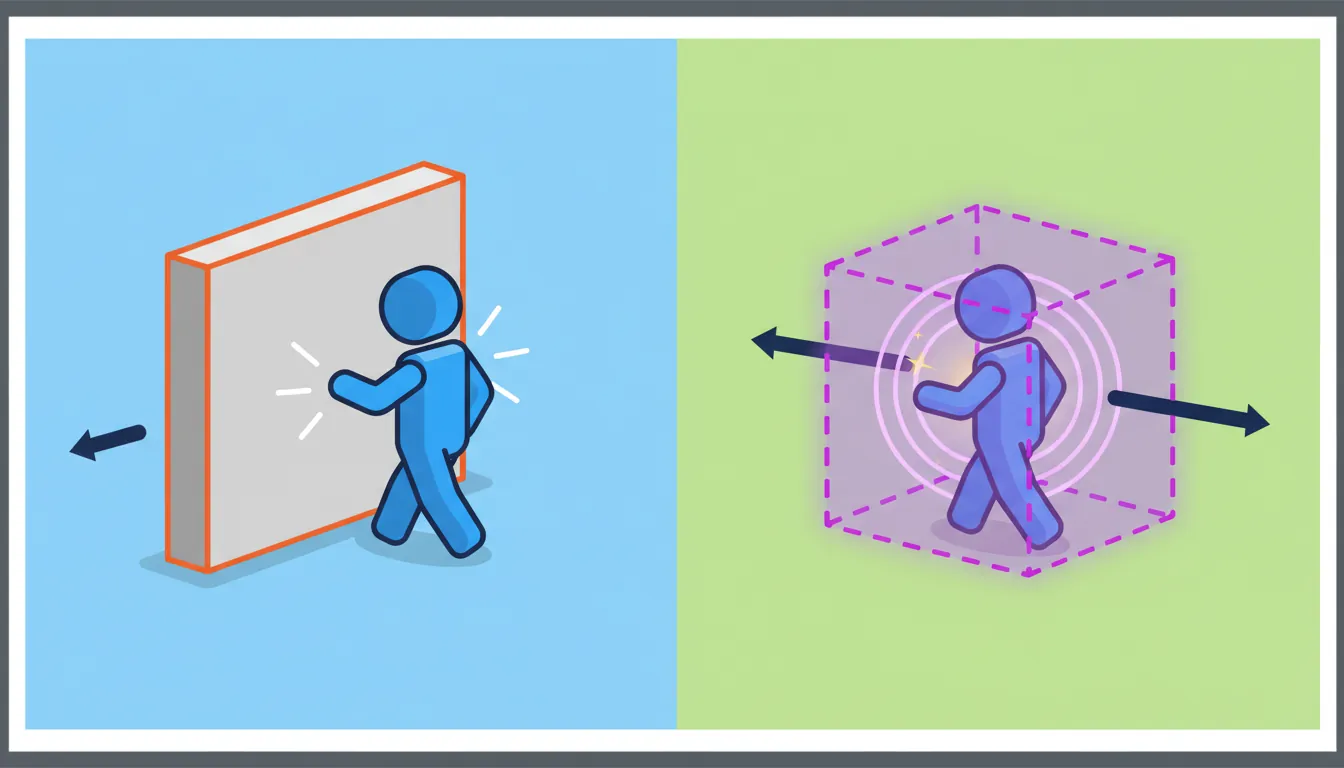
Collider Types
Collider Types (2D and 3D):

  Box Collider           Sphere/Circle          Capsule
   ┌───────┐                  ●                   ╭───╮
   │       │               ╱     ╲                │   │
   │       │             ●         ●              │   │
   │       │               ╲     ╱                │   │
   └───────┘                  ●                   ╰───╯

  Cheap to compute     Cheapest check         Character shapes
  Good for crates,     Perfect for balls,     Ideal for players,
  walls, platforms     bullets, power-ups     NPCs, humanoids

  Mesh Collider         Polygon (2D)          Composite
     ╱╲                   ┌─╮                  ┌─────┐
    ╱  ╲                 ╱   ╲                 │  ●  │
   ╱    ╲               ╱     ╲                │     │
  ╱──────╲             └───────┘               └─────┘

  Matches exact mesh   Custom 2D shapes       Multiple simple
  EXPENSIVE! Use only  Use sparingly          colliders combined
for static geometryCollision vs Trigger
| Aspect | Collision (Solid) | Trigger (Pass Through) |
|---|---|---|
| Physical Blocking | Yes - objects bounce/stop | No - objects pass through |
| Use Case | Walls, floors, characters | Power-ups, checkpoints, damage zones |
| Events (3D) | OnCollisionEnter/Stay/Exit | OnTriggerEnter/Stay/Exit |
| Events (2D) | OnCollisionEnter2D/Stay2D/Exit2D | OnTriggerEnter2D/Stay2D/Exit2D |
public class CollisionExample : MonoBehaviour
{
    // COLLISION events (solid objects)
    void OnCollisionEnter(Collision collision)
    {
        // Get collision details
        Debug.Log("Hit: " + collision.gameObject.name);
        Debug.Log("Impact force: " + collision.impulse.magnitude);

        // Get contact point
        ContactPoint contact = collision.contacts[0];
        Debug.Log("Hit at: " + contact.point);
        Debug.Log("Surface normal: " + contact.normal);

        // Check what we hit by tag
        if (collision.gameObject.CompareTag("Enemy"))
        {
            TakeDamage(10);
        }
    }

    void OnCollisionStay(Collision collision)
    {
        // Called every frame while touching
    }

    void OnCollisionExit(Collision collision)
    {
        // Called when no longer touching
    }

    // TRIGGER events (pass-through zones)
    void OnTriggerEnter(Collider other)
    {
        if (other.CompareTag("Coin"))
        {
            CollectCoin(other.gameObject);
            Destroy(other.gameObject);
        }

        if (other.CompareTag("Checkpoint"))
        {
            SetSpawnPoint(other.transform.position);
        }
    }

    void OnTriggerStay(Collider other)
    {
        // Inside damage zone? Take continuous damage
        if (other.CompareTag("Lava"))
            TakeDamage(5 * Time.deltaTime);
    }

    void OnTriggerExit(Collider other)
    {
        if (other.CompareTag("SafeZone"))
            EnableEnemyAttacks();
    }
}
Raycasting
Raycasting shoots an invisible line to detect what it hits. Essential for aiming, ground detection, line-of-sight, and interaction systems.
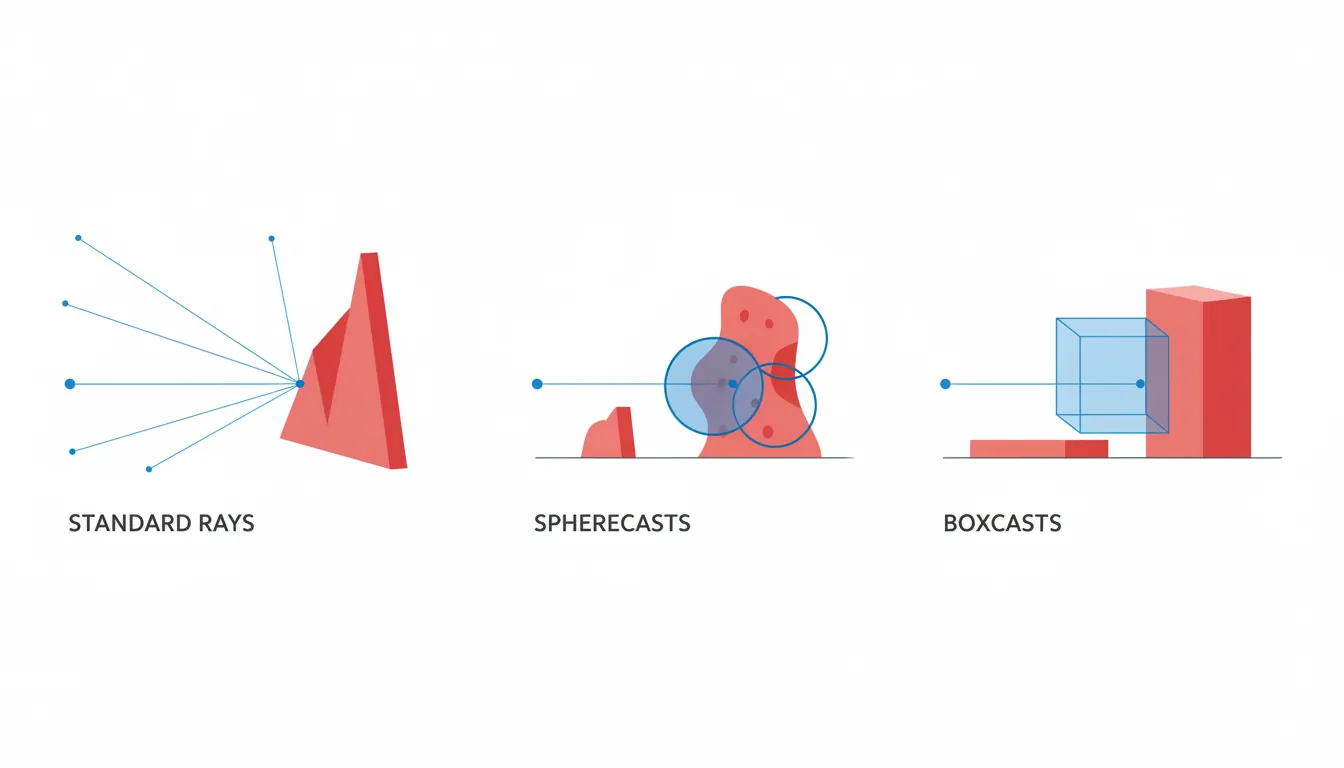
Raycasting Visualization:

  Standard Raycast:              Spherecast:

  Origin ●────────────────→ Hit    Origin ●═══════════════→ Hit
         │                              ○═══════════════○
         │ Single line                  ○═══════════════○
                                        Fat ray with radius

  Boxcast:                       Overlap Sphere:

  ┌─────┬─────┬─────┐                   ╱ ╲
  │     │     │     │──→ Hit           ●   ●
  └─────┴─────┴─────┘                 ╲   ╱
  Sweeps a box shape                   Get all in radius
Common Raycast Patterns
public class RaycastExamples : MonoBehaviour
{
    public float interactRange = 3f;
    public LayerMask interactableLayers;

    void Update()
    {
        // 1. BASIC RAYCAST - Shooting, clicking
        if (Input.GetMouseButtonDown(0))
        {
            Ray ray = Camera.main.ScreenPointToRay(Input.mousePosition);
            RaycastHit hit;

            if (Physics.Raycast(ray, out hit, 100f))
            {
                Debug.Log("Clicked on: " + hit.collider.name);
                Debug.Log("Hit point: " + hit.point);
                Debug.Log("Distance: " + hit.distance);

                // Spawn effect at hit point
                Instantiate(hitEffect, hit.point, Quaternion.LookRotation(hit.normal));
            }
        }

        // 2. GROUND CHECK - Is player grounded?
        bool isGrounded = Physics.Raycast(
            transform.position,     // Origin
            Vector3.down,           // Direction
            1.1f,                   // Max distance
            groundLayer             // Only check ground layer
        );

        // 3. INTERACTION - What's in front of player?
        Ray interactRay = new Ray(transform.position, transform.forward);
        RaycastHit interactHit;

        if (Physics.Raycast(interactRay, out interactHit, interactRange, interactableLayers))
        {
            // Show "Press E to interact"
            IInteractable interactable = interactHit.collider.GetComponent<IInteractable>();
            if (interactable != null && Input.GetKeyDown(KeyCode.E))
                interactable.Interact();
        }

        // 4. LINE OF SIGHT - Can enemy see player?
        Vector3 directionToPlayer = (player.position - transform.position).normalized;
        if (!Physics.Raycast(transform.position, directionToPlayer,
            Vector3.Distance(transform.position, player.position), obstacleLayer))
        {
            // No obstacle in the way - player is visible!
            AttackPlayer();
        }
    }

    // 5. SPHERECAST - Wider detection (for melee attacks)
    void MeleeAttack()
    {
        RaycastHit hit;
        if (Physics.SphereCast(transform.position, 0.5f, transform.forward,
            out hit, 2f, enemyLayer))
        {
            hit.collider.GetComponent<Health>().TakeDamage(25);
        }
    }

    // 6. OVERLAP SPHERE - Find all nearby objects
    void FindNearbyEnemies()
    {
        Collider[] enemies = Physics.OverlapSphere(transform.position, 10f, enemyLayer);
        foreach (Collider enemy in enemies)
        {
            enemy.GetComponent<Enemy>().AlertToPlayer();
        }
    }

    // 7. RAYCAST ALL - Hit multiple objects (piercing bullet)
    void PiercingShot()
    {
        RaycastHit[] hits = Physics.RaycastAll(
            transform.position, transform.forward, 50f);

        // Sort by distance
        System.Array.Sort(hits, (a, b) => a.distance.CompareTo(b.distance));

        foreach (RaycastHit hit in hits)
        {
            hit.collider.GetComponent<Health>()?.TakeDamage(10);
        }
    }
}
Physics Materials
Physics Materials define surface properties like friction (grip) and bounciness. They determine how objects slide and bounce off each other.
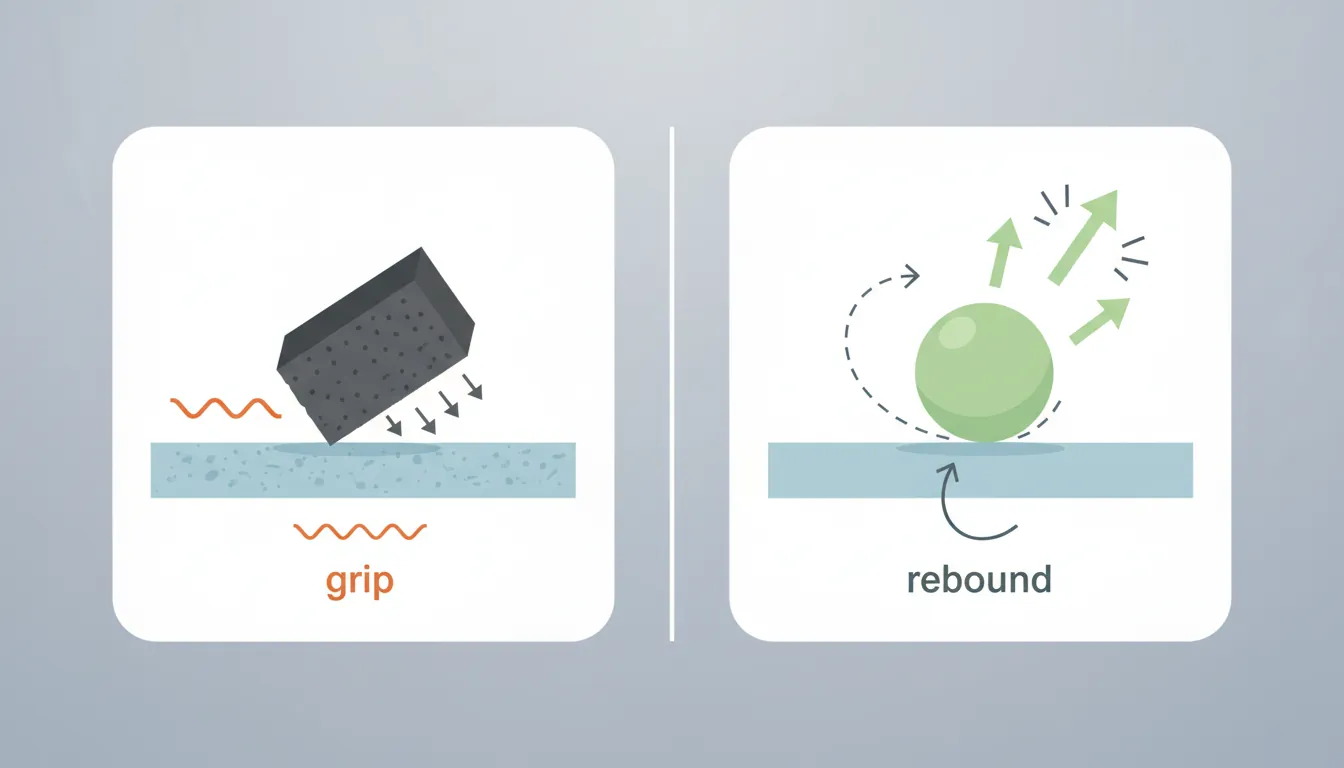
Material Properties
| Property | Range | Low Value Example | High Value Example |
|---|---|---|---|
| Friction | 0 - 1+ | 0: Ice, oiled surface | 1: Rubber, sandpaper |
| Bounciness | 0 - 1 | 0: Clay, dead ball | 1: Super ball, trampoline |
Common Physics Material Presets:

Material        Friction    Bounciness    Use Case
─────────────────────────────────────────────────────
Ice             0.05        0.0           Slippery floors
Metal           0.4         0.1           Machinery, armor
Wood            0.6         0.2           Crates, platforms
Rubber          0.8         0.8           Tires, balls
Bouncy Ball     0.3         1.0           Power-ups, toys
Sticky          1.0         0.0           Gum, climbing walls
// Creating physics materials at runtime
public class DynamicPhysicsMaterial : MonoBehaviour
{
void Start()
{
// Create ice material
PhysicMaterial iceMaterial = new PhysicMaterial("Ice");
iceMaterial.dynamicFriction = 0.05f;
iceMaterial.staticFriction = 0.05f;
iceMaterial.bounciness = 0f;
iceMaterial.frictionCombine = PhysicMaterialCombine.Minimum;
GetComponent<Collider>().material = iceMaterial;
}
// Change material based on surface
void OnCollisionEnter(Collision collision)
{
if (collision.gameObject.CompareTag("Ice"))
{
// Reduce player friction when on ice
GetComponent<Collider>().material.dynamicFriction = 0.1f;
}
}
}Joints & Constraints
Joints connect rigidbodies together with specific constraints. They enable chains, doors, ragdolls, vehicles, and more.
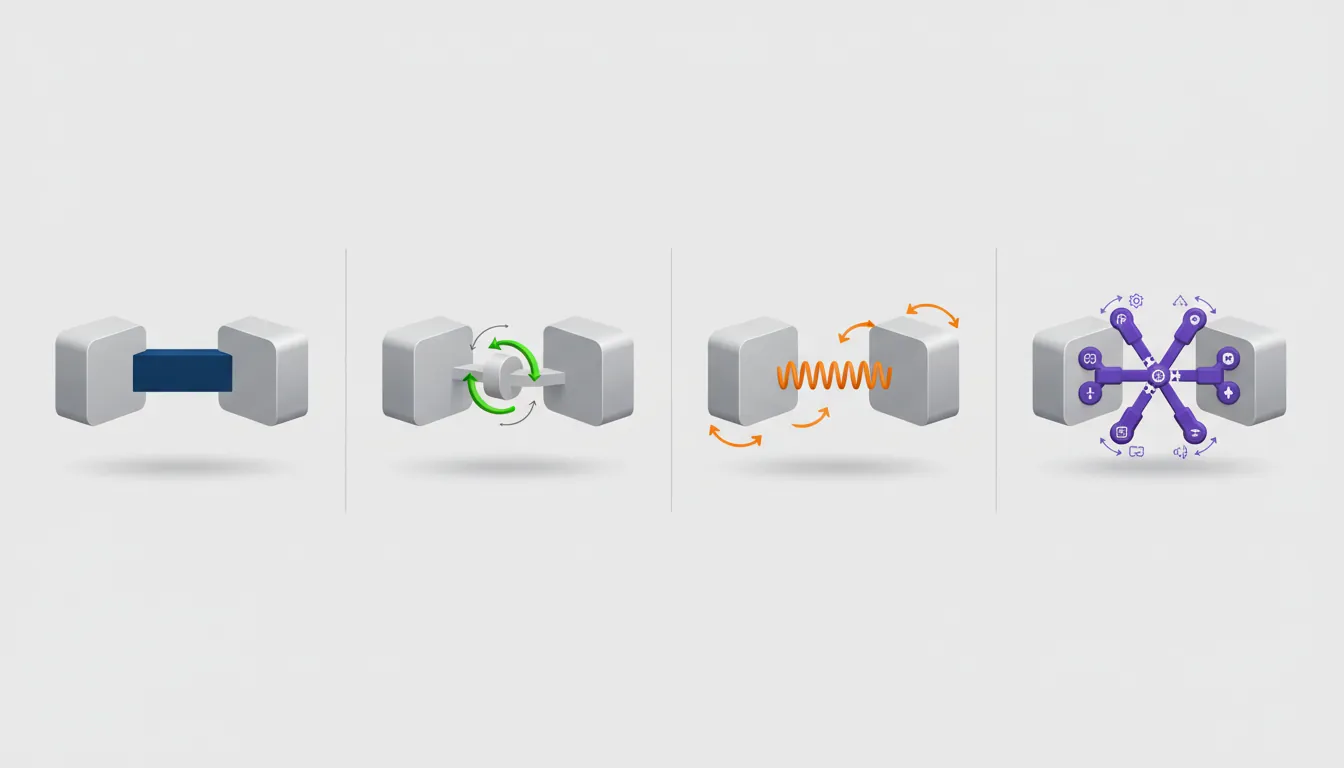
Joint Types:

Fixed Joint:              Hinge Joint:              Spring Joint:
  ●═══════●                  ●                         ●
  Welded together           ╱╲                      ∿∿∿∿∿
  No movement              ╱  ╲                        ●
                          ●    Rotates on axis     Stretchy connection

Configurable Joint:       Character Joint:          Distance Joint:
  ●─ ─ ─ ─●              Shoulder●─●Elbow            ●───────────●
  Custom limits              ╱   ╲                   Fixed distance
  Full control              ●Wrist                    apart
Common Joint Uses
// HINGE JOINT - Doors, levers, pendulums
public class DoorHinge : MonoBehaviour
{
    void Start()
    {
        HingeJoint hinge = gameObject.AddComponent<HingeJoint>();

        // Set the axis of rotation
        hinge.axis = Vector3.up;  // Rotate around Y

        // Limit rotation range
        JointLimits limits = hinge.limits;
        limits.min = 0;      // Closed position
        limits.max = 90;     // Max open angle
        hinge.limits = limits;
        hinge.useLimits = true;

        // Optional: Add spring to close automatically
        JointSpring spring = hinge.spring;
        spring.spring = 50f;
        spring.targetPosition = 0;  // Target = closed
        hinge.spring = spring;
        hinge.useSpring = true;
    }
}

// SPRING JOINT - Grappling hook, bungee
public class GrapplingHook : MonoBehaviour
{
    public LineRenderer rope;
    private SpringJoint spring;

    void Fire(Vector3 hitPoint)
    {
        spring = gameObject.AddComponent<SpringJoint>();
        spring.autoConfigureConnectedAnchor = false;
        spring.connectedAnchor = hitPoint;

        // Spring properties
        spring.spring = 50f;      // Stiffness
        spring.damper = 5f;       // Reduce bouncing
        spring.maxDistance = 10f; // Max rope length
        spring.minDistance = 1f;  // Min rope length
    }
}

// FIXED JOINT - Picking up objects
public class PickupSystem : MonoBehaviour
{
    private FixedJoint joint;

    void PickUp(Rigidbody obj)
    {
        obj.transform.position = holdPoint.position;
        joint = obj.gameObject.AddComponent<FixedJoint>();
        joint.connectedBody = playerRigidbody;
    }

    void Drop()
    {
        Destroy(joint);
    }
}
Physics Simulation
Understanding how the physics engine works helps you write better, more performant physics code.
The Physics Loop
Physics Simulation Loop (Each Fixed Update):


                        Physics Simulation Pipeline

flowchart TD
    TICK["Physics Tick
(Fixed Timestep)"]
    BROAD["Broad Phase
AABB overlap test
Spatial hashing / BVH"]
    NARROW["Narrow Phase
GJK / SAT exact test
Contact point generation"]
    RESOLVE["Contact Resolution
Impulse calculation
Friction, restitution"]
    INTEGRATE["Integration
Velocity Verlet / RK4
Update positions"]
    CONST["Constraint Solver
Joints, springs,
ragdoll limits"]

    TICK --> BROAD --> NARROW --> RESOLVE --> INTEGRATE --> CONST
    CONST -->|"Next frame"| TICK

    style TICK fill:#132440,stroke:#132440,color:#fff
    style BROAD fill:#e8f4f4,stroke:#3B9797
    style NARROW fill:#f0f4f8,stroke:#16476A


1. APPLY FORCES ────────────────────────────────────────────┐
   │  Gravity, AddForce(), explosions, wind               │
   ▼                                                       │
2. INTEGRATE VELOCITY ─────────────────────────────────────│
   │  velocity += acceleration * dt                        │
   │  position += velocity * dt                            │
   ▼                                                       │
3. BROAD PHASE COLLISION ──────────────────────────────────│
   │  Quick AABB check: "Might these collide?"             │
   │  Eliminates obviously non-colliding pairs             │
   ▼                                                       │
4. NARROW PHASE COLLISION ─────────────────────────────────│
   │  Precise check: "Did they actually collide?"          │
   │  Calculate contact points, penetration depth          │
   ▼                                                       │
5. SOLVE CONSTRAINTS ──────────────────────────────────────│
   │  Resolve overlaps, apply friction                     │
   │  Process joints, limits                               │
   ▼                                                       │
6. CALLBACKS ──────────────────────────────────────────────│
   │  OnCollisionEnter/Exit, OnTriggerEnter/Exit           │
   └──────────────────────────────────────────────────────┘
Collision Layers and Masks
Layer Collision Matrix:

              Player  Enemy  Bullet  Terrain  Trigger
            ┌───────┬───────┬───────┬───────┬───────┐
Player      │   X   │   ✓   │   ✓   │   ✓   │   ✓   │
            ├───────┼───────┼───────┼───────┼───────┤
Enemy       │   ✓   │   X   │   ✓   │   ✓   │   X   │
            ├───────┼───────┼───────┼───────┼───────┤
Bullet      │   ✓   │   ✓   │   X   │   ✓   │   X   │
            ├───────┼───────┼───────┼───────┼───────┤
Terrain     │   ✓   │   ✓   │   ✓   │   X   │   X   │
            └───────┴───────┴───────┴───────┴───────┘

X = No collision    ✓ = Collide

Benefits:
• Player bullets don't hit player
• Enemies don't collide with each other (less CPU)
• Triggers only respond to player
// Working with layers in code
public class LayerExample : MonoBehaviour
{
// Define layers (set up in Project Settings > Tags and Layers)
public LayerMask groundLayer;
public LayerMask enemyLayer;
void Start()
{
// Get layer number
int playerLayer = LayerMask.NameToLayer("Player");
int enemyLayer = LayerMask.NameToLayer("Enemy");
// Disable collision between layers
Physics.IgnoreLayerCollision(playerLayer, enemyLayer, true);
// Create layer mask from names
LayerMask mask = LayerMask.GetMask("Ground", "Obstacles");
// Raycast only against specific layers
if (Physics.Raycast(transform.position, Vector3.down, 2f, groundLayer))
{
Debug.Log("Standing on ground!");
}
}
}
// Performance tips
public class PhysicsOptimization : MonoBehaviour
{
void Start()
{
// 1. Sleep rigidbodies that aren't moving
Rigidbody rb = GetComponent<Rigidbody>();
rb.sleepThreshold = 0.5f; // Default
// 2. Use simpler colliders for moving objects
// Mesh Collider → Box/Sphere/Capsule
// 3. Reduce physics iterations if needed
Physics.defaultSolverIterations = 6; // Default
// 4. Use fixed timestep wisely
// Time.fixedDeltaTime = 0.02f; // 50 physics updates/sec
}
}Exercise: Build a Physics Playground
Goal: Create an interactive physics sandbox demonstrating various physics concepts.
- Create a terrain with slopes, platforms, and walls
- Add bouncy balls with high bounciness physics material
- Create a hinged door that swings open when pushed
- Implement a grappling hook using spring joints
- Add explosive barrels that apply radial force using OverlapSphere
- Create an interaction system using raycasts to pick up objects
Bonus: Add a ragdoll character that activates when "killed"