Game Development
Introduction to Game Development
Industry overview, roles, game design pipelineChoosing a Game Engine
Unity, Unreal, Godot, engine comparison, tradeoffsProgramming Basics for Games
Game loops, input handling, state machines, OOP2D Game Development
Sprites, tilemaps, platformers, 2D physics, animation3D Game Development
Meshes, materials, lighting, cameras, 3D mathPhysics & Collision Systems
Rigidbodies, colliders, raycasting, physics enginesAudio & Sound Design
Sound effects, music, spatial audio, audio middlewarePublishing Your Game
Store submission, marketing, monetization, launch strategyGame Design Fundamentals
Mechanics, dynamics, aesthetics, level design, balancingAI in Games
Pathfinding, behavior trees, state machines, NPC intelligenceMultiplayer & Networking
Client-server, peer-to-peer, netcode, synchronizationProfessional Game Dev Workflow
Version control, CI/CD, QA testing, agile for gamesBuilding a Portfolio
Showcasing projects, demo reels, job applications, indie devCreating Game Builds
A build is a compiled, playable version of your game that runs on a target platform without the development environment. Creating builds involves configuration, compilation, and packaging.
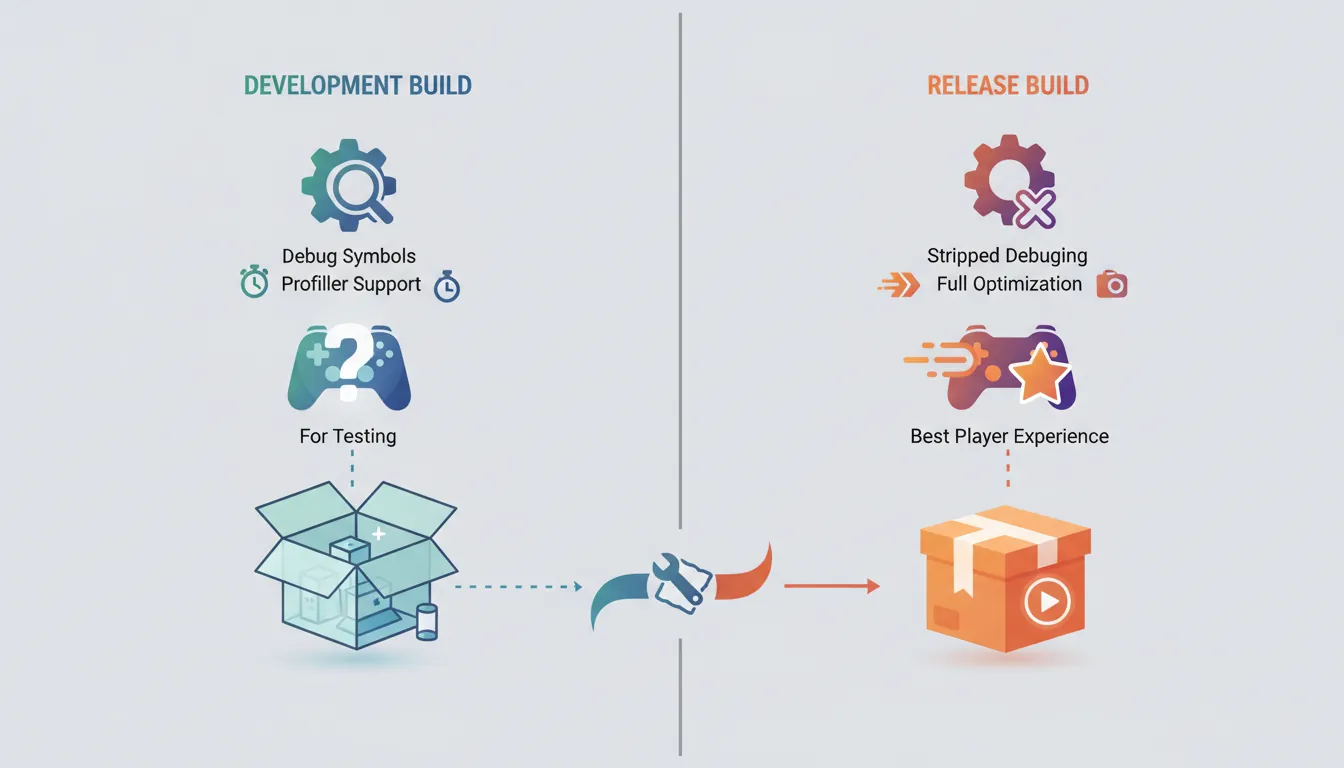
Build Configurations
Build Types:

Development Build:              Release Build:
┌─────────────────────────┐     ┌─────────────────────────┐
│ ✓ Debug symbols         │     │ ✗ Debug symbols         │
│ ✓ Profiler support      │     │ ✗ Profiler overhead     │
│ ✓ Console/logging       │     │ ✗ Console output        │
│ ✓ Script debugging      │     │ ✓ Full optimization     │
│ ✗ Code stripping        │     │ ✓ Code stripping        │
│ Larger file size        │     │ Smaller file size       │
│ Slower performance      │     │ Best performance        │
└─────────────────────────┘     └─────────────────────────┘
    For testing                     For release

Build Targets:
  • Windows (x64, x86)           • macOS (Intel, Apple Silicon)
  • Linux (x64)                  • Android (ARM64, ARMv7)
  • iOS (ARM64)                  • WebGL (browser)
  • Consoles (PS5, Xbox, Switch) - Requires devkit + license
Unity Build Process
// Build script for automated builds
using UnityEditor;
using UnityEditor.Build.Reporting;
using System.IO;

public class BuildScript
{
    private static string[] GetScenes()
    {
        // Get all enabled scenes from build settings
        return EditorBuildSettings.scenes
            .Where(s => s.enabled)
            .Select(s => s.path)
            .ToArray();
    }

    [MenuItem("Build/Build Windows")]
    public static void BuildWindows()
    {
        string buildPath = "Builds/Windows/MyGame.exe";
        Directory.CreateDirectory(Path.GetDirectoryName(buildPath));

        BuildPlayerOptions options = new BuildPlayerOptions
        {
            scenes = GetScenes(),
            locationPathName = buildPath,
            target = BuildTarget.StandaloneWindows64,
            options = BuildOptions.None  // Use BuildOptions.Development for dev build
        };

        BuildReport report = BuildPipeline.BuildPlayer(options);

        if (report.summary.result == BuildResult.Succeeded)
            Debug.Log("Build succeeded: " + report.summary.totalSize + " bytes");
        else
            Debug.LogError("Build failed");
    }

    [MenuItem("Build/Build All Platforms")]
    public static void BuildAll()
    {
        BuildWindows();
        BuildMac();
        BuildLinux();
        BuildWebGL();
    }
}
Optimization
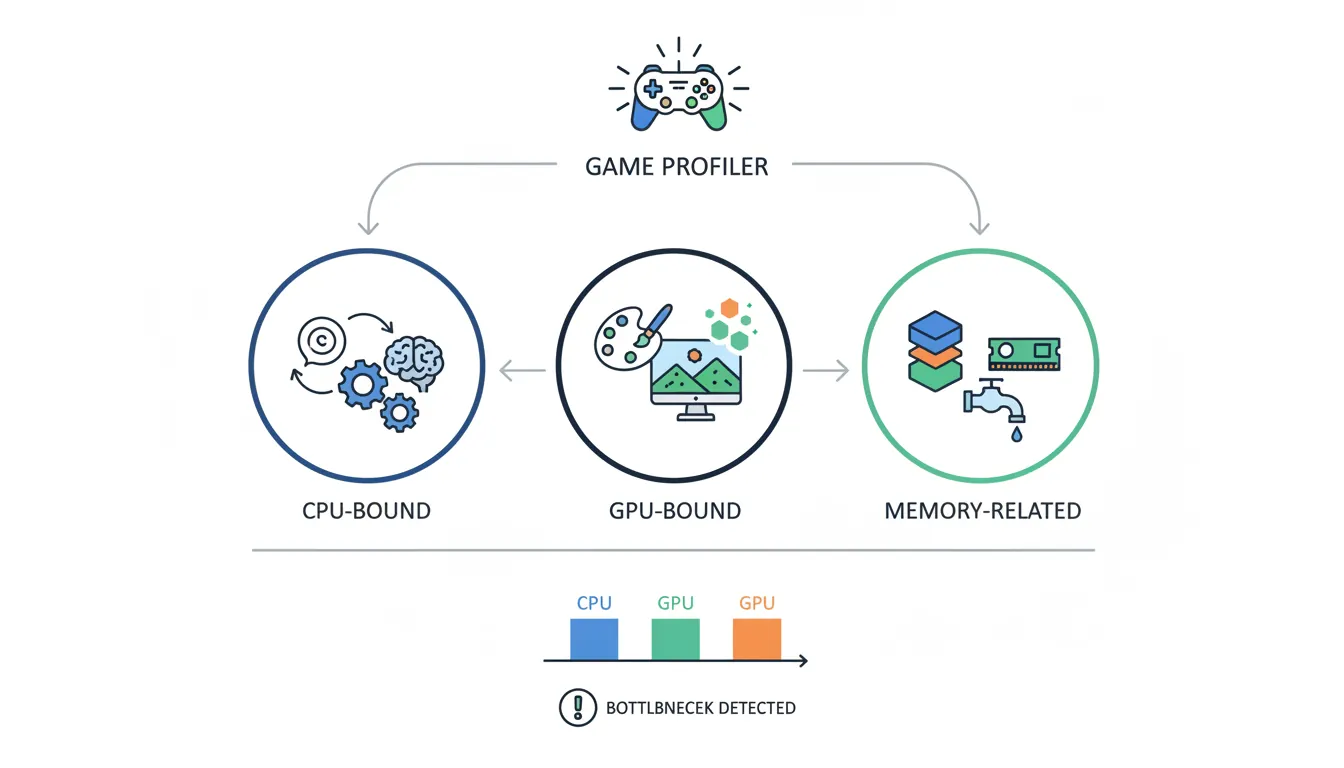
Optimization ensures your game runs smoothly on target hardware. Focus on the biggest bottlenecks first—use profiling to identify them.
Performance Targets
| Platform | Target FPS | RAM Budget | Key Constraints |
|---|---|---|---|
| PC (High) | 60-144 FPS | 4-16 GB | GPU-bound, scalable settings |
| PC (Low) | 30-60 FPS | 2-4 GB | Integrated graphics support |
| Console | 30 or 60 FPS | ~5 GB usable | Fixed hardware, strict cert |
| Mobile | 30-60 FPS | 0.5-2 GB | Battery, thermal throttling |
| WebGL | 30-60 FPS | ~2 GB | Browser limits, load time |
Optimization Techniques
Optimization Areas:

CPU BOUND:                      GPU BOUND:
├── Too much script logic       ├── Too many draw calls
├── Physics calculations        ├── Complex shaders
├── AI pathfinding              ├── High poly count
├── Garbage collection          ├── Overdraw (transparency)
└── Coroutine spam              └── High resolution textures

MEMORY ISSUES:                  DISK/LOAD TIMES:
├── Texture resolution          ├── Uncompressed assets
├── Audio file sizes            ├── No asset bundling
├── Mesh complexity             ├── Loading everything upfront
├── Too many loaded scenes      ├── No level streaming
└── Memory leaks                └── No preloading
// Common Optimization Patterns
public class OptimizationExamples : MonoBehaviour
{
// BAD: Creates garbage every frame
void Update_Bad()
{
var enemies = FindObjectsOfType<Enemy>(); // Allocates!
foreach (var enemy in enemies) { }
}
// GOOD: Cache references
private Enemy[] cachedEnemies;
void Start()
{
cachedEnemies = FindObjectsOfType<Enemy>();
}
void Update_Good()
{
foreach (var enemy in cachedEnemies) { }
}
// Object pooling for bullets, particles, etc.
private Queue<GameObject> bulletPool = new Queue<GameObject>();
public GameObject GetBullet()
{
if (bulletPool.Count > 0)
return bulletPool.Dequeue();
return Instantiate(bulletPrefab);
}
public void ReturnBullet(GameObject bullet)
{
bullet.SetActive(false);
bulletPool.Enqueue(bullet);
}
// LOD and culling
void SetupLOD()
{
LODGroup lod = GetComponent<LODGroup>();
// LOD 0: Full detail (close)
// LOD 1: Half detail (medium)
// LOD 2: Lowest detail (far)
// Culled: Not rendered (very far)
}
}QA Testing
Quality Assurance (QA) ensures your game is stable, bug-free, and enjoyable. Systematic testing catches issues before players do.

Testing Types
Testing Pyramid:

                    ╱╲
                   ╱  ╲       Manual/Playtesting
                  ╱────╲      (Hours of real play, expensive)
                 ╱      ╲
                ╱────────╲    Integration Tests
               ╱          ╲   (Systems working together)
              ╱────────────╲
             ╱              ╲  Unit Tests
            ╱────────────────╲ (Individual functions, fast, automated)

Testing Phases:
1. Smoke Test:     "Does it launch without crashing?"
2. Functionality:  "Do all features work as intended?"
3. Regression:     "Did new changes break old features?"
4. Performance:    "Does it run well on target hardware?"
5. Compatibility:  "Works on all supported systems?"
6. Localization:   "All languages display correctly?"
7. Playtest:       "Is it fun? Any frustrating parts?"
Bug Tracking
Bug Report Template:

┌─────────────────────────────────────────────────────────┐
│ BUG #1234: Player falls through floor in Level 3        │
├─────────────────────────────────────────────────────────┤
│ Severity: CRITICAL  │  Priority: HIGH  │  Status: OPEN  │
├─────────────────────────────────────────────────────────┤
│ Steps to Reproduce:                                     │
│ 1. Start Level 3                                        │
│ 2. Walk to the bridge at coordinates (45, 0, 120)       │
│ 3. Jump while moving forward                            │
│ 4. Player clips through floor and falls forever         │
├─────────────────────────────────────────────────────────┤
│ Expected: Player lands on bridge normally               │
│ Actual: Player falls through geometry                   │
├─────────────────────────────────────────────────────────┤
│ Build: v0.8.2  │  Platform: Windows  │  Found: 01/15    │
│ Attachments: screenshot.png, video_clip.mp4             │
└─────────────────────────────────────────────────────────┘

Severity Levels:
• CRITICAL: Game-breaking, crashes, data loss
• HIGH: Major feature broken, workaround difficult
• MEDIUM: Feature partially broken, workaround exists
• LOW: Minor visual/audio issues, polish items
Platform Requirements
Each platform has specific technical requirements, certification processes, and business considerations.
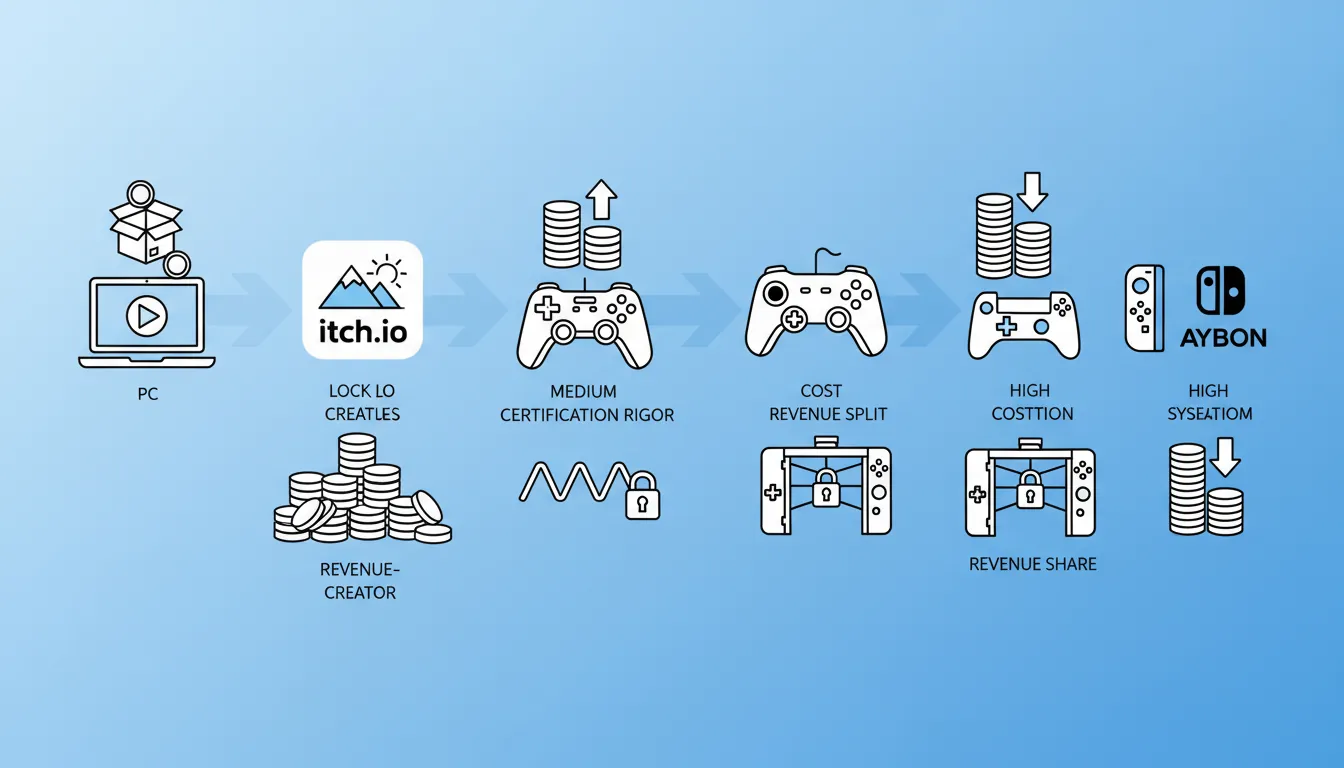
| Platform | Dev License | Certification | Notes |
|---|---|---|---|
| Steam (PC) | $100 one-time | Basic review | Most accessible, 70/30 split |
| itch.io | Free | None | Choose your revenue split |
| iOS (iPhone) | $99/year | App Review (strict) | 30% cut, TestFlight for beta |
| Android (Play) | $25 one-time | Basic review | 30% cut (15% for first $1M) |
| PlayStation | Free (apply) | TRC (strict) | Need devkit, publisher helps |
| Xbox | Free (apply) | XR (strict) | ID@Xbox program for indies |
| Nintendo Switch | Free (apply) | Lotcheck (strict) | Selective approval process |
Publishing to Steam
Steam is the largest PC game distribution platform. Here's the complete publishing process.
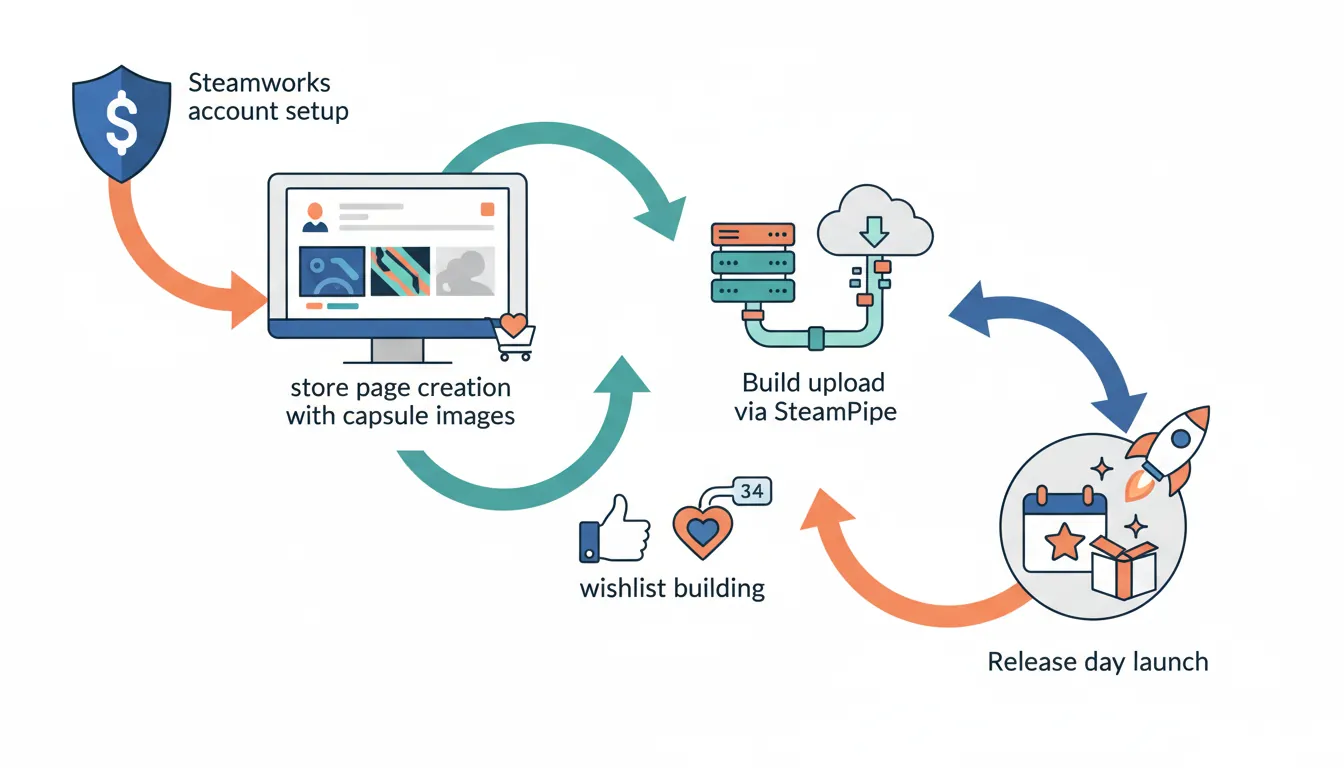
Steam Publishing Checklist
Steam Publishing Process:

1. STEAMWORKS SETUP (Weeks before release)
   □ Pay $100 Steam Direct fee
   □ Set up Steamworks account
   □ Create app in Steamworks
   □ Configure store page

2. STORE PAGE (2+ weeks before)
   □ Header capsule image (460x215)
   □ Small capsule (231x87)
   □ Main capsule (616x353)
   □ Hero image (1920x620)
   □ Screenshots (1280x720 or 1920x1080) - at least 5
   □ Trailer video (optional but recommended)
   □ Written description (compelling!)
   □ System requirements
   □ Tags and categories

3. BUILD UPLOAD
   □ Set up depots and branches
   □ Upload build via SteamPipe
   □ Configure launch options
   □ Set up achievements (optional)
   □ Implement Steamworks SDK (achievements, cloud saves)

4. PRE-RELEASE
   □ Coming Soon page live (build wishlist!)
   □ Press/influencer keys
   □ Set release date
   □ Set price (research similar games)
   □ Regional pricing

5. RELEASE DAY
   □ Click "Release" button
   □ Monitor forums/reviews
   □ Fix critical launch bugs fast
□ Engage with communityitch.io & App Stores
itch.io Publishing
itch.io - Perfect for Indies:

Pros:                           Cons:
✓ Free to publish               ✗ Smaller audience than Steam
✓ Set your own revenue split    ✗ Less discoverability
✓ Name-your-price option        ✗ No built-in community features
✓ No review process             ✗ Manual update distribution
✓ Web builds playable in browser
✓ Game jams and community

Best For:
• Free games and demos
• Game jam entries
• Experimental/niche games
• Building an audience before Steam
• Pay-what-you-want model
Mobile App Stores
Mobile Publishing Differences:

iOS App Store:                  Google Play Store:
├── $99/year developer fee      ├── $25 one-time fee
├── Strict review (1-7 days)    ├── Automated + manual review
├── Must use Xcode on Mac       ├── Build from any OS
├── TestFlight for beta         ├── Internal/Alpha/Beta tracks
├── In-app purchases (30%)      ├── In-app purchases (30%/15%)
└── Strong privacy requirements └── More flexibility

Common Requirements:
• Privacy policy URL
• App icons (multiple sizes)
• Screenshots (device-specific)
• Age rating questionnaire
• Content policy compliance
Exercise: Prepare for Release
Goal: Complete a release checklist for your game project.
- Create optimized builds for 2+ platforms (Windows + WebGL/Android)
- Profile your game and fix the top 3 performance issues
- Write 10 test cases covering critical gameplay paths
- Create store page assets (capsule images, screenshots, trailer)
- Set up a Steamworks or itch.io page (Coming Soon)
- Configure achievements or cloud saves if applicable
Bonus: Create a press kit with downloadable assets