Game Development
Introduction to Game Development
Industry overview, roles, game design pipelineChoosing a Game Engine
Unity, Unreal, Godot, engine comparison, tradeoffsProgramming Basics for Games
Game loops, input handling, state machines, OOP2D Game Development
Sprites, tilemaps, platformers, 2D physics, animation3D Game Development
Meshes, materials, lighting, cameras, 3D mathPhysics & Collision Systems
Rigidbodies, colliders, raycasting, physics enginesAudio & Sound Design
Sound effects, music, spatial audio, audio middlewarePublishing Your Game
Store submission, marketing, monetization, launch strategyGame Design Fundamentals
Mechanics, dynamics, aesthetics, level design, balancingAI in Games
Pathfinding, behavior trees, state machines, NPC intelligenceMultiplayer & Networking
Client-server, peer-to-peer, netcode, synchronizationProfessional Game Dev Workflow
Version control, CI/CD, QA testing, agile for gamesBuilding a Portfolio
Showcasing projects, demo reels, job applications, indie devNetwork Architecture
Choosing the right network architecture is one of the most important decisions in multiplayer game development. It affects gameplay feel, security, and scalability.
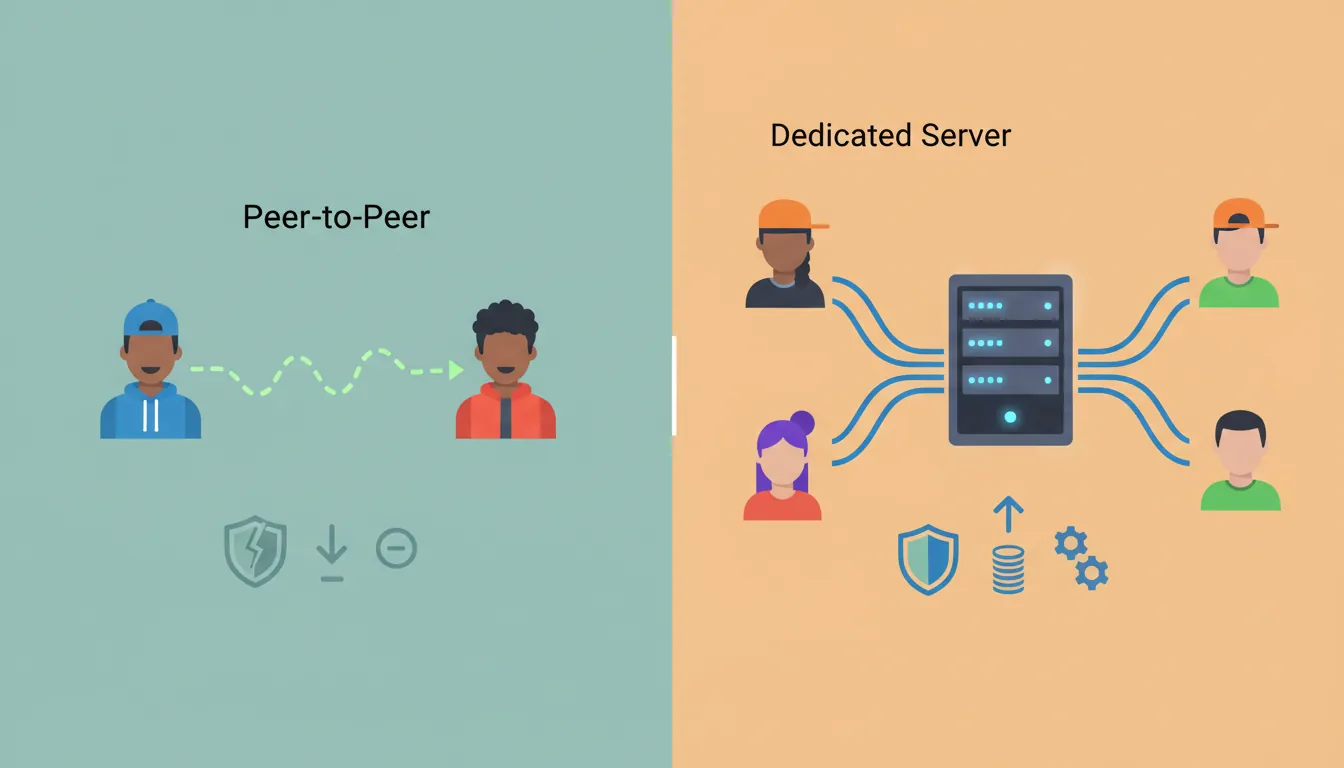
graph TD
    subgraph CS["Client-Server Model"]
        SRV["Authoritative
Server"]
        CL1["Client 1"] --> SRV
        CL2["Client 2"] --> SRV
        CL3["Client 3"] --> SRV
        SRV --> CL1
        SRV --> CL2
        SRV --> CL3
    end

    subgraph P2P["Peer-to-Peer Model"]
        PA["Peer A"] <--> PB["Peer B"]
        PB <--> PC["Peer C"]
        PA <--> PC
    end

    CS -.->|"Pros: Anti-cheat, consistent state"| NOTE1["Best for competitive /
MMO games"]
    P2P -.->|"Pros: No server costs, low latency"| NOTE2["Best for co-op /
LAN games"]

    style CS fill:#e8f4f4,stroke:#3B9797
    style P2P fill:#f0f4f8,stroke:#16476A
Architecture Types
Peer-to-Peer (P2P):                Dedicated Server:

    Player 1 ←───→ Player 2             ┌──────────┐
        ╲           ╱                   │  SERVER  │
         ╲         ╱                    │ (Source  │
          ╲       ╱                     │  of      │
           ╲     ╱                      │  Truth)  │
        Player 3                        └────┬─────┘
                                        ╱    │    ╲
Everyone talks to everyone           ╱       │      ╲
                                   P1       P2      P3
Pros:
• No server cost               Pros:
• Low latency (direct)         • Authoritative (anti-cheat)
• Works for small games        • Consistent for all players
                               • Scales to many players
Cons:
• Host advantage               Cons:
• Cheating is easy             • Server hosting cost
• Doesn't scale                • Single point of failure
Client-Server Model
Authoritative Server Model:

Player Input → Server → Server Validates → Server Updates World →
                                          ↓
                     ← All Clients Receive State ←

Timeline:
Client                    Server                    Other Clients
   │                        │                           │
   │── Input: "Move Right"──→│                           │
   │                        │ Validate (is move legal?) │
   │                        │ Update position           │
   │←── New Position ───────│───── New Position ───────→│
   │                        │                           │

The server is the SOURCE OF TRUTH.
Clients only display what the server tells them.TCP vs UDP
Games use different network protocols depending on their needs. The two main choices are TCP (reliable) and UDP (fast).
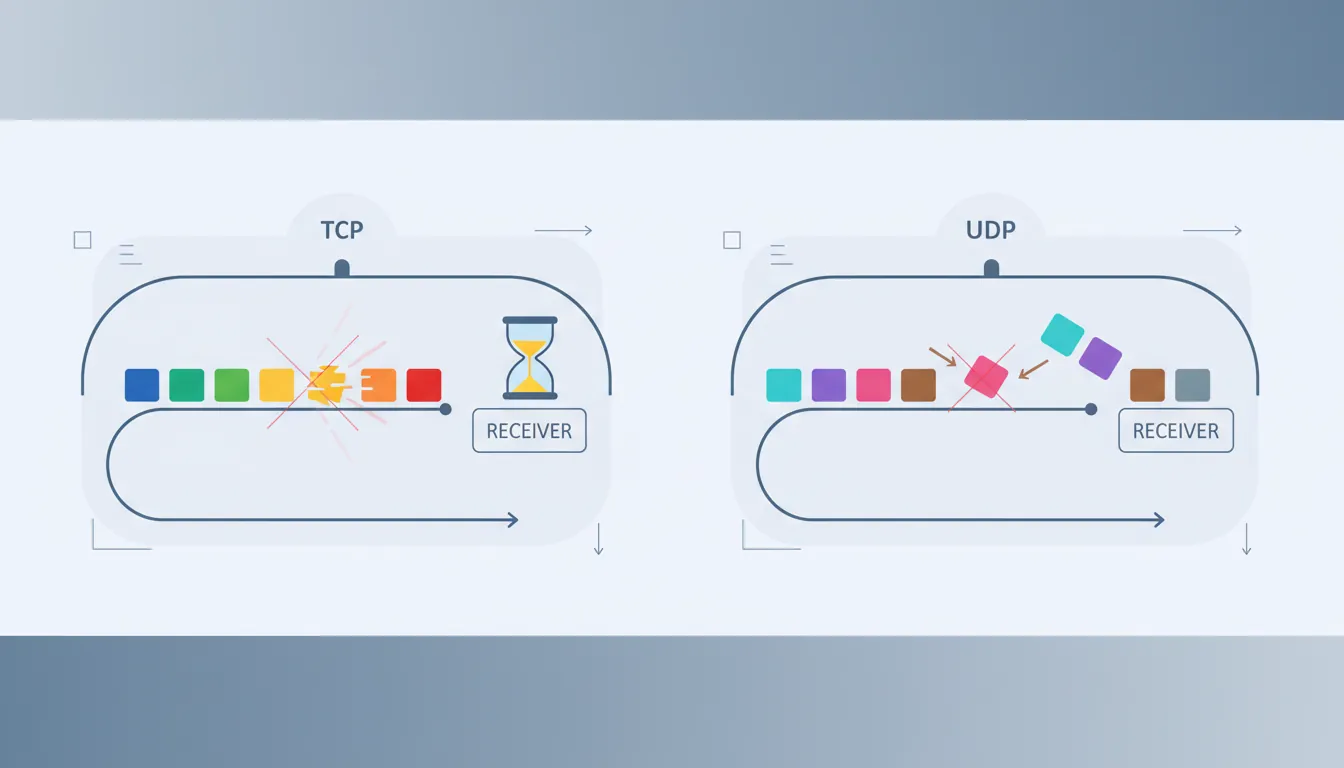
| Aspect | TCP | UDP |
|---|---|---|
| Reliability | Guaranteed delivery, ordered | No guarantee, may arrive out of order |
| Speed | Slower (waits for acknowledgment) | Faster (fire and forget) |
| Use Cases | Chat, login, purchases, turn-based | Position updates, FPS, real-time action |
| Example Games | Card games, strategy, MMO chat | FPS, racing, fighting games |
Why UDP for Real-Time Games?

TCP packet loss handling:
   Packet 1 ───→ ✓ Received
   Packet 2 ───→ ✓ Received
   Packet 3 ───→ ✗ LOST!
   Packet 4 ───→ (Waiting for 3...)
   Packet 5 ───→ (Waiting for 3...)

   [STALL until Packet 3 is resent]  ← Head-of-line blocking!

UDP approach:
   Packet 1 ───→ ✓ Use it
   Packet 2 ───→ ✓ Use it
   Packet 3 ───→ ✗ Lost, who cares?
   Packet 4 ───→ ✓ Use it (newer data anyway!)

For position updates, old data is useless.
We want the LATEST state, not every state.
Lag Compensation
Lag (latency) is the delay between sending a message and receiving a response. Good netcode hides lag from players.
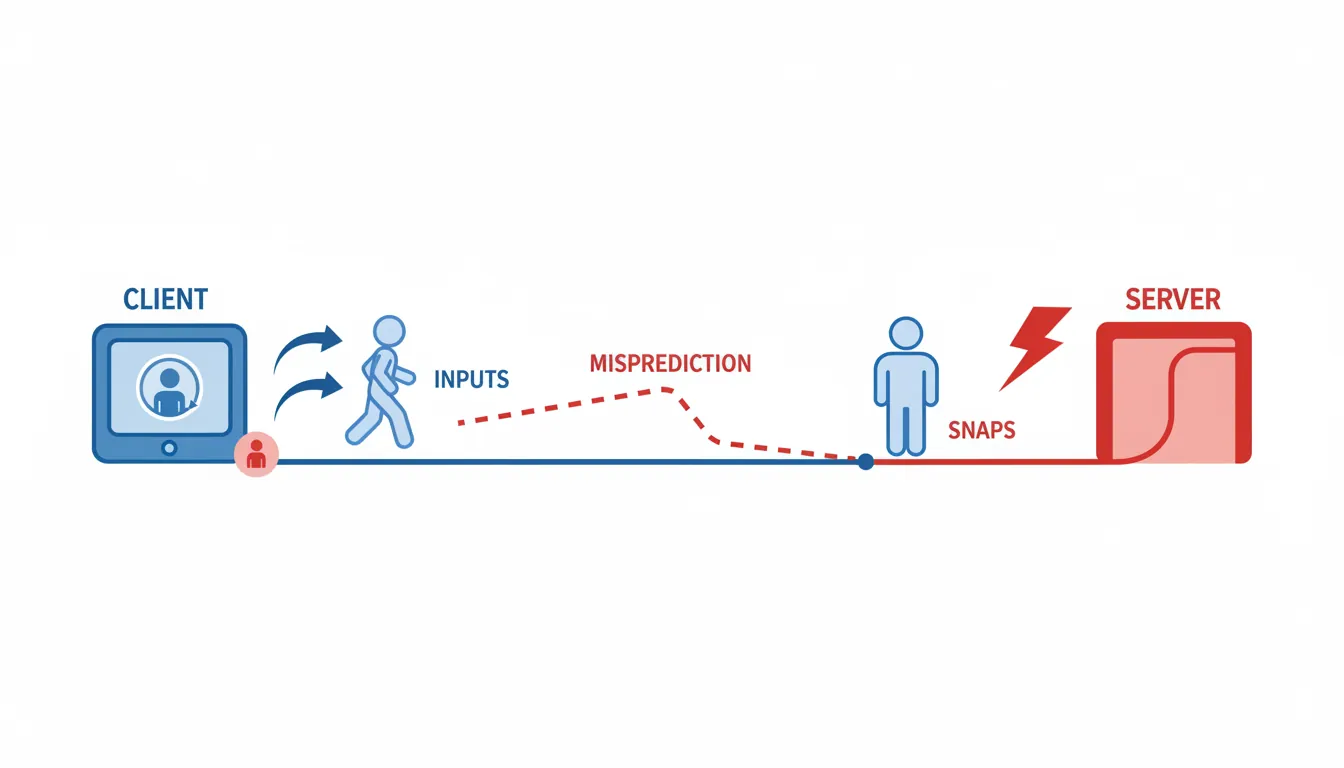
The Lag Problem:

Player A (50ms ping)              Server              Player B (100ms ping)
     │                              │                       │
t=0  │── Shoots at B ─────────────→│                       │
     │                              │                       │
t=25 │                              │←─────────────────────│ B moved!
     │                              │                       │
t=50 │                              │ Server receives shot │
     │                              │ But B is no longer there!
     │                              │                       │
     │                              │ Shot misses? (feels unfair)

On Player A's screen, they clearly hit B.
But by the time the server processes it, B has moved.
Lag Compensation Techniques
1. CLIENT-SIDE PREDICTION
   Client predicts result immediately, server corrects if wrong.

   Client: "I pressed right, I'll move right now"
   Server: "Okay, that was valid" or "No, wall there, snap back"

2. SERVER REWIND (Lag Compensation)
   Server "rewinds" to check what player saw when they shot.

   Server: "Player A shot at t=50, but has 50ms ping.
           Let me check where B was at t=0... HIT!"

3. INTERPOLATION
   Smooth movement between received positions.

   Received: Position at t=0, Position at t=100
   Display:  Smooth animation between them over 100ms

4. EXTRAPOLATION
   Predict future position based on velocity.

   Last known: Position=10, Velocity=5
   Predict:    Position ≈ 10 + 5*dt
// Client-Side Prediction
public class NetworkedPlayer : MonoBehaviour
{
private Queue<InputData> pendingInputs = new Queue<InputData>();
private Vector3 serverPosition;
void Update()
{
// 1. Gather input
InputData input = new InputData
{
timestamp = Time.time,
movement = new Vector3(Input.GetAxis("Horizontal"), 0, Input.GetAxis("Vertical"))
};
// 2. Apply locally (prediction)
ApplyInput(input);
// 3. Send to server
SendInputToServer(input);
pendingInputs.Enqueue(input);
}
// Called when server sends authoritative position
void OnServerUpdate(Vector3 serverPos, float serverTime)
{
serverPosition = serverPos;
// Remove acknowledged inputs
while (pendingInputs.Count > 0 && pendingInputs.Peek().timestamp <= serverTime)
pendingInputs.Dequeue();
// Re-apply unacknowledged inputs
transform.position = serverPosition;
foreach (var input in pendingInputs)
ApplyInput(input);
}
}State Synchronization
State synchronization keeps all players seeing (roughly) the same game world. There are different strategies depending on what needs to be synced.
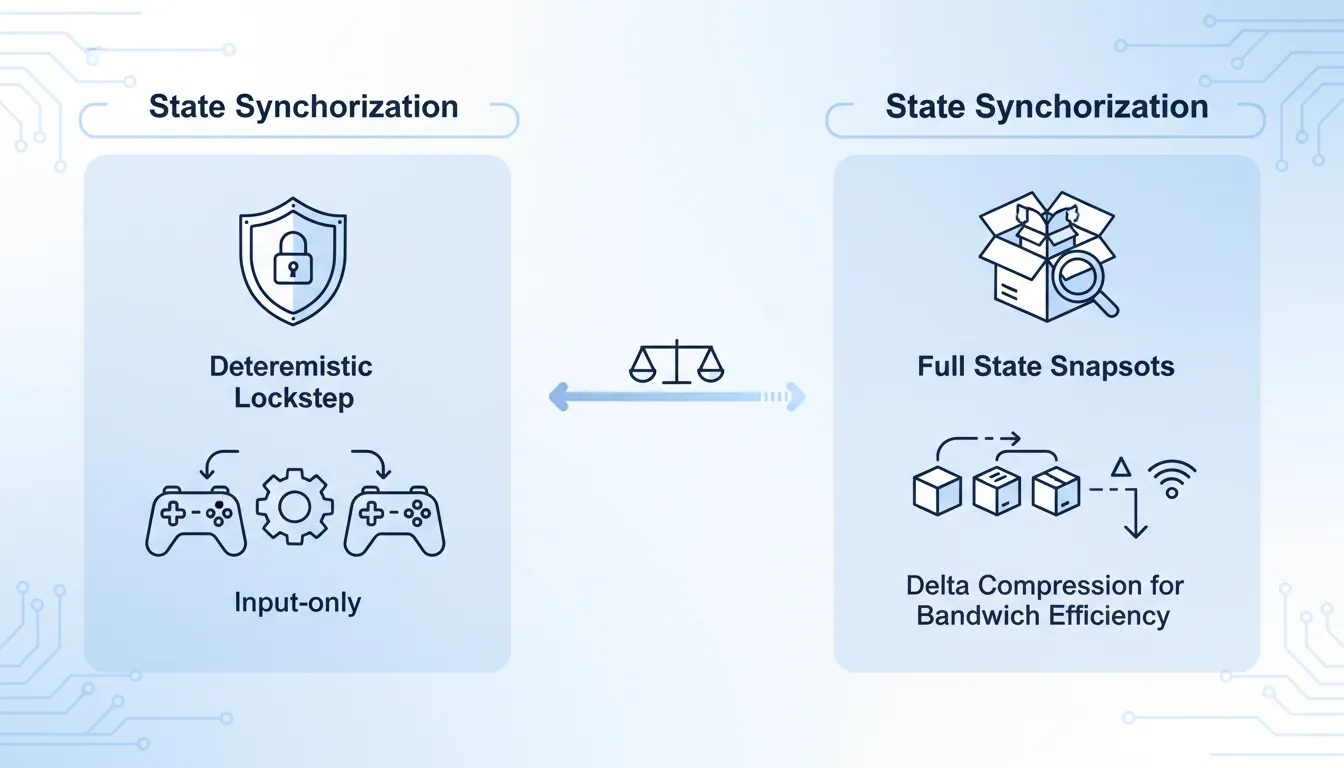
What to Synchronize:

Deterministic Lockstep:        State Sync:              Event-Based:
┌─────────────────────┐        ┌─────────────────┐      ┌─────────────────┐
│ Send: Inputs only   │        │ Send: Full state│      │ Send: Events    │
│ All simulate same   │        │ Client renders  │      │ Client plays    │
│ Perfect sync        │        │ Server trusts   │      │ animations      │
├─────────────────────┤        ├─────────────────┤      ├─────────────────┤
│ Used: RTS, fighting │        │ Used: FPS, MMO  │      │ Used: Effects   │
│ Pro: Low bandwidth  │        │ Pro: Simple     │      │ Pro: Very light │
│ Con: Needs identical│        │ Con: High       │      │ Con: Can desync │
│ simulation          │        │ bandwidth       │      │ animations      │
└─────────────────────┘        └─────────────────┘      └─────────────────┘
// State Synchronization (Simplified)
[System.Serializable]
public struct NetworkState
{
public Vector3 position;
public Quaternion rotation;
public float health;
public int ammo;
public bool isCrouching;
}
public class StateSynchronizer : MonoBehaviour
{
private NetworkState lastSentState;
private float sendRate = 20f; // 20 updates per second
private float sendTimer;
void Update()
{
sendTimer += Time.deltaTime;
if (sendTimer >= 1f / sendRate)
{
NetworkState currentState = GetCurrentState();
// Only send if changed (delta compression)
if (StateChanged(currentState, lastSentState))
{
SendStateToServer(currentState);
lastSentState = currentState;
}
sendTimer = 0f;
}
}
bool StateChanged(NetworkState a, NetworkState b)
{
return Vector3.Distance(a.position, b.position) > 0.01f ||
Quaternion.Angle(a.rotation, b.rotation) > 1f ||
a.health != b.health ||
a.ammo != b.ammo ||
a.isCrouching != b.isCrouching;
}
}Matchmaking Systems
Matchmaking pairs players for fair, fun games. A good system considers skill, latency, wait time, and player preferences.
Matchmaking Factors:

1. SKILL RATING (ELO, Glicko, TrueSkill)
   ┌─────────────────────────────────────────┐
   │ Players ranked 1800-1900                │
   │    ●●●●● (similar skill = fair match)   │
   └─────────────────────────────────────────┘

2. LATENCY (Ping-based regions)
   EU-West players → EU-West servers
   US-East players → US-East servers

3. QUEUE TIME (Loosen requirements over time)
   0-30s:   Search ±50 rating, <50ms ping
   30-60s:  Search ±100 rating, <80ms ping
   60s+:    Search ±200 rating, any ping

4. PARTY SIZE
   5-stack vs 5-stack (not 5 vs solo players)
Network Security
Multiplayer games face constant cheating attempts. Security is essential for fair gameplay.
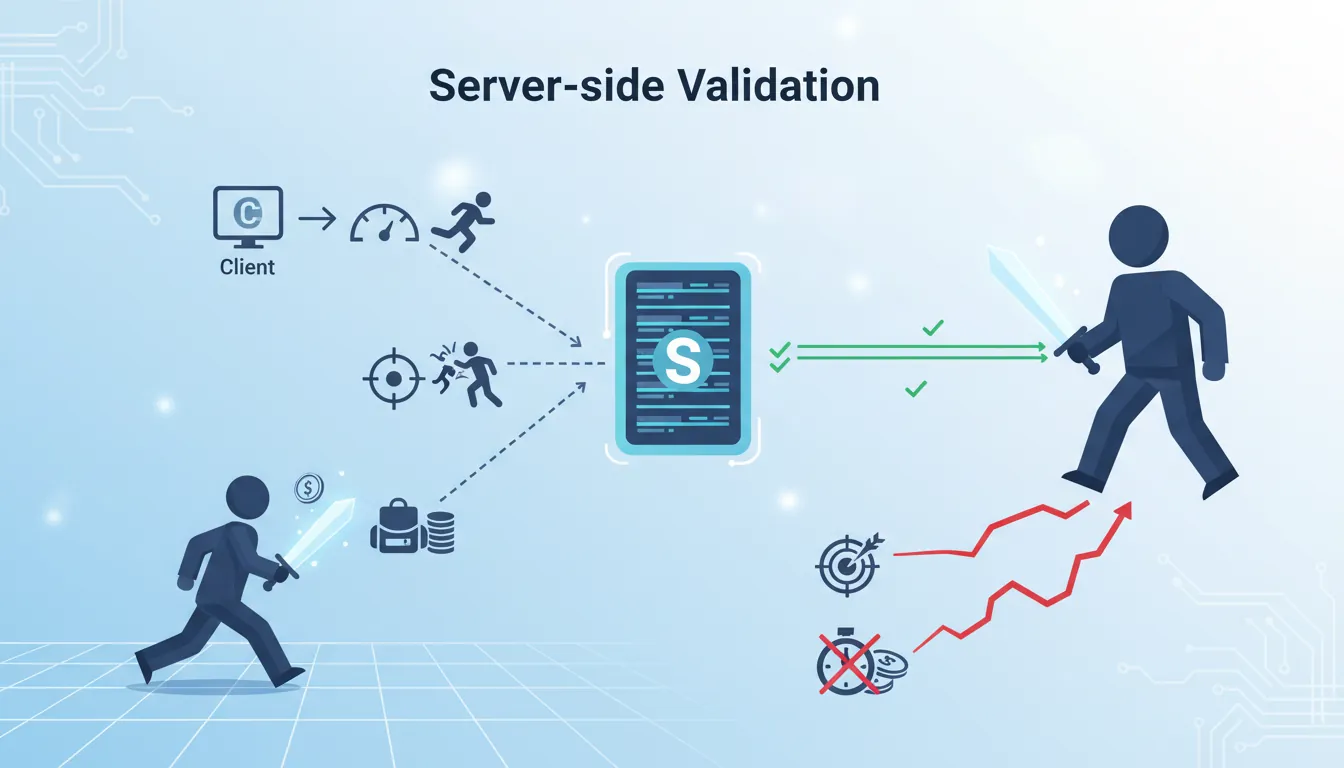
Common Cheats and Defenses:

Cheat Type          How It Works              Defense
─────────────────────────────────────────────────────────────
Speed hacks         Modify local time/speed   Server validates movement
Aimbots            Auto-aim at enemies       Server-side hit detection
Wallhacks          See through walls         Don't send hidden positions
Item duplication   Forge inventory packets   Server tracks all items
Position teleport  Send fake coordinates     Server bounds checking
Packet injection   Send fake commands        Authentication + encryption

Server Authority Examples:
"Client says they killed enemy" → Server: "Was enemy in range? Line of sight? Cooldown?"
"Client says they have 999 gold" → Server: "I track gold. You have 50."
"Client says they moved 100 units" → Server: "Max is 10 units/tick. Rejected."
// Server-Side Validation
public class ServerValidation
{
private const float MAX_SPEED = 10f;
private const float MAX_TELEPORT_DISTANCE = 2f;
public bool ValidateMove(Player player, Vector3 newPosition)
{
float distance = Vector3.Distance(player.Position, newPosition);
float maxAllowed = MAX_SPEED * Time.fixedDeltaTime;
// Check for speed hacks
if (distance > maxAllowed * 1.5f) // Small tolerance
{
LogSuspicious(player, "Speed hack suspected");
return false;
}
// Check for teleporting
if (distance > MAX_TELEPORT_DISTANCE)
{
LogSuspicious(player, "Teleport detected");
return false;
}
// Check collision (can't walk through walls)
if (Physics.Linecast(player.Position, newPosition, wallLayer))
{
LogSuspicious(player, "Noclip suspected");
return false;
}
return true;
}
public bool ValidateShot(Player shooter, Player target, float timestamp)
{
// Rewind to when player shot
Vector3 targetPosAtShot = RewindPosition(target, timestamp);
// Check line of sight
if (!HasLineOfSight(shooter.Position, targetPosAtShot))
return false;
// Check weapon range
if (Vector3.Distance(shooter.Position, targetPosAtShot) > shooter.Weapon.Range)
return false;
return true;
}
}Exercise: Build a Simple Multiplayer Game
Goal: Create a basic multiplayer game with client-server architecture.
- Set up a multiplayer framework (Unity Netcode, Photon, or Mirror)
- Create a lobby system where players can host/join games
- Implement player movement with client-side prediction
- Add interpolation for smooth remote player movement
- Implement a simple shooting/interaction system with server validation
- Add a basic scoreboard synced across all clients
Bonus: Add voice chat or text chat functionality