Game Development
Introduction to Game Development
Industry overview, roles, game design pipelineChoosing a Game Engine
Unity, Unreal, Godot, engine comparison, tradeoffsProgramming Basics for Games
Game loops, input handling, state machines, OOP2D Game Development
Sprites, tilemaps, platformers, 2D physics, animation3D Game Development
Meshes, materials, lighting, cameras, 3D mathPhysics & Collision Systems
Rigidbodies, colliders, raycasting, physics enginesAudio & Sound Design
Sound effects, music, spatial audio, audio middlewarePublishing Your Game
Store submission, marketing, monetization, launch strategyGame Design Fundamentals
Mechanics, dynamics, aesthetics, level design, balancingAI in Games
Pathfinding, behavior trees, state machines, NPC intelligenceMultiplayer & Networking
Client-server, peer-to-peer, netcode, synchronizationProfessional Game Dev Workflow
Version control, CI/CD, QA testing, agile for gamesBuilding a Portfolio
Showcasing projects, demo reels, job applications, indie devGit for Game Development
Version control is essential for game development—it tracks changes, enables collaboration, and provides safety nets when things go wrong. Git is the industry standard.
Git Basics for Games
Git Workflow:

Working Directory      Staging Area           Repository
     │                     │                      │
     │    git add          │     git commit       │
     │────────────────────→│─────────────────────→│
     │                     │                      │
     │    Modify files     │   Stage changes      │   Save snapshot
     │                     │                      │

Key Commands:
git init                    # Start a new repo
git clone [url]             # Copy existing repo
git status                  # See what's changed
git add [file]              # Stage changes
git commit -m "message"     # Save snapshot
git push                    # Upload to remote
git pull                    # Download from remote
git branch [name]           # Create branch
git checkout [branch]       # Switch branch
git merge [branch]          # Combine branches
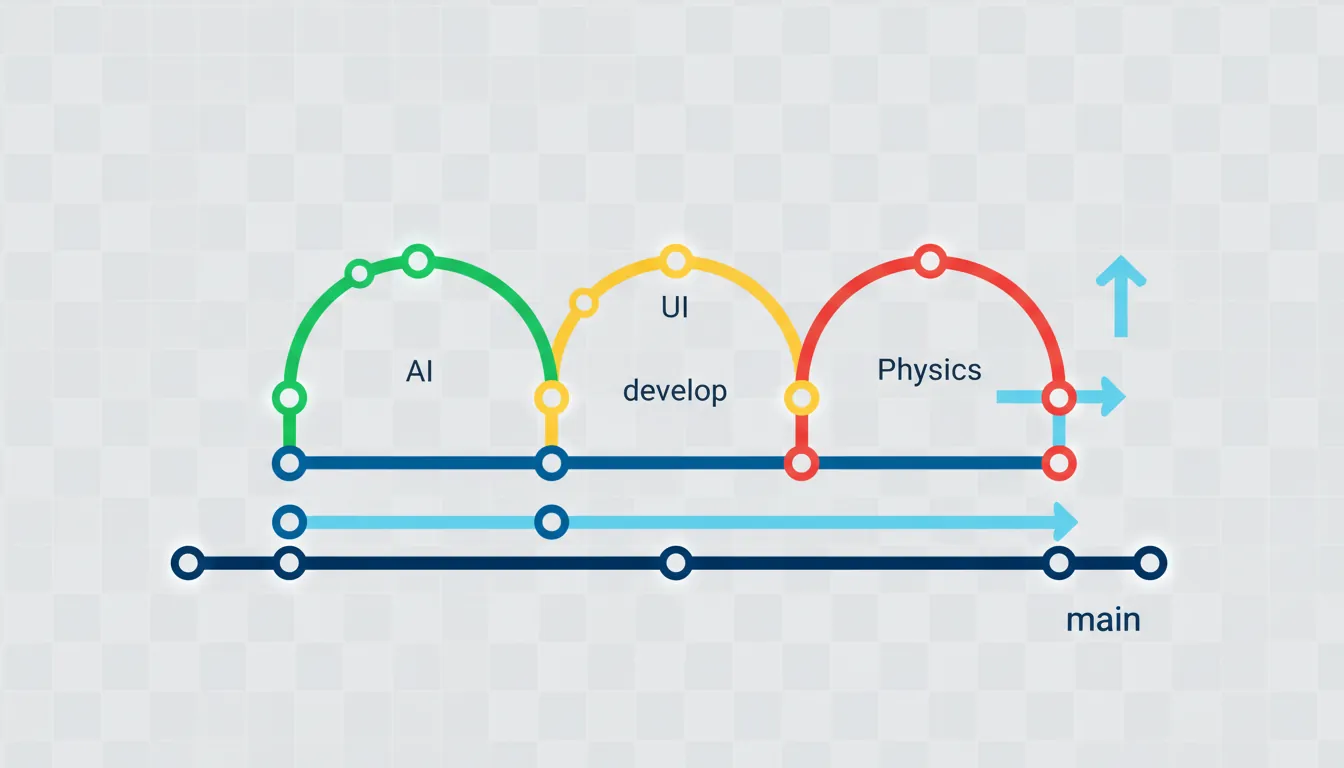
Branching Strategy
Git Flow for Games:

           main (production-ready builds)
             │
             ├─────────────────────────────────────────
             │                                        │
          develop (integration branch)                │
             │                                        │
     ┌───────┼───────┬───────────┐                   │
     │       │       │           │                   │
feature/ feature/ feature/   release/1.0 ──────────→│
  ai      ui     physics         │                   │
     │       │       │           │
     └───────┴───────┴───────────┘

Common Branches:
• main/master    : Stable releases only
• develop        : Latest development work
• feature/[name] : New features (ai, ui, audio)
• bugfix/[name]  : Bug fixes
• release/[ver]  : Release preparation
• hotfix/[name]  : Urgent production fixes
Game-Specific .gitignore
# Unity .gitignore
/[Ll]ibrary/
/[Tt]emp/
/[Oo]bj/
/[Bb]uild/
/[Bb]uilds/
/[Ll]ogs/
/[Mm]emoryCaptures/
*.csproj
*.unityproj
*.sln
*.suo
*.user
*.pidb
*.booproj

# Unreal .gitignore
Binaries/
DerivedDataCache/
Intermediate/
Saved/
*.VC.db
*.opensdf
*.sdf
*.suo
*.sln
*.xcworkspace
Git LFS for Assets
Git Large File Storage (LFS) handles binary assets (textures, audio, models) that standard Git struggles with.
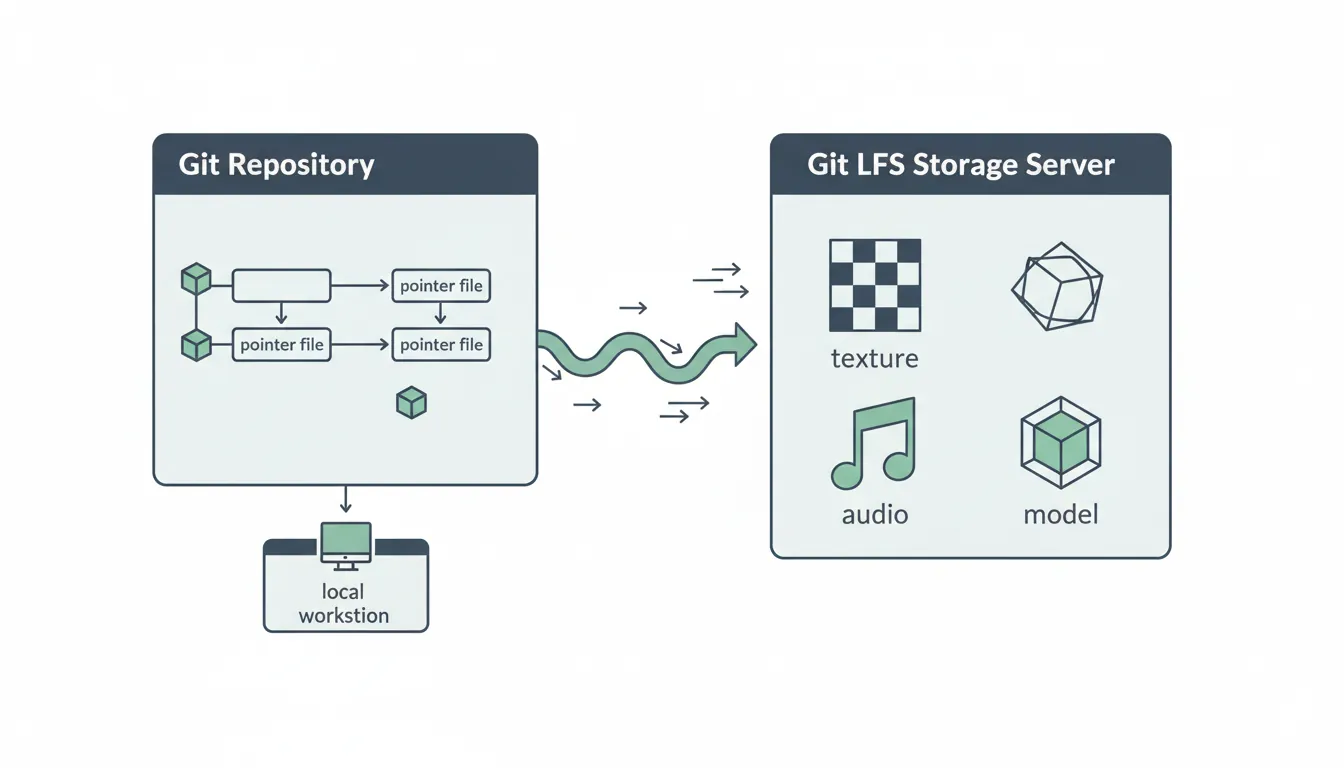
The Problem with Binary Files in Git:

Regular Git:                    Git LFS:
┌─────────────────────┐        ┌─────────────────────┐
│ Every version of    │        │ Only pointers in    │
│ texture.png stored  │        │ repo, files stored  │
│ in full             │        │ separately          │
│                     │        │                     │
│ v1: 50MB            │        │ v1: pointer → cloud │
│ v2: 50MB            │        │ v2: pointer → cloud │
│ v3: 50MB            │        │ v3: pointer → cloud │
│ ─────────           │        │ ─────────           │
│ Total: 150MB        │        │ Only latest: 50MB   │
│ (repo keeps growing)│        │ (manageable)        │
└─────────────────────┘        └─────────────────────┘
# Git LFS Setup
git lfs install # Enable LFS
# Track file types (add to .gitattributes)
git lfs track "*.png"
git lfs track "*.psd"
git lfs track "*.wav"
git lfs track "*.mp3"
git lfs track "*.fbx"
git lfs track "*.blend"
git lfs track "*.unitypackage"
# Typical .gitattributes for game projects:
*.png filter=lfs diff=lfs merge=lfs -text
*.jpg filter=lfs diff=lfs merge=lfs -text
*.psd filter=lfs diff=lfs merge=lfs -text
*.tga filter=lfs diff=lfs merge=lfs -text
*.wav filter=lfs diff=lfs merge=lfs -text
*.mp3 filter=lfs diff=lfs merge=lfs -text
*.ogg filter=lfs diff=lfs merge=lfs -text
*.fbx filter=lfs diff=lfs merge=lfs -text
*.obj filter=lfs diff=lfs merge=lfs -text
*.blend filter=lfs diff=lfs merge=lfs -textAsset Pipelines
An asset pipeline is the workflow from raw assets (Photoshop files, Blender models) to game-ready assets (compressed, optimized).
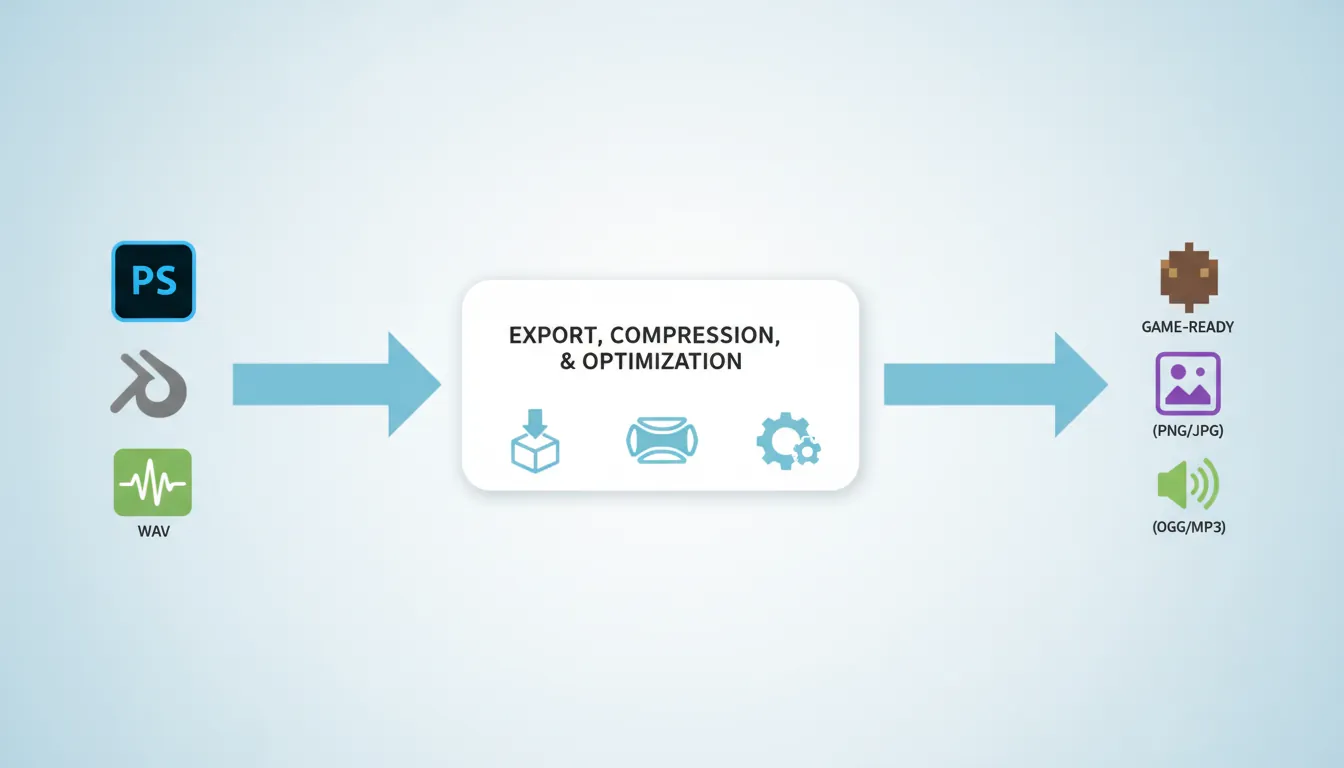
Asset Pipeline Flow:

SOURCE FILES            PROCESSING              GAME-READY
┌─────────────┐        ┌─────────────┐        ┌─────────────┐
│ character.  │        │ Export FBX  │        │ character.  │
│ blend       │───────→│ + Compress  │───────→│ prefab      │
│ (100MB)     │        │ + LODs      │        │ (5MB)       │
└─────────────┘        └─────────────┘        └─────────────┘

┌─────────────┐        ┌─────────────┐        ┌─────────────┐
│ texture.    │        │ Resize      │        │ texture.    │
│ psd         │───────→│ + Compress  │───────→│ png         │
│ (500MB)     │        │ + Mipmaps   │        │ (2MB)       │
└─────────────┘        └─────────────┘        └─────────────┘

┌─────────────┐        ┌─────────────┐        ┌─────────────┐
│ music.      │        │ Convert     │        │ music.      │
│ wav         │───────→│ to OGG      │───────→│ ogg         │
│ (50MB)      │        │ + Compress  │        │ (3MB)       │
└─────────────┘        └─────────────┘        └─────────────┘
Unity Import Settings
| Asset Type | Format | Compression | Max Size |
|---|---|---|---|
| UI Sprites | PNG | None/Low | Original |
| 3D Textures | PNG/TGA | Normal (BC7) | 1024-2048 |
| Mobile Textures | PNG | ETC2/ASTC | 512-1024 |
| Music | OGG/MP3 | Streaming | N/A |
| SFX | WAV/OGG | Compressed | N/A |
Team Collaboration
Game development requires coordination between programmers, artists, designers, and audio engineers. Good processes prevent chaos.
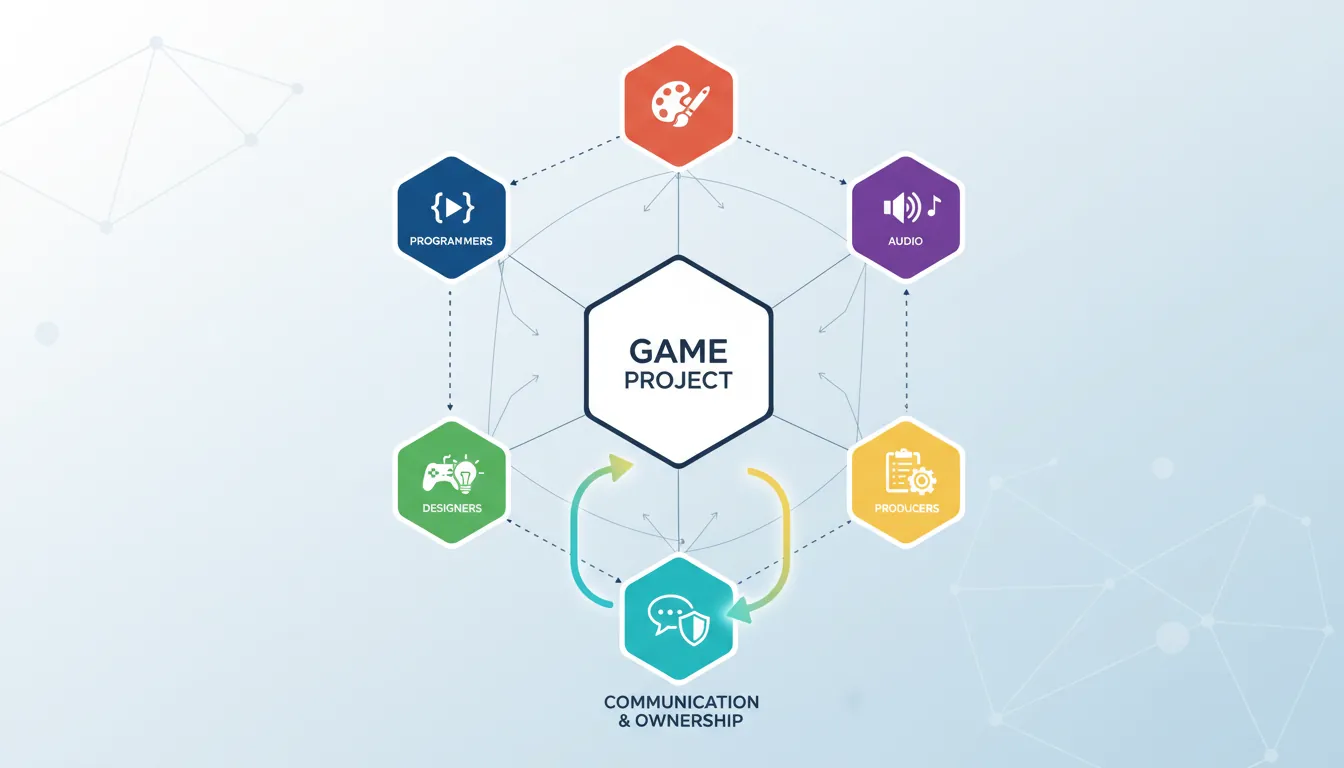
Team Roles and Responsibilities:

PROGRAMMERS:                    ARTISTS:
├── Code architecture          ├── 3D models, textures
├── Gameplay systems           ├── Animations, rigs
├── Tools for other teams      ├── UI/UX design
└── Technical documentation    └── Style guides

DESIGNERS:                      AUDIO:
├── Game mechanics             ├── Sound effects
├── Level design               ├── Music composition
├── Balance spreadsheets       ├── Voice direction
└── Design documentation       └── Audio implementation

PRODUCERS:
├── Sprint planning
├── Milestone tracking
├── Risk management
└── Communication
Avoiding Merge Conflicts
Scene/Prefab Conflict Prevention:

Problem: Two people edit the same Unity scene = MERGE HELL

Solutions:
1. SCENE OWNERSHIP
   "Level 1 belongs to Alex this sprint"
   Lock system or verbal agreement

2. SPLIT SCENES
   Main.unity     → Level geometry only
   Gameplay.unity → Spawners, triggers (additive load)
   UI.unity       → All UI elements

3. PREFAB-FIRST
   Everything is a prefab
   Scene just references prefabs
   Edit prefabs, not scenes

4. COMMUNICATION
   "I'm working on the forest scene"
   Slack/Discord channel for asset locks
Agile for Games
Agile methodologies help manage the uncertainty and iteration inherent in game development.
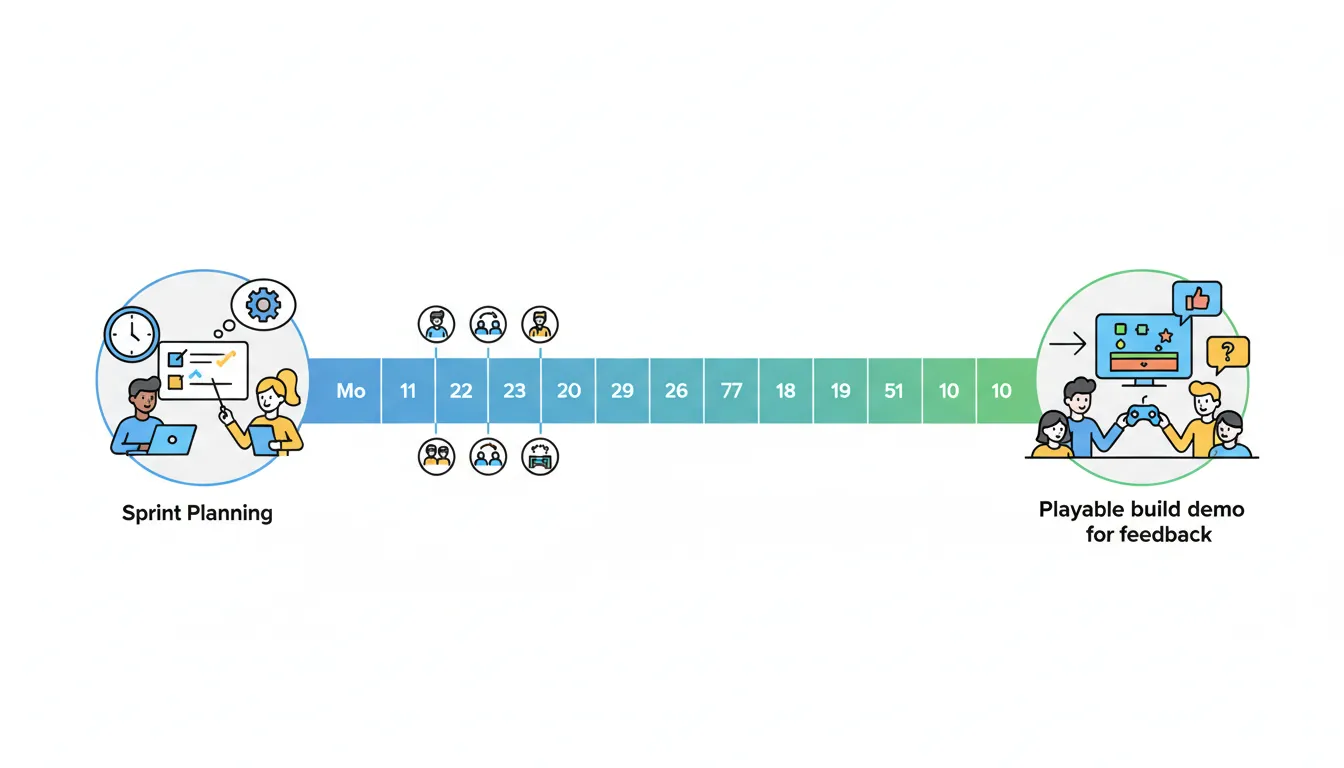
Scrum for Game Development:

Sprint Cycle (2 weeks typical):

┌─────────────────────────────────────────────────────────────┐
│  Sprint Planning  │       Sprint        │  Review & Retro  │
│     (Day 1)       │    (Days 2-9)       │    (Day 10)      │
├───────────────────┼─────────────────────┼──────────────────┤
│ • Review backlog  │ • Daily standups    │ • Demo playable  │
│ • Set sprint goal │ • Implement tasks   │ • Get feedback   │
│ • Assign tasks    │ • Playtesting       │ • What worked?   │
│ • Time estimates  │ • Bug fixes         │ • What didn't?   │
└───────────────────┴─────────────────────┴──────────────────┘

Daily Standup (15 min):
• What did you do yesterday?
• What will you do today?
• Any blockers?

Backlog Example:
┌──────────────────────────────────────────────────────────┐
│ Priority │ Task                              │ Estimate  │
├──────────┼───────────────────────────────────┼───────────┤
│ HIGH     │ Player movement feels floaty      │ 3 days    │
│ HIGH     │ Boss fight phase 2 missing        │ 5 days    │
│ MEDIUM   │ Add particle effects to attacks   │ 2 days    │
│ LOW      │ Polish main menu transitions      │ 1 day     │
└──────────┴───────────────────────────────────┴───────────┘
CI/CD Automation
Continuous Integration/Continuous Deployment automates building, testing, and deploying your game.
CI/CD Pipeline for Games:

       Push Code
           │
           ▼
    ┌──────────────┐
    │   BUILD      │ ← Compile game for all platforms
    │   Stage      │   (Windows, Mac, Linux, WebGL)
    └──────┬───────┘
           │
           ▼
    ┌──────────────┐
    │    TEST      │ ← Run automated tests
    │   Stage      │   (Unit tests, integration tests)
    └──────┬───────┘
           │
           ▼
    ┌──────────────┐
    │   DEPLOY     │ ← Upload to:
    │   Stage      │   - Steam (internal branch)
    └──────────────┘   - itch.io (beta)
                       - TestFlight (iOS)
                       - Internal server
# GitHub Actions for Unity (example)
name: Build Game
on:
push:
branches: [ main, develop ]
pull_request:
branches: [ main ]
jobs:
build:
runs-on: ubuntu-latest
steps:
- uses: actions/checkout@v3
with:
lfs: true
- uses: game-ci/unity-builder@v2
with:
targetPlatform: StandaloneWindows64
- uses: actions/upload-artifact@v3
with:
name: Build-Windows
path: build/StandaloneWindows64
test:
runs-on: ubuntu-latest
steps:
- uses: actions/checkout@v3
- uses: game-ci/unity-test-runner@v2
with:
testMode: allExercise: Set Up a Professional Workflow
Goal: Establish a complete development workflow for your game project.
- Initialize a Git repository with proper .gitignore
- Set up Git LFS for binary assets (textures, audio, models)
- Create a branching strategy (main, develop, feature branches)
- Write contributing guidelines (code style, commit messages)
- Set up a CI pipeline that builds your game on push
- Create a sprint backlog with 5-10 prioritized tasks
Bonus: Set up automated deployment to itch.io or Steam