We use cookies to enhance your browsing experience, serve personalized content, and analyze our traffic.
By clicking "Accept All", you consent to our use of cookies. See our
Privacy Policy
for more information.
Capstone projects are your opportunity to synthesize everything you've learned across this series. These four projects demonstrate real-world database design, implementation, and optimization skills that impress employers and clients.
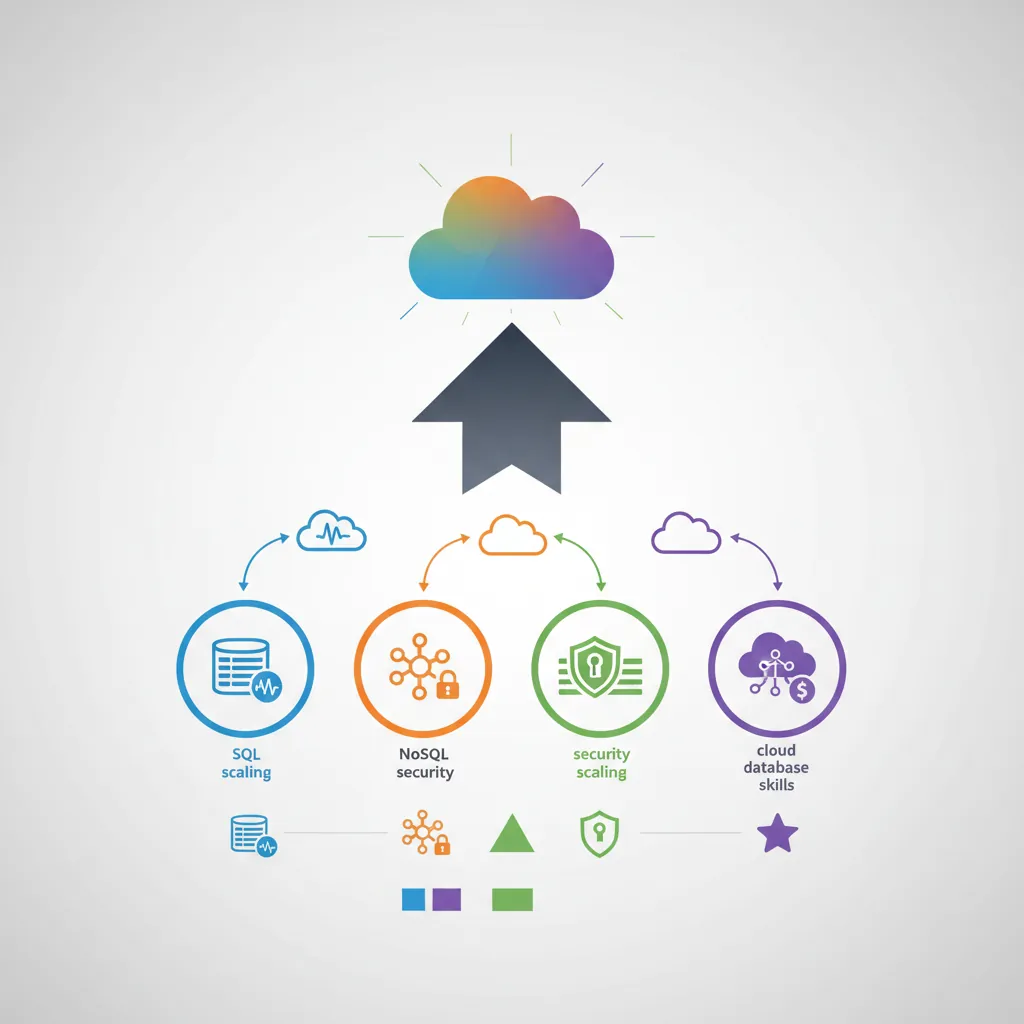
Capstone project overview — four projects synthesizing SQL, NoSQL, security, scaling, and cloud database skills
Series Finale: This is Part 15 of 15 in the Complete Database Mastery series. We're bringing together all the concepts from SQL to distributed systems into portfolio-ready implementations.
E-Commerce Database Requirements:

Functional:
- User registration and authentication
- Product catalog with categories and variants
- Shopping cart and order management
- Inventory tracking
- Reviews and ratings
- Payment processing records

Non-Functional:
- Sub-100ms product queries
- Handle 10,000+ concurrent users
- 99.9% uptime
- PCI-DSS compliance for payment data
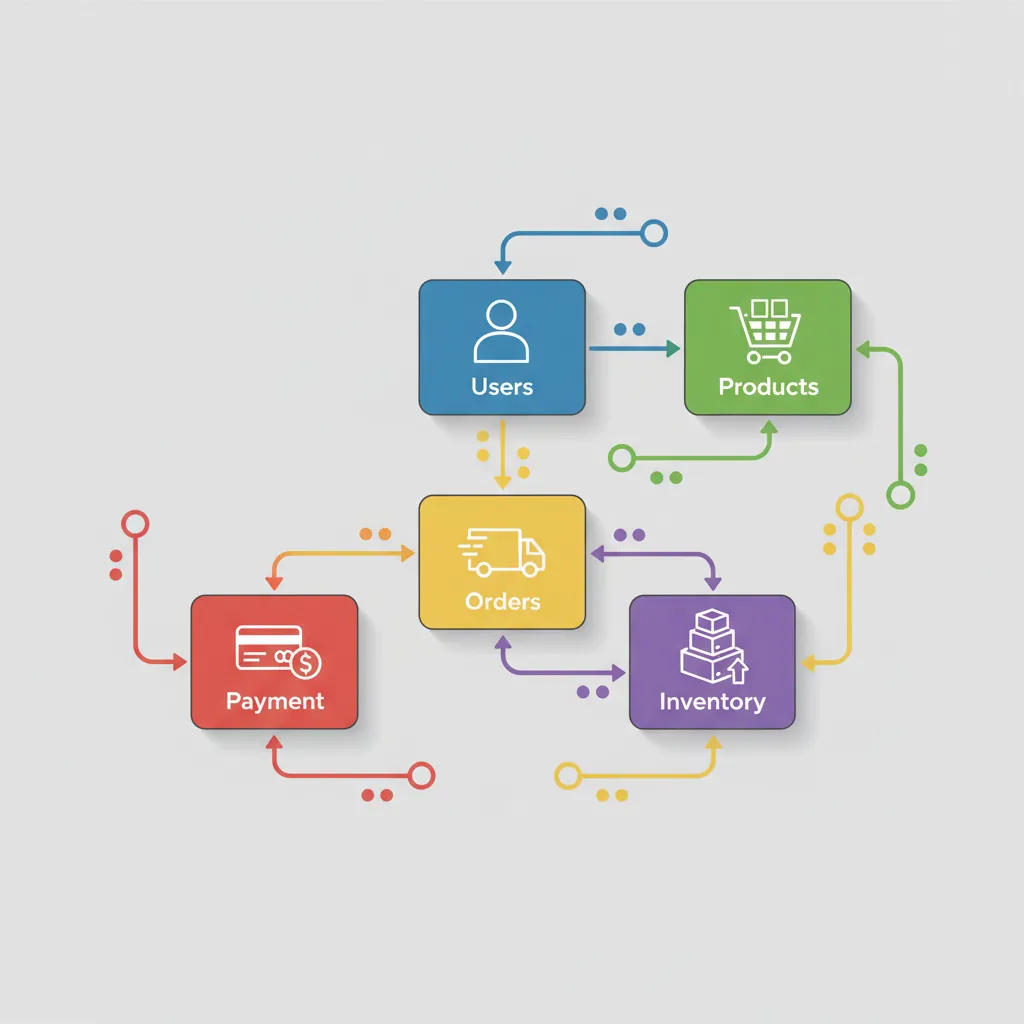
E-commerce database ERD — users, products, orders, inventory, and payment tables with relationships
Schema Design
-- Users & Authentication
CREATE TABLE users (
    id SERIAL PRIMARY KEY,
    email VARCHAR(255) UNIQUE NOT NULL,
    password_hash VARCHAR(255) NOT NULL,
    first_name VARCHAR(100),
    last_name VARCHAR(100),
    created_at TIMESTAMP DEFAULT CURRENT_TIMESTAMP,
    updated_at TIMESTAMP DEFAULT CURRENT_TIMESTAMP
);

CREATE TABLE addresses (
    id SERIAL PRIMARY KEY,
    user_id INT REFERENCES users(id),
    address_type VARCHAR(20),  -- 'shipping', 'billing'
    street_line1 VARCHAR(255),
    street_line2 VARCHAR(255),
    city VARCHAR(100),
    state VARCHAR(100),
    postal_code VARCHAR(20),
    country VARCHAR(3),
    is_default BOOLEAN DEFAULT false
);

-- Product Catalog
CREATE TABLE categories (
    id SERIAL PRIMARY KEY,
    name VARCHAR(100) NOT NULL,
    parent_id INT REFERENCES categories(id),
    slug VARCHAR(100) UNIQUE,
    path LTREE  -- PostgreSQL hierarchical path
);

CREATE TABLE products (
    id SERIAL PRIMARY KEY,
    name VARCHAR(255) NOT NULL,
    description TEXT,
    category_id INT REFERENCES categories(id),
    base_price DECIMAL(10,2) NOT NULL,
    sku VARCHAR(50) UNIQUE,
    status VARCHAR(20) DEFAULT 'active',
    created_at TIMESTAMP DEFAULT CURRENT_TIMESTAMP
);

CREATE TABLE product_variants (
    id SERIAL PRIMARY KEY,
    product_id INT REFERENCES products(id),
    sku VARCHAR(50) UNIQUE,
    attributes JSONB,  -- {size: 'L', color: 'blue'}
    price_adjustment DECIMAL(10,2) DEFAULT 0,
    inventory_count INT DEFAULT 0,
    low_stock_threshold INT DEFAULT 10
);

-- Orders & Transactions
CREATE TABLE orders (
    id SERIAL PRIMARY KEY,
    user_id INT REFERENCES users(id),
    status VARCHAR(20) DEFAULT 'pending',
    shipping_address_id INT REFERENCES addresses(id),
    billing_address_id INT REFERENCES addresses(id),
    subtotal DECIMAL(12,2),
    tax_amount DECIMAL(10,2),
    shipping_amount DECIMAL(10,2),
    total_amount DECIMAL(12,2),
    created_at TIMESTAMP DEFAULT CURRENT_TIMESTAMP,
    updated_at TIMESTAMP DEFAULT CURRENT_TIMESTAMP
);

CREATE TABLE order_items (
    id SERIAL PRIMARY KEY,
    order_id INT REFERENCES orders(id),
    variant_id INT REFERENCES product_variants(id),
    quantity INT NOT NULL,
    unit_price DECIMAL(10,2) NOT NULL,
    total_price DECIMAL(12,2) NOT NULL
);

-- Indexes for performance
CREATE INDEX idx_products_category ON products(category_id);
CREATE INDEX idx_products_status ON products(status);
CREATE INDEX idx_variants_product ON product_variants(product_id);
CREATE INDEX idx_variants_attrs ON product_variants USING GIN(attributes);
CREATE INDEX idx_orders_user ON orders(user_id);
CREATE INDEX idx_orders_status ON orders(status);
CREATE INDEX idx_orders_created ON orders(created_at DESC);
Implementation
-- Checkout transaction with inventory management
CREATE OR REPLACE FUNCTION process_checkout(
    p_user_id INT,
    p_cart_items JSONB,  -- [{variant_id, quantity}, ...]
    p_shipping_address_id INT,
    p_billing_address_id INT
) RETURNS INT AS $$
DECLARE
    v_order_id INT;
    v_item JSONB;
    v_variant RECORD;
    v_subtotal DECIMAL(12,2) := 0;
BEGIN
    -- Create order
    INSERT INTO orders (user_id, shipping_address_id, billing_address_id, status)
    VALUES (p_user_id, p_shipping_address_id, p_billing_address_id, 'processing')
    RETURNING id INTO v_order_id;

    -- Process each cart item
    FOR v_item IN SELECT * FROM jsonb_array_elements(p_cart_items)
    LOOP
        -- Lock and verify inventory
        SELECT * INTO v_variant
        FROM product_variants
        WHERE id = (v_item->>'variant_id')::INT
        FOR UPDATE;

        IF v_variant.inventory_count < (v_item->>'quantity')::INT THEN
            RAISE EXCEPTION 'Insufficient inventory for variant %', v_variant.id;
        END IF;

        -- Deduct inventory
        UPDATE product_variants
        SET inventory_count = inventory_count - (v_item->>'quantity')::INT
        WHERE id = v_variant.id;

        -- Add order item
        INSERT INTO order_items (order_id, variant_id, quantity, unit_price, total_price)
        VALUES (
            v_order_id,
            v_variant.id,
            (v_item->>'quantity')::INT,
            v_variant.price_adjustment + (
                SELECT base_price FROM products WHERE id = v_variant.product_id
            ),
            (v_item->>'quantity')::INT * (
                v_variant.price_adjustment + (
                    SELECT base_price FROM products WHERE id = v_variant.product_id
                )
            )
        );

        v_subtotal := v_subtotal + (v_item->>'quantity')::INT * (
            v_variant.price_adjustment + (
                SELECT base_price FROM products WHERE id = v_variant.product_id
            )
        );
    END LOOP;

    -- Update order totals
    UPDATE orders SET
        subtotal = v_subtotal,
        tax_amount = v_subtotal * 0.08,
        total_amount = v_subtotal * 1.08
    WHERE id = v_order_id;

    RETURN v_order_id;
END;
$$ LANGUAGE plpgsql;
Multi-Tenant SaaS Requirements:

Functional:
- Multiple organizations (tenants)
- User management per organization
- Subscription tiers with feature limits
- Data isolation between tenants

Non-Functional:
- Complete data isolation (GDPR/SOC2)
- Per-tenant query performance SLAs
- Scalable to 10,000+ tenants
- Support enterprise single-tenant option
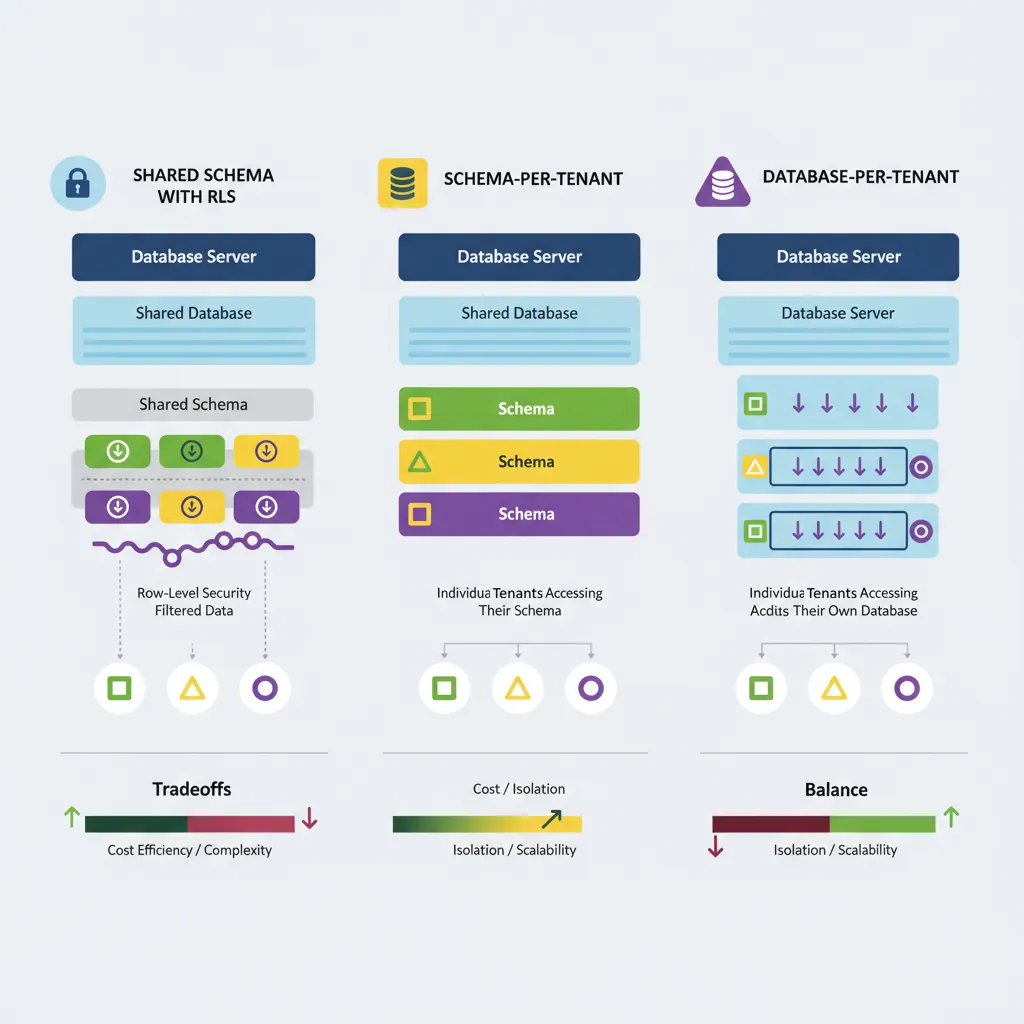
Multi-tenant isolation models — shared schema with RLS, schema-per-tenant, and database-per-tenant tradeoffs
Tenancy Models
Tenancy Model Comparison:

1. Shared Schema (Row-Level Isolation)
   ✅ Efficient resource usage
   ✅ Easy to manage/deploy
   ❌ Limited isolation
   Best for: SMB SaaS, cost-sensitive

2. Schema-per-Tenant
   ✅ Better isolation
   ✅ Per-tenant backups
   ❌ Schema migration complexity
   Best for: Mid-market

3. Database-per-Tenant
   ✅ Maximum isolation
   ✅ Easy compliance
   ❌ Highest cost
   Best for: Enterprise, regulated industries
Implementation
-- Shared Schema with Row-Level Security
CREATE TABLE tenants (
    id UUID PRIMARY KEY DEFAULT gen_random_uuid(),
    name VARCHAR(100) NOT NULL,
    subdomain VARCHAR(50) UNIQUE,
    plan VARCHAR(20) DEFAULT 'free',
    created_at TIMESTAMP DEFAULT CURRENT_TIMESTAMP
);

CREATE TABLE users (
    id UUID PRIMARY KEY DEFAULT gen_random_uuid(),
    tenant_id UUID REFERENCES tenants(id) NOT NULL,
    email VARCHAR(255) NOT NULL,
    role VARCHAR(20) DEFAULT 'member',
    UNIQUE(tenant_id, email)
);

CREATE TABLE projects (
    id UUID PRIMARY KEY DEFAULT gen_random_uuid(),
    tenant_id UUID REFERENCES tenants(id) NOT NULL,
    name VARCHAR(100) NOT NULL,
    created_by UUID REFERENCES users(id)
);

-- Enable RLS
ALTER TABLE users ENABLE ROW LEVEL SECURITY;
ALTER TABLE projects ENABLE ROW LEVEL SECURITY;

-- Tenant isolation policies
CREATE POLICY tenant_isolation_users ON users
    USING (tenant_id = current_setting('app.current_tenant')::uuid);

CREATE POLICY tenant_isolation_projects ON projects
    USING (tenant_id = current_setting('app.current_tenant')::uuid);

-- Application sets tenant context
-- SET app.current_tenant = 'tenant-uuid-here';
# Python middleware for tenant context
from functools import wraps
import psycopg2

def tenant_context(f):
    @wraps(f)
    def wrapper(*args, **kwargs):
        tenant_id = get_tenant_from_request()  # From subdomain or header

        conn = get_db_connection()
        cursor = conn.cursor()

        # Set tenant context for RLS
        cursor.execute(
            "SET app.current_tenant = %s",
            (str(tenant_id),)
        )

        try:
            return f(*args, **kwargs)
        finally:
            cursor.execute("RESET app.current_tenant")
            conn.commit()

    return wrapper

@tenant_context
def get_projects():
    cursor = get_db_cursor()
    # RLS automatically filters by tenant!
    cursor.execute("SELECT * FROM projects")
    return cursor.fetchall()
Project 4: Global Distributed Database
Requirements
Global Distributed Database Requirements:

Functional:
- Users access from NA, EU, APAC regions
- Low-latency reads in each region
- Cross-region writes with conflict resolution
- Data residency compliance (GDPR)

Non-Functional:
- Sub-50ms reads in each region
- Handle network partitions gracefully
- RPO < 1 second, RTO < 30 seconds
- Support for both strong and eventual consistency
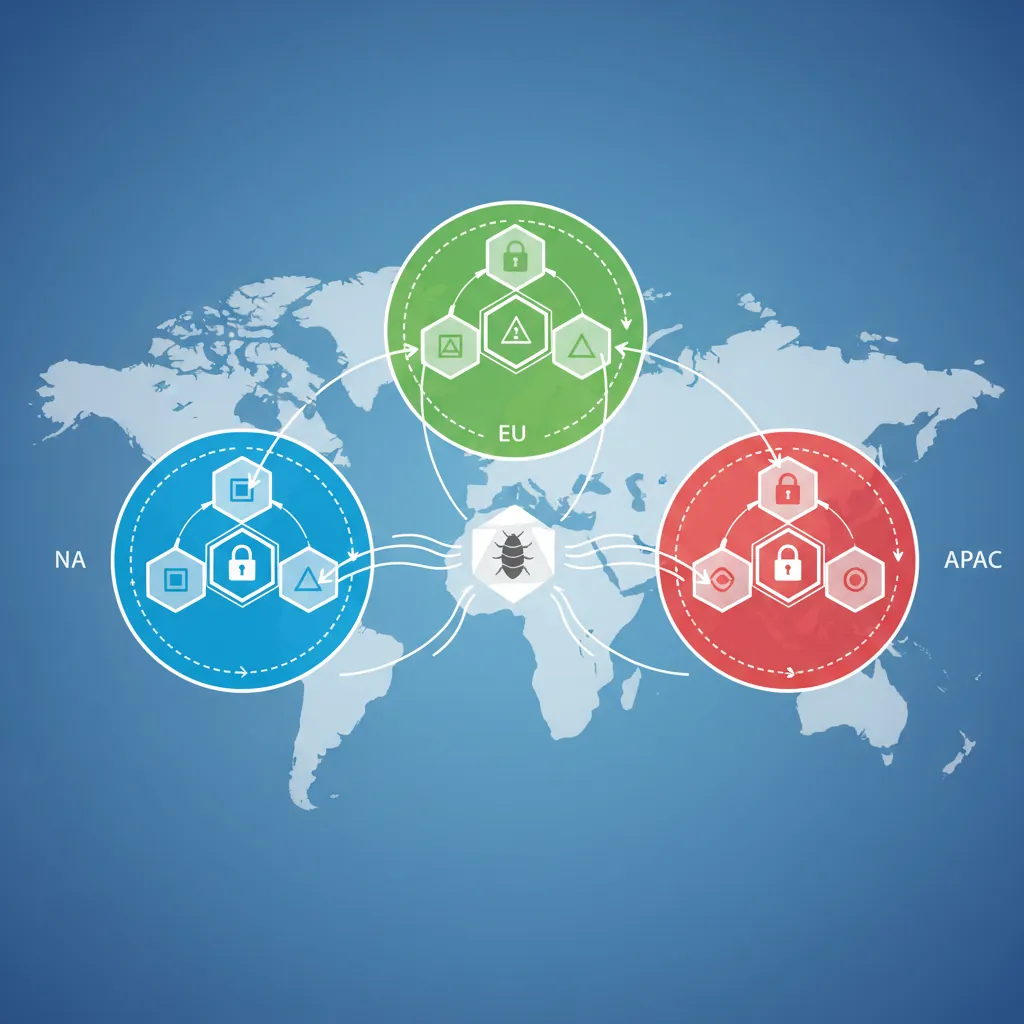
Global distributed topology — multi-region CockroachDB deployment across NA, EU, and APAC with data residency controls
Design
Multi-Region Architecture:

         [NA Region]              [EU Region]             [APAC Region]
    ┌─────────────────┐      ┌─────────────────┐      ┌─────────────────┐
    │   App Servers   │      │   App Servers   │      │   App Servers   │
    └────────┬────────┘      └────────┬────────┘      └────────┬────────┘
             │                        │                        │
    ┌────────┴────────┐      ┌────────┴────────┐      ┌────────┴────────┐
    │  CockroachDB    │◄────►│  CockroachDB    │◄────►│  CockroachDB    │
    │  (Primary)      │      │  (Replica)      │      │  (Replica)      │
    └─────────────────┘      └─────────────────┘      └─────────────────┘

Data Placement:
- User profiles: Pinned to user's home region
- Global data: Replicated across all regions
- EU user data: Must stay in EU (GDPR)
Implementation
-- CockroachDB: Multi-region table configuration
CREATE TABLE users (
    id UUID PRIMARY KEY DEFAULT gen_random_uuid(),
    email VARCHAR(255) UNIQUE,
    region VARCHAR(10) NOT NULL,  -- 'na', 'eu', 'apac'
    profile JSONB,
    created_at TIMESTAMP DEFAULT NOW()
);

-- Pin data to specific regions
ALTER TABLE users CONFIGURE ZONE USING
    num_replicas = 3,
    constraints = '{"+region=na": 1, "+region=eu": 1, "+region=apac": 1}',
    lease_preferences = '[[+region=na]]';

-- Regional pinning for EU compliance
CREATE TABLE eu_user_data (
    user_id UUID REFERENCES users(id),
    sensitive_data JSONB
) LOCALITY REGIONAL BY ROW;

ALTER TABLE eu_user_data SET LOCALITY REGIONAL IN "eu-west-1";
# Python: Region-aware connection routing
from typing import Optional
import os

REGION_ENDPOINTS = {
    'na': 'cockroach-na.example.com:26257',
    'eu': 'cockroach-eu.example.com:26257',
    'apac': 'cockroach-apac.example.com:26257'
}

def get_regional_connection(user_region: Optional[str] = None):
    """Route to nearest region for low latency."""
    region = user_region or detect_client_region()
    endpoint = REGION_ENDPOINTS.get(region, REGION_ENDPOINTS['na'])

    return psycopg2.connect(
        host=endpoint.split(':')[0],
        port=26257,
        database='myapp',
        user='app_user',
        sslmode='require'
    )

def detect_client_region() -> str:
    """Detect region from request headers or IP."""
    # In practice: Use CloudFlare, AWS headers, or IP geolocation
    return os.environ.get('AWS_REGION', 'na')[:2]
Building Your Portfolio
Portfolio Tips:
GitHub Repository: Create a well-documented repo with README, schema diagrams, and setup instructions
Docker Compose: Make projects easy to run locally with docker-compose
Performance Benchmarks: Include load test results showing your optimization work
Blog Post: Write about challenges faced and solutions implemented
Live Demo: Deploy a read-only version for interviewers to explore
Congratulations on completing the Complete Database Mastery Series! You've journeyed from SQL fundamentals through advanced query optimization, explored both relational and NoSQL databases, understood distributed systems and cloud offerings, and applied security and analytics best practices.
What's Next?
Build the capstone projects — Start with the e-commerce project and progress through all four
Get certified — Pursue PostgreSQL, AWS Database, or MongoDB certifications
Contribute to open source — Apply your skills to database-related open source projects
Teach others — Solidify your knowledge by helping others learn databases
Review the Database Mastery Series
Part 1: SQL Fundamentals & Syntax
Start from the beginning of your database journey.