We use cookies to enhance your browsing experience, serve personalized content, and analyze our traffic.
By clicking "Accept All", you consent to our use of cookies. See our
Privacy Policy
for more information.
Complete Database Mastery Part 12: Cloud Databases & Managed Services
January 31, 2026Wasil Zafar42 min read
Master cloud databases and managed services. Learn AWS RDS, Aurora, DynamoDB, Azure SQL, Cosmos DB, Google Cloud SQL, Spanner, and how to choose between managed and self-hosted databases.
Cloud databases offer managed infrastructure, automatic backups, scaling, and high availability—letting teams focus on application logic rather than database administration.
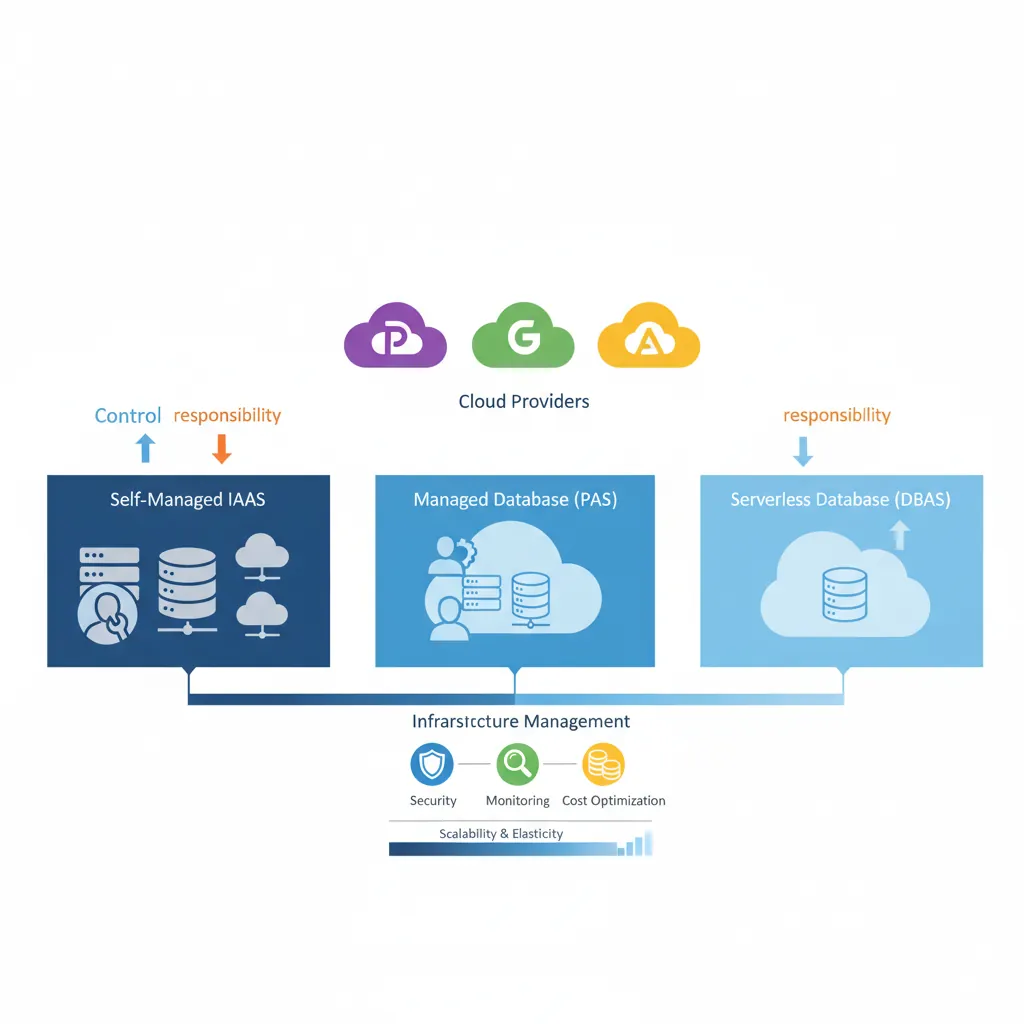
DBaaS service models — from self-managed IaaS to fully managed serverless database offerings across cloud providers
Series Context: This is Part 12 of 15 in the Complete Database Mastery series. We're exploring the modern cloud database landscape.
Amazon Web Services offers the most comprehensive database portfolio in the cloud. From fully managed relational databases to serverless NoSQL, AWS provides options for every workload.
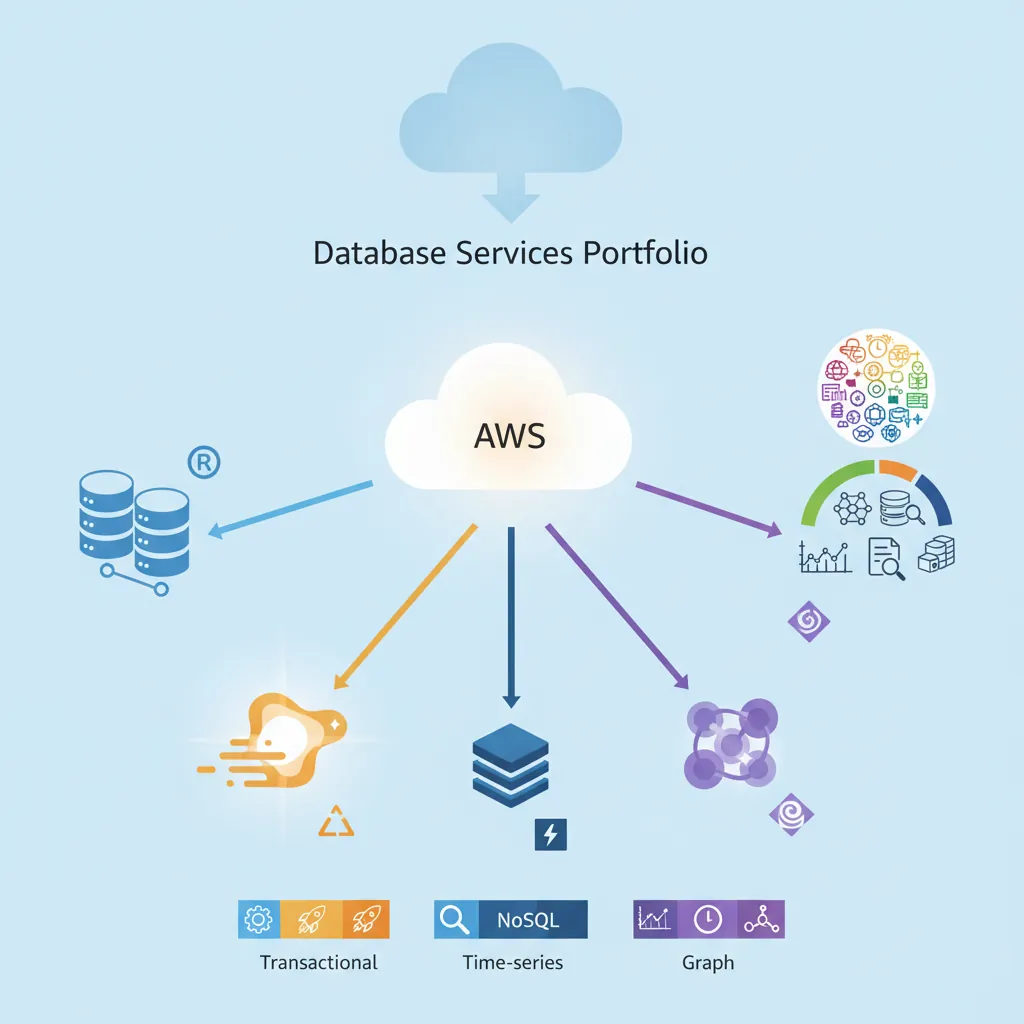
AWS database services portfolio — RDS, Aurora, DynamoDB, ElastiCache, and purpose-built engines for every workload
Amazon RDS (Relational Database Service)
RDS provides managed MySQL, PostgreSQL, MariaDB, Oracle, and SQL Server instances. AWS handles backups, patching, monitoring, and high availability—you focus on queries and schemas.
Multi-AZ deployments: Automatic failover to standby in different availability zone (99.95% uptime SLA)
Read replicas: Scale reads horizontally with up to 15 replicas (can be in different regions)
Automated backups: Point-in-time recovery up to 35 days, daily snapshots to S3
Performance Insights: Database load monitoring and wait event analysis
Storage Auto Scaling: Automatically grows storage when threshold reached
Amazon Aurora
Aurora is AWS's cloud-native relational database, compatible with MySQL and PostgreSQL but with 5x MySQL and 3x PostgreSQL performance. Unlike RDS, Aurora separates compute from storage, enabling instant scaling.
-- Aurora automatically handles replication across 3 AZs
-- This is a standard PostgreSQL-compatible connection
CREATE TABLE orders (
    order_id BIGSERIAL PRIMARY KEY,
    customer_id INT NOT NULL,
    total_amount DECIMAL(10, 2) NOT NULL,
    order_date TIMESTAMP DEFAULT CURRENT_TIMESTAMP,
    status VARCHAR(20) DEFAULT 'pending'
);

-- Aurora Global Database: replicate across regions with <1 second lag
-- Primary region handles writes, secondary regions serve reads
Aurora Serverless v2: Auto-scales from 0.5 to 128 ACUs (Aurora Capacity Units) in seconds. You only pay for the capacity you use, not idle time. Perfect for variable workloads and development environments.
Aurora vs RDS Comparison
Feature
RDS
Aurora
Storage
EBS-backed, manual scaling
Distributed storage, auto-scales to 128 TB
Read Replicas
Up to 15 (async)
Up to 15 (shared storage, <10ms lag)
Failover Time
1-2 minutes
< 30 seconds
Cost
Lower (starting ~$0.04/hour)
Higher (~2x), but better performance
Global Databases
Cross-region read replicas (lag minutes)
< 1 second global replication
Amazon DynamoDB
DynamoDB is AWS's serverless NoSQL database—fully managed, single-digit millisecond latency, and scales to handle 10 trillion requests per day. No servers to provision, no patching, automatic backups.
Provisioned Mode: Set read/write capacity units (RCU/WCU). Predictable performance, lower cost at consistent load. Use auto-scaling to adjust capacity automatically.
On-Demand Mode: Pay per request, zero capacity planning. Instantly handles spikes to 2x previous peak. Perfect for unpredictable workloads (new apps, seasonal spikes).
Cost Example: 1 million reads + 1 million writes per month:
Provisioned: ~$25/month (with 80% utilization)
On-Demand: ~$1.50/month (lower traffic) to $100+ (high spikes)
Amazon ElastiCache
ElastiCache provides managed Redis and Memcached clusters. Use it to cache database queries, session data, or serve as a high-speed data store for real-time applications.
# Python Redis caching pattern with ElastiCache
import redis
import json
import psycopg2

redis_client = redis.Redis(
    host='myredis.abc123.0001.use1.cache.amazonaws.com',
    port=6379,
    decode_responses=True
)

def get_user(user_id):
    # Try cache first
    cache_key = f"user:{user_id}"
    cached = redis_client.get(cache_key)

    if cached:
        return json.loads(cached)

    # Cache miss - query database
    conn = psycopg2.connect("postgresql://rds-endpoint/mydb")
    cursor = conn.cursor()
    cursor.execute("SELECT * FROM users WHERE id = %s", (user_id,))
    user = cursor.fetchone()

    # Store in cache for 1 hour
    redis_client.setex(cache_key, 3600, json.dumps(user))

    return user
Redis vs Memcached: Redis supports rich data structures (lists, sets, sorted sets, pub/sub), persistence, and replication. Memcached is simpler, multithreaded, and slightly faster for pure key-value caching. For new applications, choose Redis.
Azure Database Services
Microsoft Azure provides integrated database services optimized for .NET applications and enterprise workloads. Strong hybrid cloud capabilities allow seamless migration from on-premises SQL Server.
Azure SQL Database is a fully managed SQL Server database engine. It provides 99.995% availability SLA, intelligent query optimization, and automatic tuning via AI.
-- Azure SQL Database automatically handles:
-- - Index tuning (automatic index creation/removal)
-- - Query plan regression detection
-- - Adaptive query processing

-- Create a table with built-in temporal tables for history tracking
CREATE TABLE Employees (
    EmployeeID INT PRIMARY KEY,
    Name NVARCHAR(100),
    Department NVARCHAR(50),
    Salary DECIMAL(10, 2),
    -- Temporal table columns for automatic versioning
    ValidFrom DATETIME2 GENERATED ALWAYS AS ROW START HIDDEN,
    ValidTo DATETIME2 GENERATED ALWAYS AS ROW END HIDDEN,
    PERIOD FOR SYSTEM_TIME (ValidFrom, ValidTo)
) WITH (SYSTEM_VERSIONING = ON);

-- Query historical data (time travel)
SELECT * FROM Employees
FOR SYSTEM_TIME AS OF '2025-01-15 10:00:00';
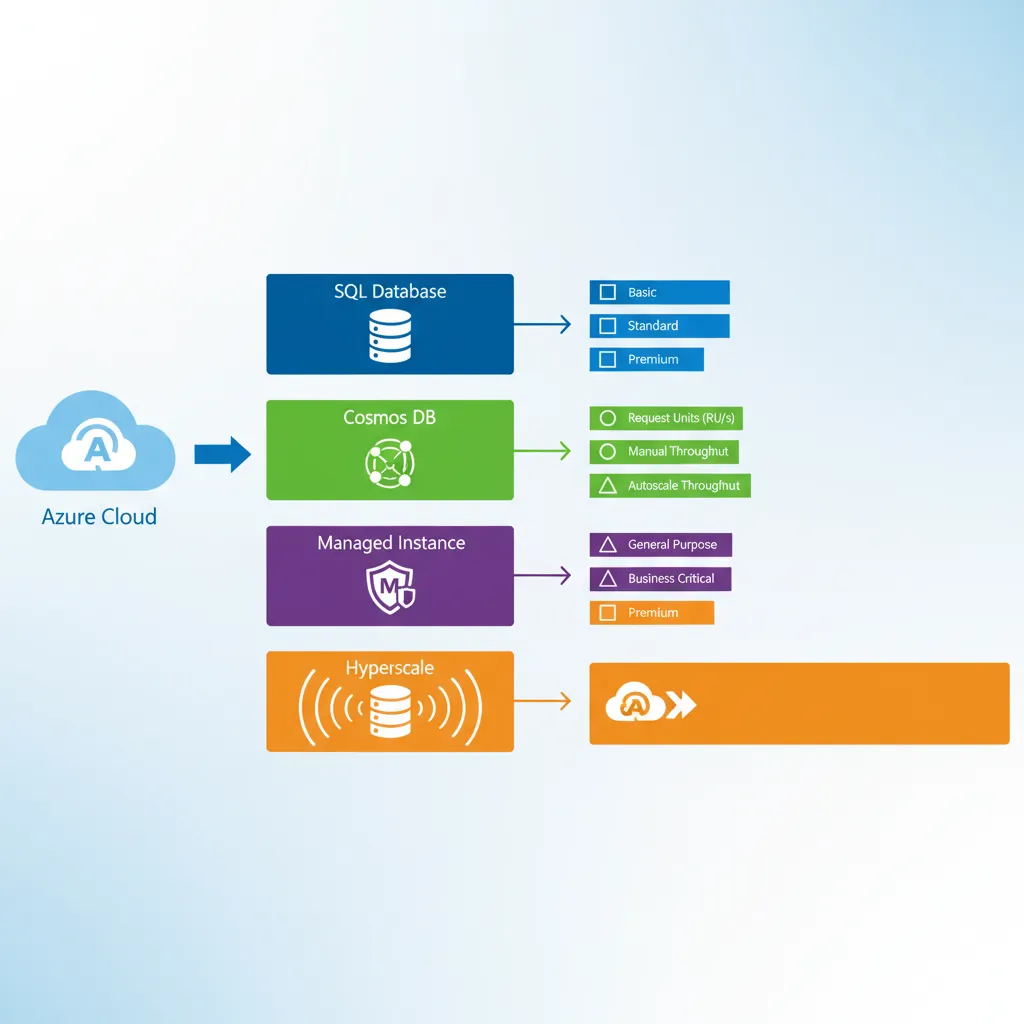
Azure SQL Deployment Options
Single Database: Isolated database with dedicated resources. Best for single-tenant SaaS or independent applications.
Elastic Pool: Share resources across multiple databases. Ideal for multi-tenant SaaS with varying load patterns.
Managed Instance: Near 100% SQL Server compatibility, VNet integration. Lift-and-shift on-premises SQL Server with minimal changes.
Hyperscale: Scale to 100 TB, fast backups, rapid scale-out. For large data warehouses and high-throughput OLTP.
Azure Cosmos DB
Cosmos DB is Microsoft's globally distributed, multi-model NoSQL database. It supports document, key-value, graph, and column-family data models with multiple APIs (SQL, MongoDB, Cassandra, Gremlin, Table).
// Cosmos DB with MongoDB API (drop-in replacement)
const { MongoClient } = require('mongodb');

const client = new MongoClient(
    'mongodb://mycosmosdb:key@mycosmosdb.mongo.cosmos.azure.com:10255/?ssl=true'
);

await client.connect();
const db = client.db('ecommerce');

// Automatic global replication across regions
await db.collection('products').insertOne({
    productId: 'p-12345',
    name: 'Wireless Headphones',
    price: 79.99,
    inventory: 150,
    // Cosmos DB partitions by this key for horizontal scaling
    category: 'electronics'  // partition key
});

// Reads served from nearest region with tunable consistency
const product = await db.collection('products').findOne({
    productId: 'p-12345'
});
Global Distribution: Cosmos DB replicates data to any Azure region with a single click. Reads/writes are served from the nearest region with < 10ms latency. You can configure 5 consistency levels (strong, bounded staleness, session, consistent prefix, eventual) to balance consistency vs. performance.
Cosmos DB Pricing Models
Provisioned Throughput: Reserve Request Units (RUs) per second. 1 RU = cost to read 1 KB document. Predictable cost, guaranteed performance.
Serverless: Pay per request, no capacity planning. Up to 5000 RU/s, 50 GB storage. Great for dev/test and low-traffic apps.
Autoscale: Automatically scales between 10% and 100% of max RU/s. Ideal for variable workloads.
Azure Database for PostgreSQL
Azure PostgreSQL offers managed PostgreSQL with built-in high availability, automatic backups, and intelligent performance recommendations.
# Connect to Azure PostgreSQL
psql "host=myserver.postgres.database.azure.com port=5432 \
      dbname=mydb user=admin@myserver sslmode=require"

# Azure provides pglogical extension for logical replication
CREATE EXTENSION IF NOT EXISTS pglogical;

# Enable read replicas for read scaling
az postgres server replica create \
    --name myserver-replica \
    --source-server myserver \
    --resource-group myResourceGroup
Flexible Server vs Single Server: Azure PostgreSQL Flexible Server is the recommended option. It offers zone-redundant high availability, scheduled maintenance windows, and better performance. Single Server is legacy.
Google Cloud Platform Databases
Google Cloud brings database innovation from powering Google's own services (Gmail, YouTube, Google Search) to the public cloud. Focus on analytics, machine learning integration, and global scale.
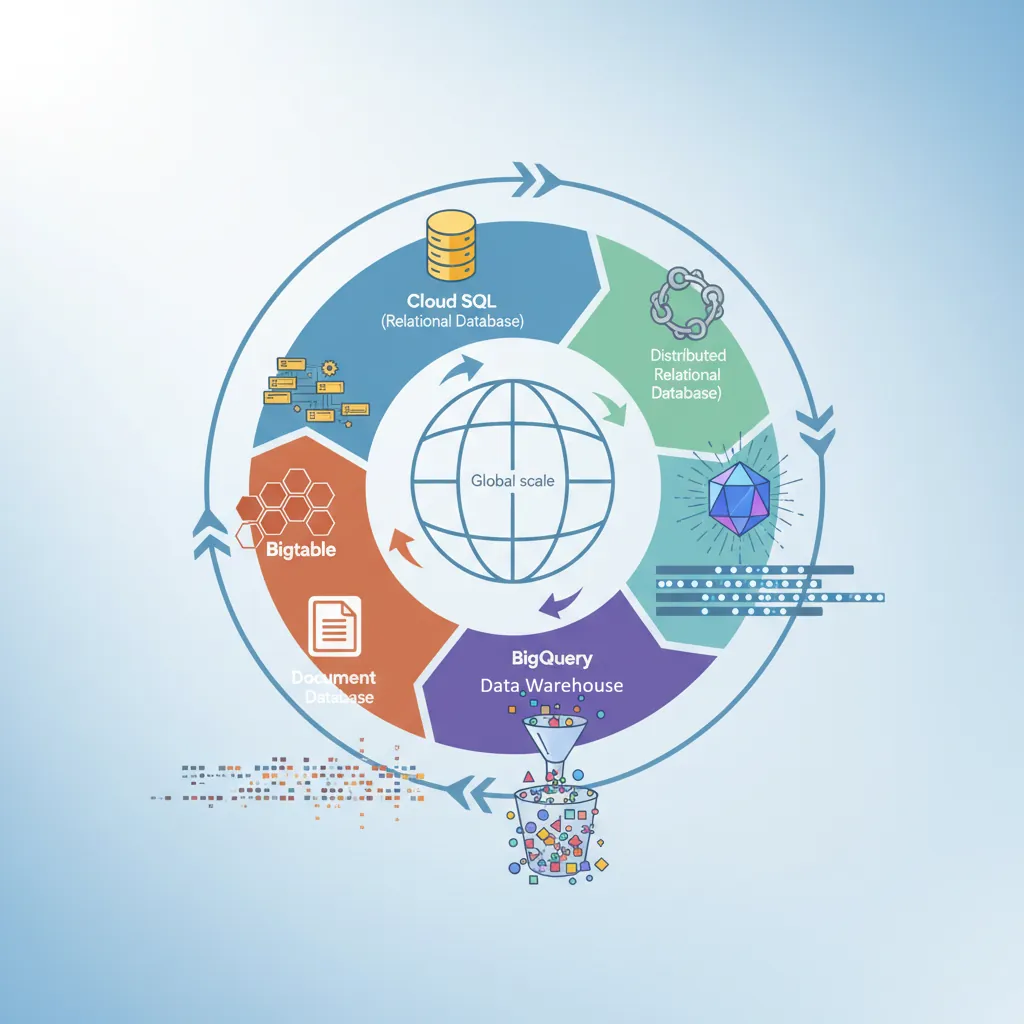
GCP database ecosystem — Cloud SQL, Cloud Spanner, BigQuery, Firestore, and Bigtable for global-scale workloads
Cloud SQL
Cloud SQL provides fully managed MySQL, PostgreSQL, and SQL Server. Deep integration with other GCP services like BigQuery, Dataproc, and Vertex AI.
Cloud SQL Proxy: Secure connection without whitelisting IPs. Automatically encrypts traffic with SSL.
Private IP: Connect via VPC Network for internal services. No public internet exposure.
Public IP: Authorized networks only. Use for external applications with added security layer.
Serverless VPC Access: Connect Cloud Functions/Run to Cloud SQL via private IP.
Cloud Spanner
Cloud Spanner is Google's globally distributed, horizontally scalable relational database. It's the only database that combines SQL, strong consistency, and global scale—powering Google Ads and Google Play.
-- Spanner uses standard SQL with extensions for interleaved tables
CREATE TABLE Users (
    UserId INT64 NOT NULL,
    Email STRING(256),
    CreatedAt TIMESTAMP NOT NULL OPTIONS (allow_commit_timestamp=true)
) PRIMARY KEY (UserId);

-- Interleaved tables: child rows stored with parent for efficiency
CREATE TABLE Orders (
    UserId INT64 NOT NULL,
    OrderId INT64 NOT NULL,
    TotalAmount NUMERIC,
    OrderDate DATE
) PRIMARY KEY (UserId, OrderId),
  INTERLEAVE IN PARENT Users ON DELETE CASCADE;

-- Global transactions with external consistency
BEGIN TRANSACTION;
UPDATE Users SET LastOrderDate = CURRENT_TIMESTAMP()
WHERE UserId = 12345;
INSERT INTO Orders (UserId, OrderId, TotalAmount)
VALUES (12345, 99999, 149.99);
COMMIT TIMESTAMP;
When to Use Spanner: You need SQL + global scale + strong consistency. Examples: global e-commerce, financial services, gaming leaderboards. It's expensive ($0.90/node-hour + $0.30/GB storage), but unmatched for mission-critical global applications.
TrueTime: Spanner's Secret Weapon
Spanner uses TrueTime—Google's distributed time API backed by GPS and atomic clocks—to guarantee global ordering of transactions. This enables:
External consistency: Transactions appear in the same order globally
Lock-free reads: Snapshot reads at any timestamp without blocking
Multi-region transactions: Commit across continents with ACID guarantees
Cloud Firestore
Firestore is Google's serverless document database, optimized for mobile and web apps. Real-time synchronization, offline support, and automatic scaling make it ideal for collaborative applications.
Firestore vs Realtime Database: Firestore is the successor with better querying, more scalability, and richer data types. Use Realtime Database only if you need very low latency (< 100ms) for small JSON trees. For new apps, choose Firestore.
Cloud Provider Comparison
Choosing the right cloud for your database depends on your existing infrastructure, team expertise, and specific workload requirements.
Quick Comparison Matrix
Category
AWS
Azure
GCP
Managed PostgreSQL
RDS, Aurora
Azure Database for PostgreSQL
Cloud SQL
Serverless SQL
Aurora Serverless v2
Azure SQL Serverless
-
Global NoSQL
DynamoDB Global Tables
Cosmos DB
Firestore
Global SQL
Aurora Global
Cosmos DB SQL API
Cloud Spanner
Caching
ElastiCache
Azure Cache for Redis
Memory Store
Data Warehouse
Redshift
Synapse Analytics
BigQuery
Market Share
~33%
~22%
~10%
Best For
Widest service catalog, mature ecosystem
Hybrid cloud, .NET workloads
Analytics, ML integration
Cost Optimization Strategies
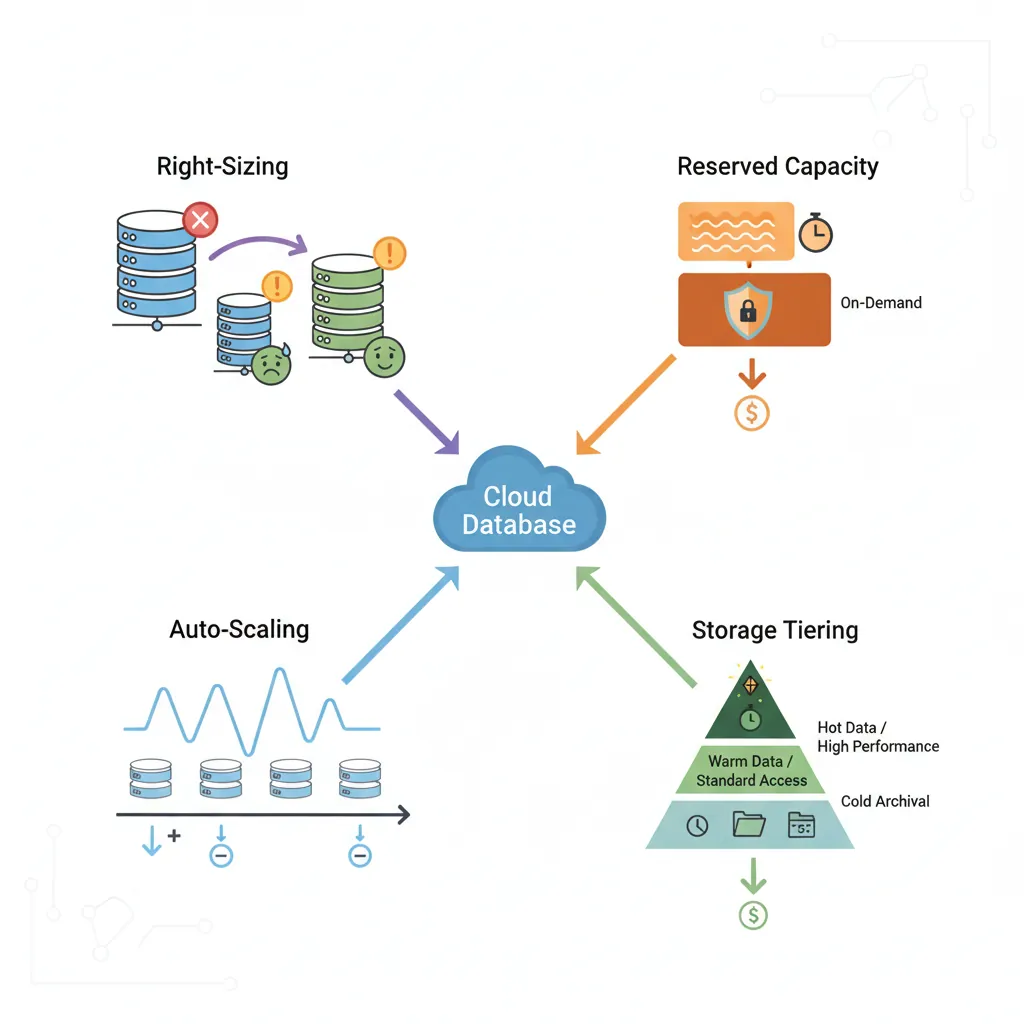
Cloud database costs can spiral quickly without proper management. Apply these strategies to reduce spending by 40-60%.
Common Mistake: Over-provisioning "just in case." Monitor actual CPU/memory usage for 2-4 weeks, then downsize. Most databases use < 30% of provisioned capacity.
# AWS CloudWatch query to analyze RDS CPU utilization
aws cloudwatch get-metric-statistics \
    --namespace AWS/RDS \
    --metric-name CPUUtilization \
    --dimensions Name=DBInstanceIdentifier,Value=mydb \
    --start-time 2026-01-01T00:00:00Z \
    --end-time 2026-02-01T00:00:00Z \
    --period 86400 \
    --statistics Average,Maximum

# If average < 40% and max < 70%, consider downsizing
2. Use Reserved Instances or Savings Plans
Commit to 1-3 years for 40-60% discount compared to on-demand. Break-even is typically 6-9 months.
-- Archive old data to cheaper storage tiers
-- Move completed orders older than 2 years to Glacier

-- Step 1: Export to S3/Blob Storage
SELECT * FROM orders
WHERE created_at < NOW() - INTERVAL '2 years'
INTO OUTFILE 's3://my-bucket/archive_2024/orders.csv';

-- Step 2: Delete from primary database
DELETE FROM orders
WHERE created_at < NOW() - INTERVAL '2 years';

-- Step 3: Use S3 Select or BigQuery for rare queries on archives
Storage Tiering: AWS RDS gp3 storage is 20% cheaper than gp2. Azure offers zone-redundant and locally-redundant options. Enable automatic storage optimization to use lower tiers for infrequently accessed data.
The "lift and shift" vs. managed service debate is nuanced. Here's when each makes sense.
Choose Managed Services When
Team lacks dedicated DBAs or wants to focus on application development
Need high availability without managing failover infrastructure
Require automated backups, patching, and monitoring out-of-the-box
Want to scale quickly without capacity planning
Application fits within managed service limitations
Cost of managed service < cost of DBA team time
Choose Self-Hosted When
Need specific database configurations or extensions not supported by managed services
Cost is a primary concern at very large scale (> 10 TB or > 100 instances)
Data sovereignty or compliance requires on-premises or specific data centers
Have dedicated DBA team skilled in database operations
Need bleeding-edge database features not yet available in managed services
Complex replication topology or custom failover logic required
Modern Approach: Start with managed services for faster development and lower operational overhead. Migrate to self-hosted only if cost or customization needs justify the significant operational complexity. Many companies run 80% of databases on managed services, self-hosting only specialized workloads.
Hybrid Approach: Best of Both Worlds
Many organizations use a hybrid strategy:
Managed for production: RDS/Aurora for reliability and SLAs
Self-hosted for dev/test: Lower cost, more control for experimentation
Managed for primary, self-hosted for analytics: Read replicas on EC2 for cost-effective reporting
Multi-cloud: Primary in AWS, disaster recovery in Azure/GCP
Conclusion & Next Steps
Cloud databases simplify operations and enable rapid scaling. Understanding each cloud provider's offerings helps you make informed decisions for your workloads and budget.
Continue the Database Mastery Series
Part 11: Scaling & Distributed Systems
Understanding scaling concepts before choosing cloud services.