Observability
Series Navigation: This is Part 10 of the 15-part System Design Series. Review Part 9: Rate Limiting & Security first.
System Design Mastery
Your 15-step learning path • Currently on Step 10
Introduction to System Design
Fundamentals, why it matters, key conceptsScalability Fundamentals
Horizontal vs vertical scaling, stateless designLoad Balancing & Caching
Algorithms, Redis, CDN patternsDatabase Design & Sharding
SQL vs NoSQL, replication, partitioningMicroservices Architecture
Decomposition, discovery, testing, resilienceAPI Design & REST/GraphQL
RESTful principles, GraphQL, gRPCMessage Queues & Event-Driven
Kafka, outbox, event sourcing, idempotent consumersCAP Theorem & Consistency
Distributed trade-offs, eventual consistencyRate Limiting & Security
Throttling algorithms, DDoS protection10
Monitoring & Observability
Logging, metrics, distributed tracing11
Real-World Case Studies
URL shortener, chat, feed, video streaming12
Data Modeling & Schema Design
Data modeling, schema design, indexing13
Distributed Systems Deep Dive
Consensus, Paxos, Raft, coordination14
Authentication & Security
OAuth, JWT, zero trust, compliance15
Questions & Trade-offs
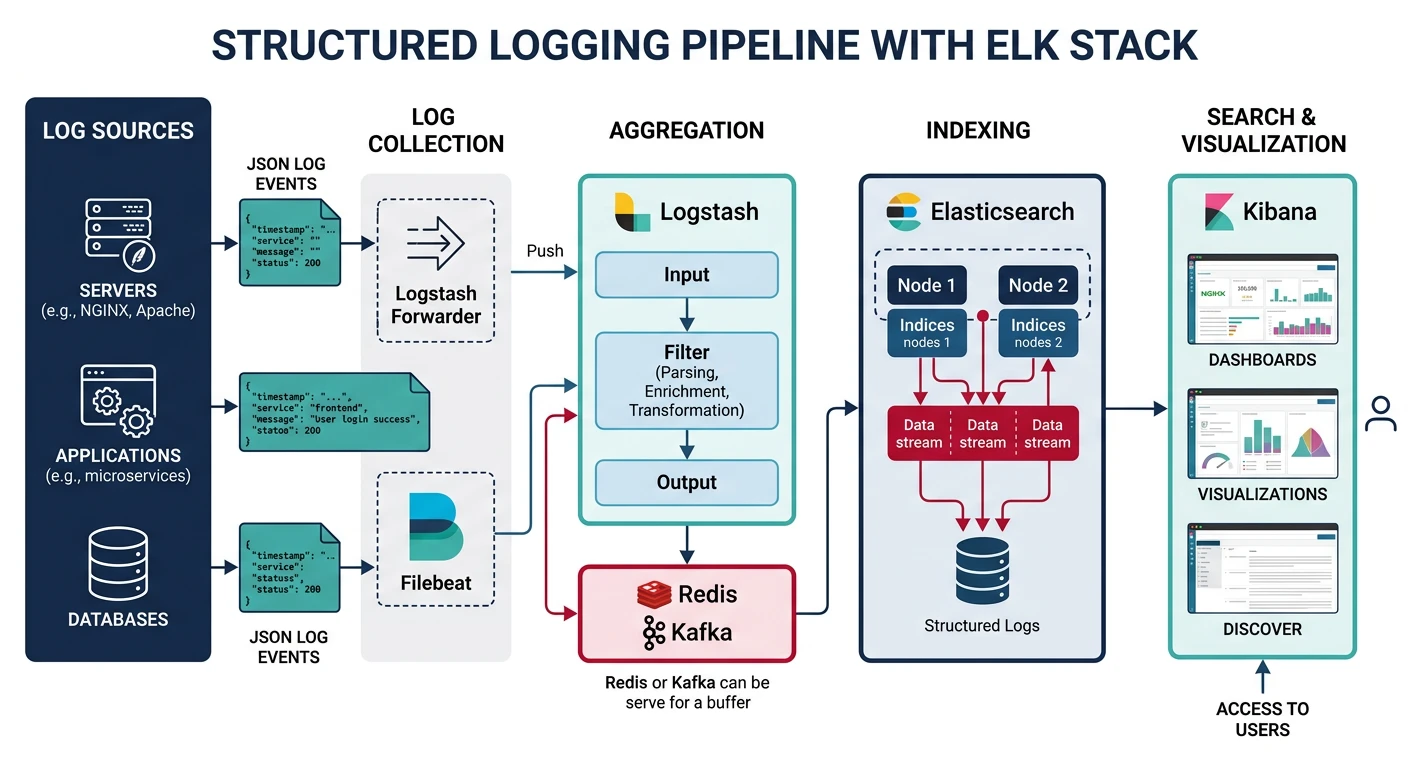
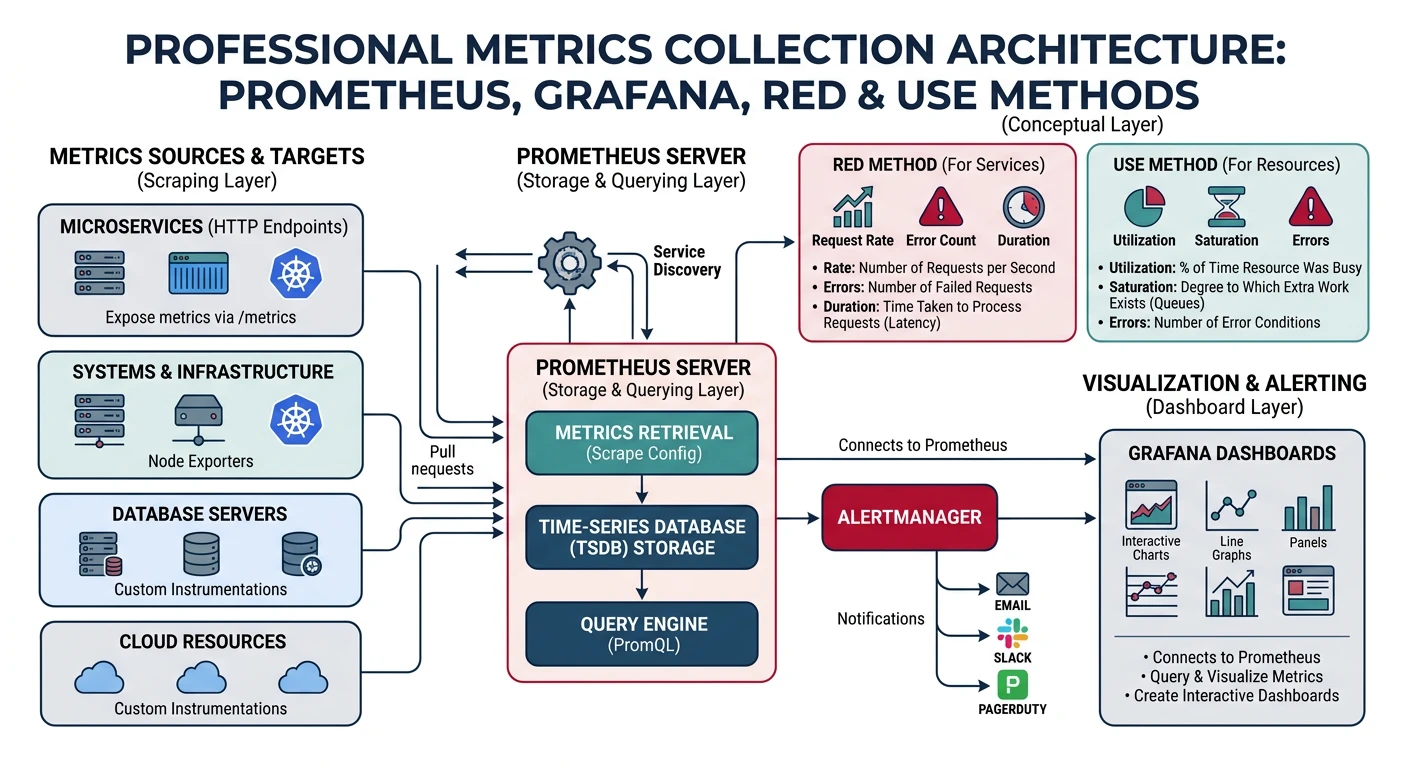
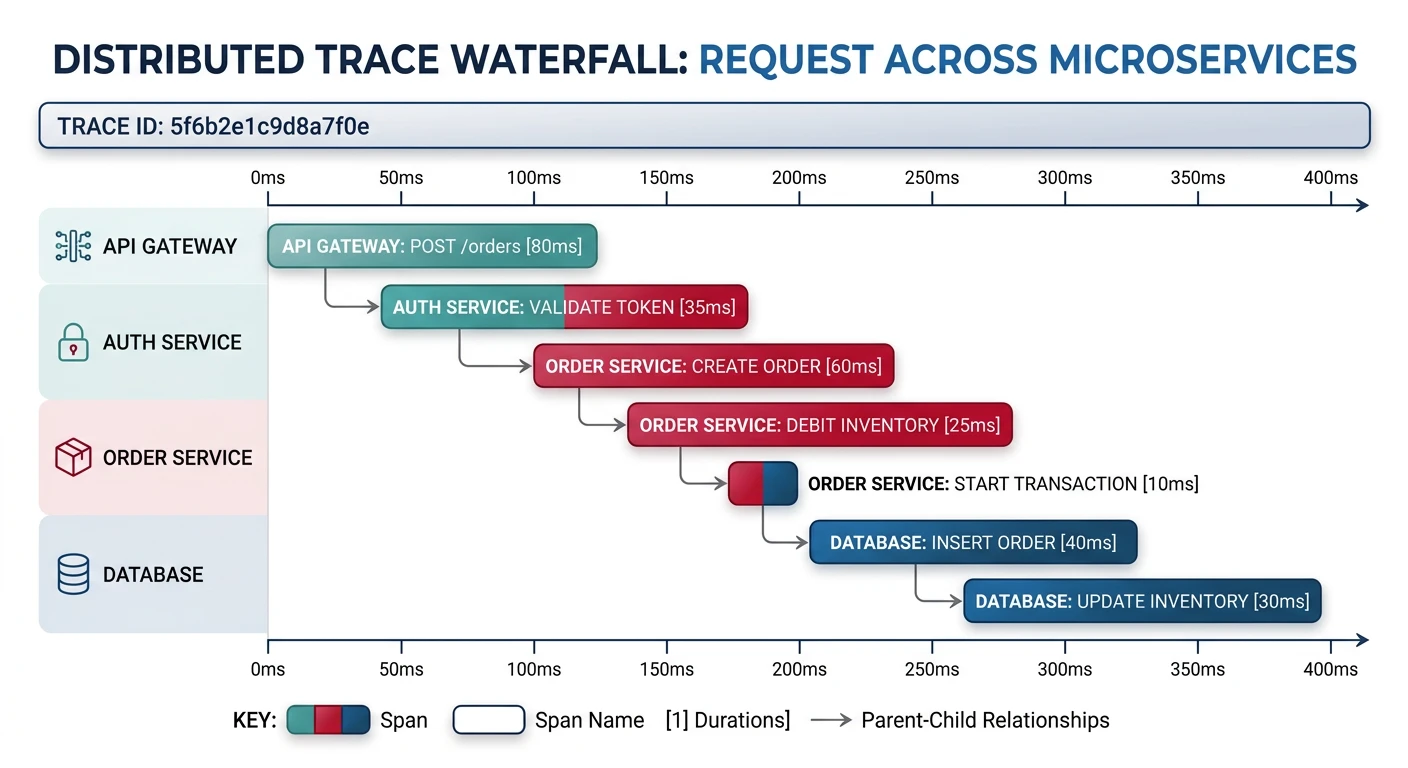
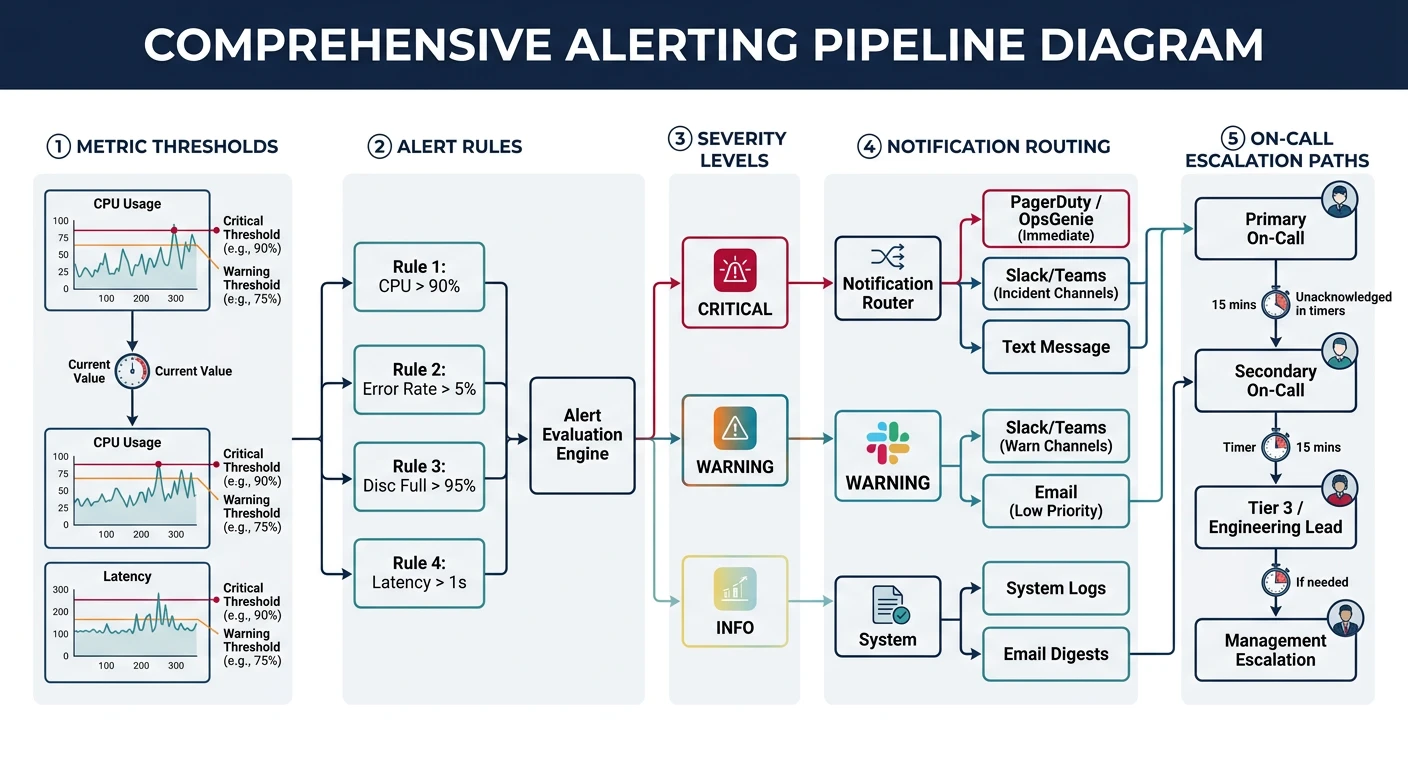
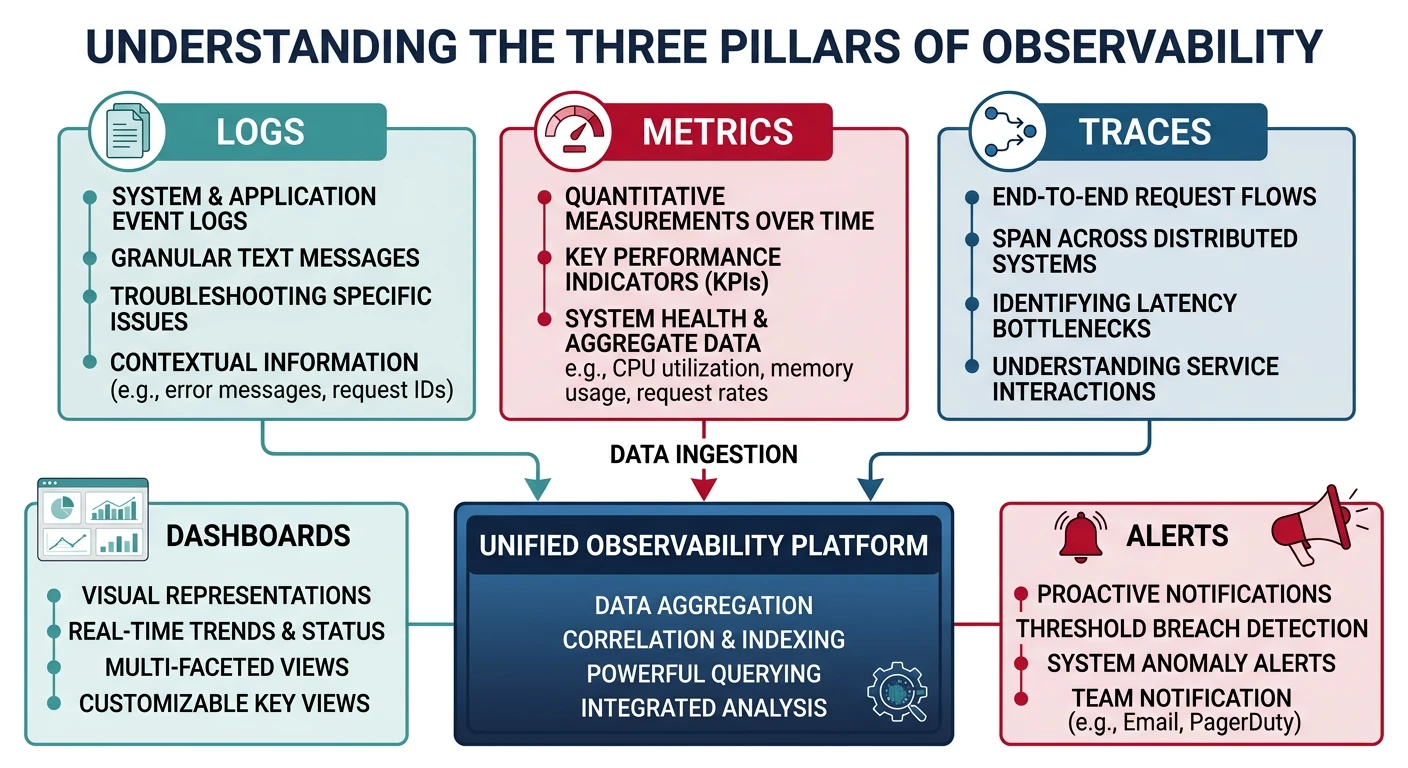
Common questions, SQL vs NoSQL, push vs pullObservability is the ability to understand the internal state of your system by examining its outputs: logs, metrics, and traces. Unlike traditional monitoring, observability allows you to ask questions you didn't anticipate.
Key Insight: Monitoring tells you when something is wrong. Observability helps you understand why.
The Three Pillars
- Logs: Discrete events with context (what happened)
- Metrics: Numeric measurements over time (how much)
- Traces: Request journey across services (where/how long)