GDB Basics
Build with Debug Symbols: Always compile with -g flag for DWARF debug info. Without it, GDB can't map addresses to source lines.
# Assemble with debug info
nasm -f elf64 -g -F dwarf program.asm -o program.o
ld -o program program.o
# Start GDB
gdb ./program
# Essential commands
(gdb) run # Run program
(gdb) quit # Exit GDB
(gdb) help <command> # Get help
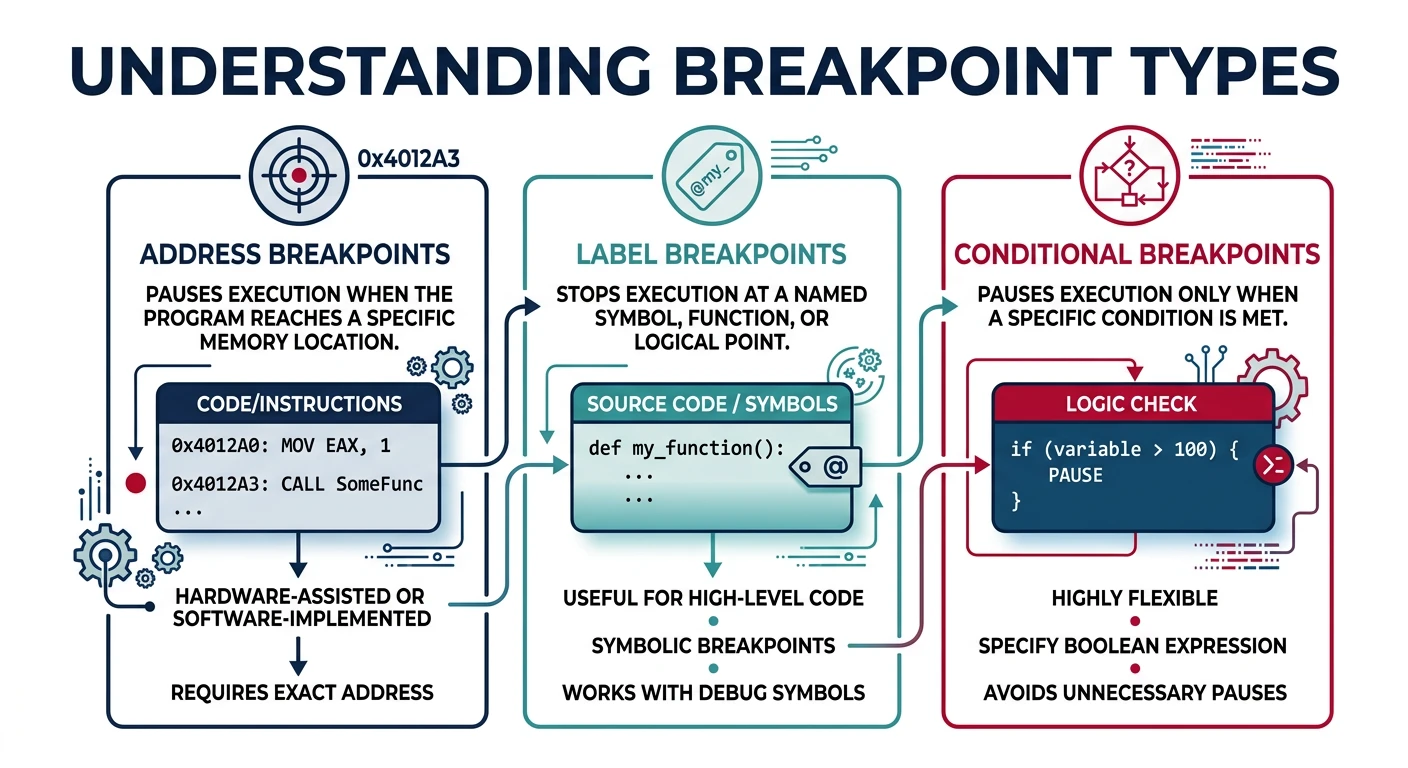
Breakpoints
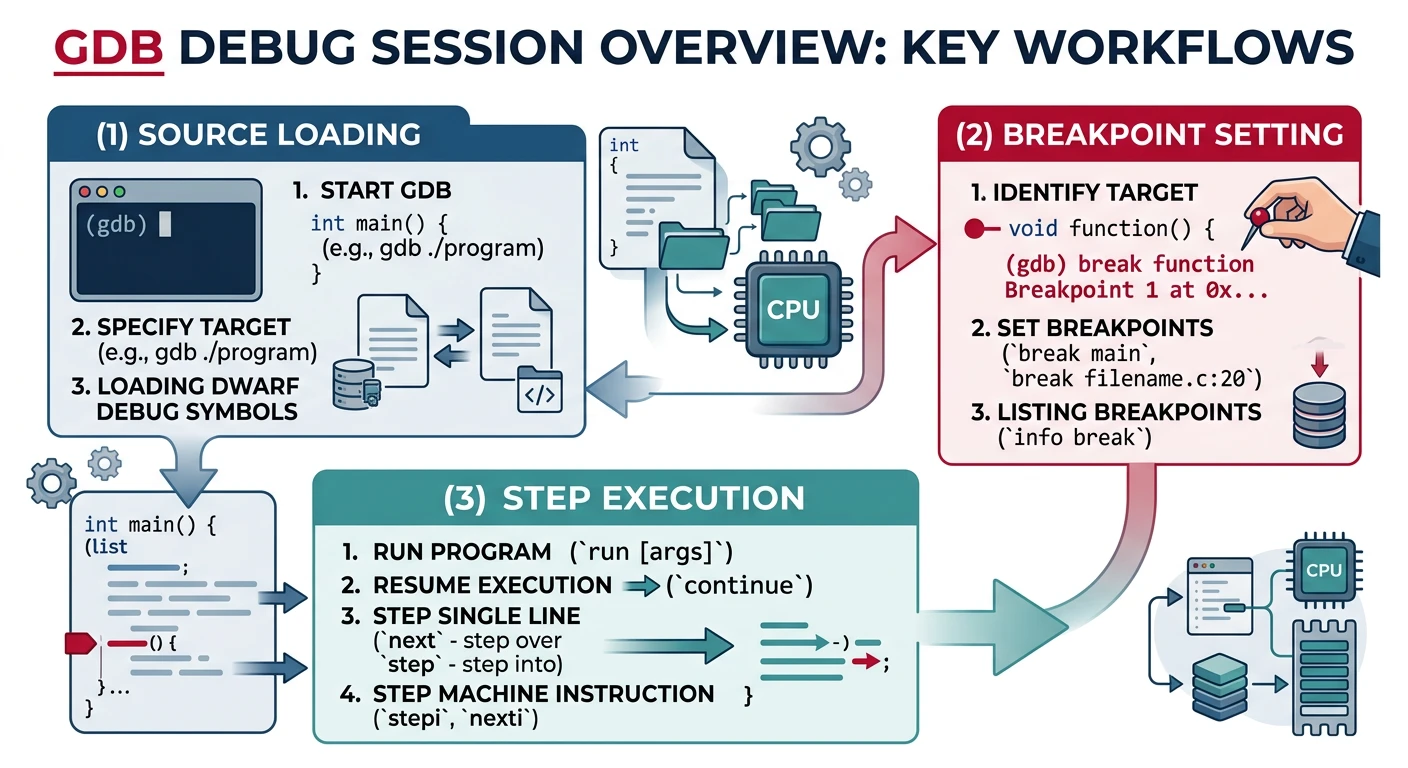
# Set breakpoints
(gdb) break _start # Break at label
(gdb) break *0x401000 # Break at address
(gdb) break main # Break at function (if linked with C)
# Manage breakpoints
(gdb) info breakpoints # List all breakpoints
(gdb) delete 1 # Delete breakpoint 1
(gdb) disable 2 # Disable breakpoint 2
(gdb) enable 2 # Re-enable breakpoint
Stepping & Execution
# Stepping commands
(gdb) stepi # Step one instruction (si)
(gdb) nexti # Step over call (ni)
(gdb) continue # Continue to next breakpoint (c)
(gdb) finish # Run until current function returns
# Show current instruction
(gdb) display/i $pc # Auto-display at each step
(gdb) x/5i $pc # Show next 5 instructions
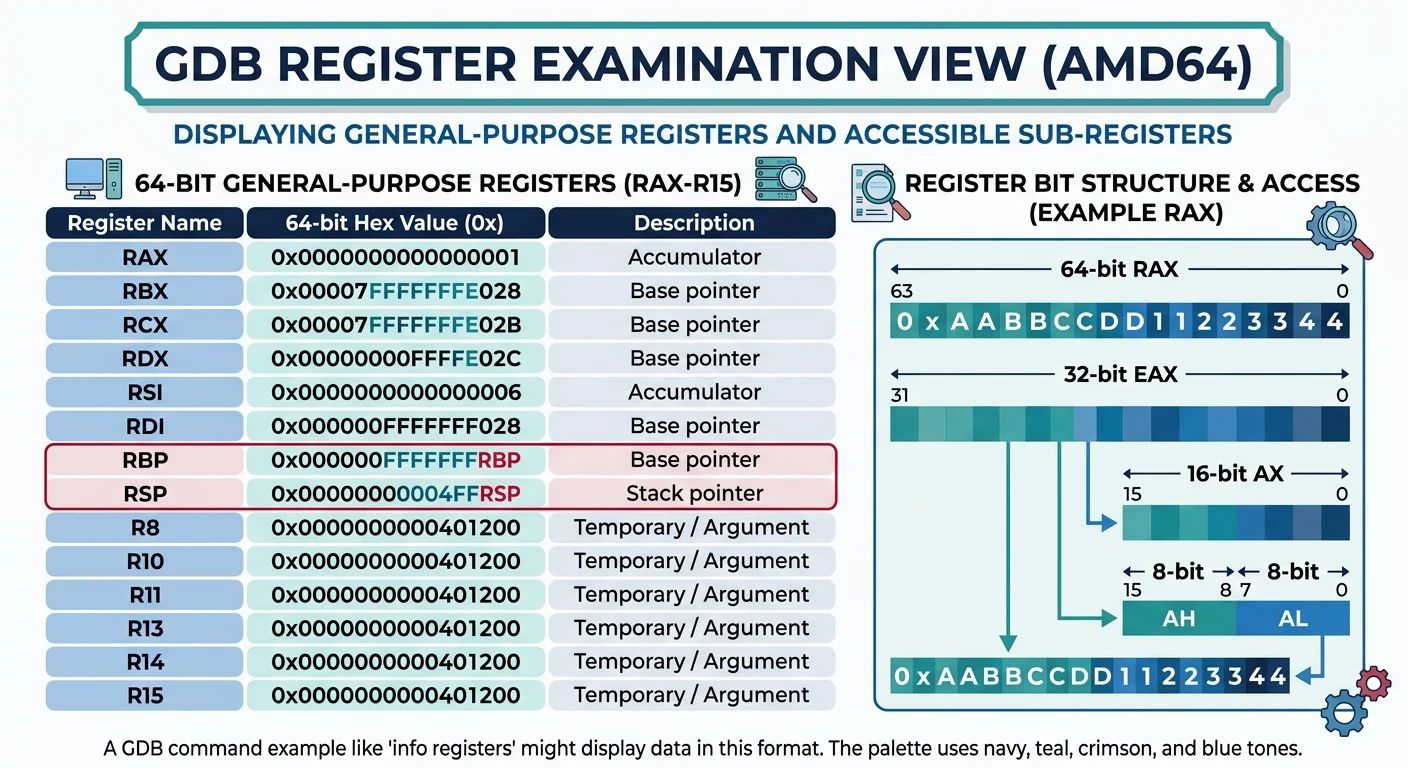
Examining Registers
# View registers
(gdb) info registers # All general-purpose registers
(gdb) info all-registers # All registers including FP/SIMD
(gdb) print $rax # Print specific register
(gdb) print/x $rax # Print in hex
# Modify registers
(gdb) set $rax = 42
(gdb) set $rip = 0x401020 # Jump to address
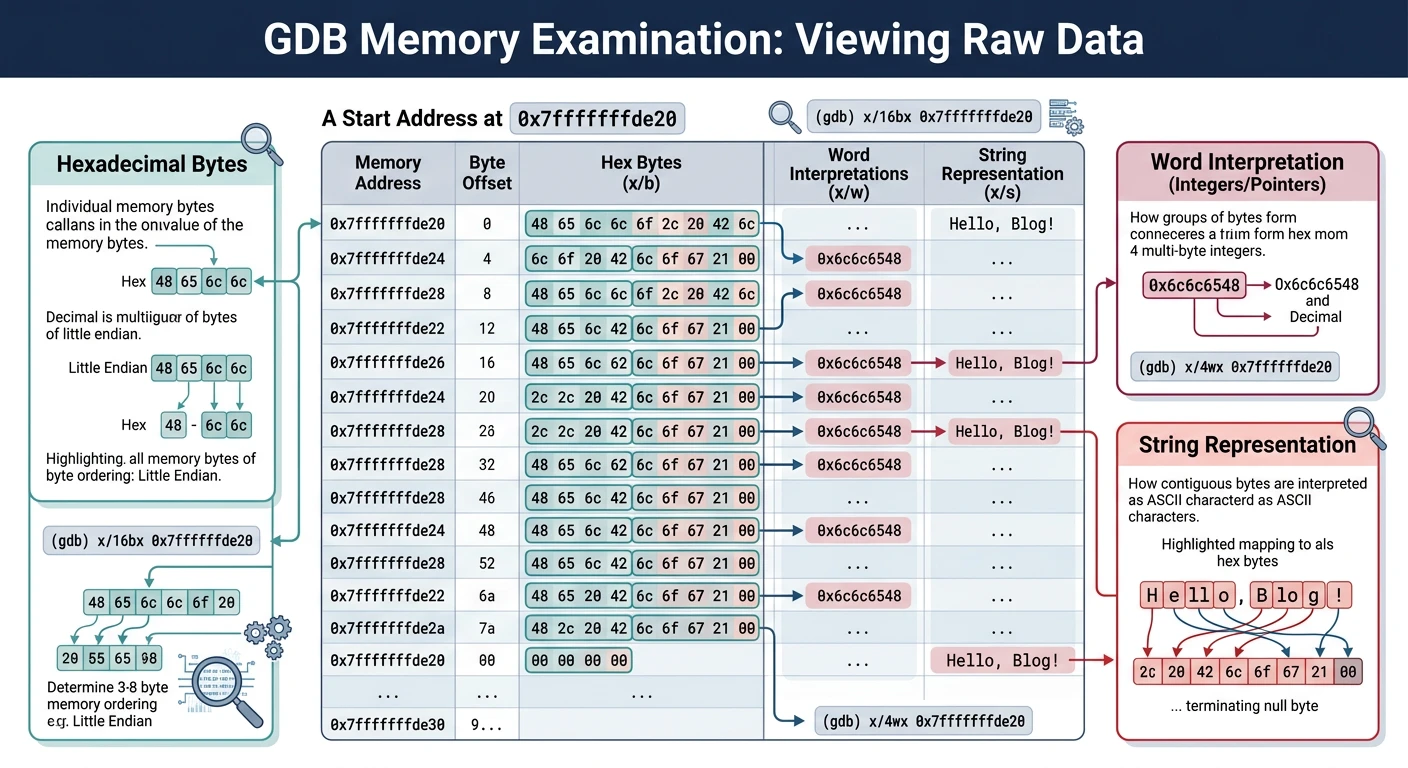
Examining Memory
# x/
# Formats: x(hex), d(decimal), s(string), i(instruction)
# Sizes: b(byte), h(halfword), w(word), g(giant/8-byte)
(gdb) x/10xb $rsp # 10 bytes in hex at RSP
(gdb) x/4xg $rsp # 4 quadwords (64-bit) at RSP
(gdb) x/s 0x402000 # String at address
(gdb) x/10i _start # 10 instructions at _start
# Stack examination
(gdb) x/16xg $rsp # View stack (16 quadwords)
objdump Disassembly
# Disassemble entire binary
objdump -d program
# Disassemble with Intel syntax
objdump -d -M intel program
# Show all sections
objdump -h program
# Show symbol table
objdump -t program
# Full disassembly with source interleaved
objdump -d -S program
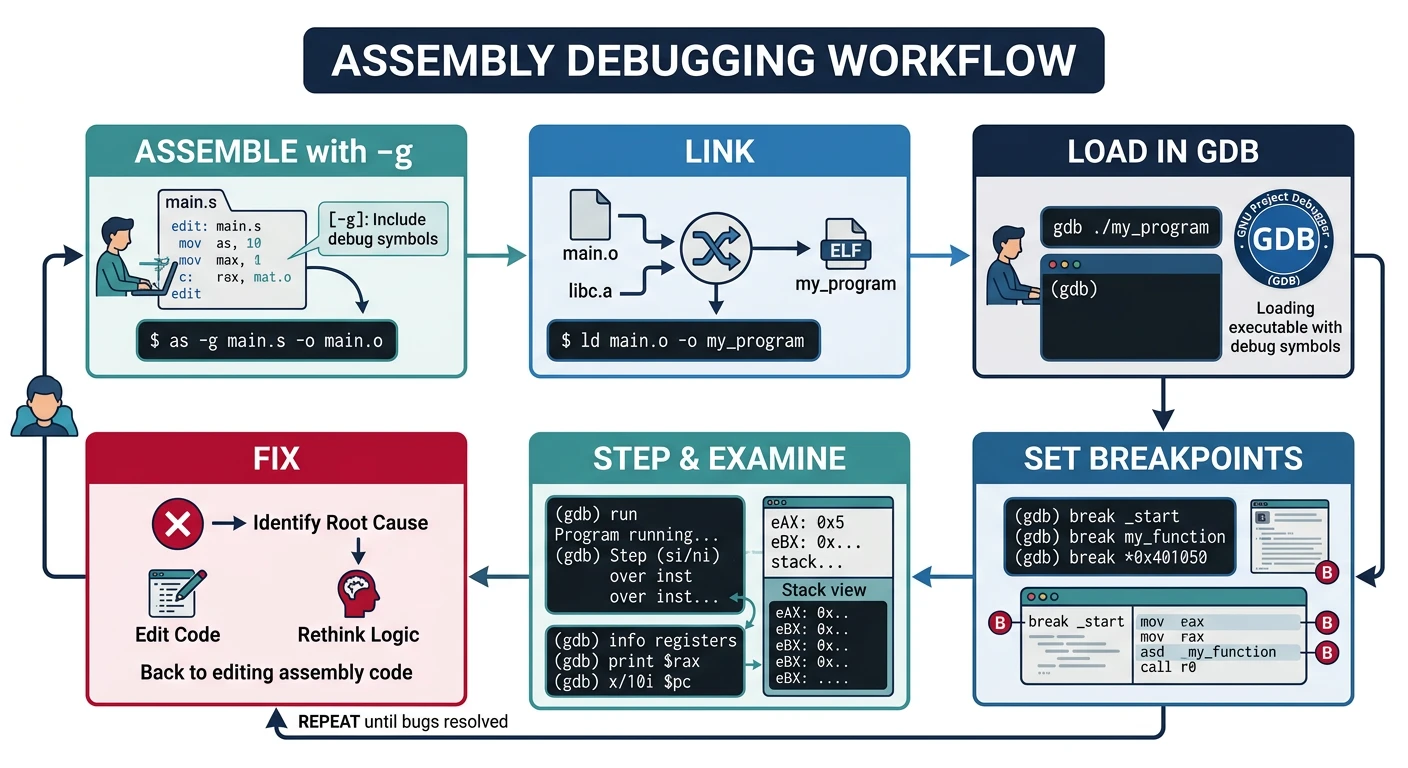
Debugging Workflow
A typical assembly debugging session follows this pattern:
# 1. Assemble with debug symbols
nasm -f elf64 -g -F dwarf program.asm -o program.o
# 2. Link with debug info preserved
ld -o program program.o
# 3. Start GDB
gdb ./program
Step-by-Step Session
(gdb) layout asm # Show assembly view
(gdb) layout regs # Also show registers
(gdb) break _start # Set breakpoint at entry
(gdb) run # Start execution
# Now at _start, examine state:
(gdb) info registers # View all registers
(gdb) x/10i $rip # Show next 10 instructions
(gdb) x/20xg $rsp # Examine stack (20 qwords, hex)
# Step through code:
(gdb) stepi # Single instruction
(gdb) nexti # Step over (skip calls)
(gdb) continue # Run to next breakpoint
# Examine memory:
(gdb) x/s 0x402000 # Print as string
(gdb) x/4xw &variable # 4 dwords at variable address
# Modify values:
(gdb) set $rax = 42 # Change register
(gdb) set {int}0x404000 = 99 # Change memory
Debug Challenge
Find the bug in this code using GDB:
; Buggy: Should compute array sum
section .data
arr dd 1, 2, 3, 4, 5
len equ ($ - arr) / 4
section .text
global _start
_start:
xor eax, eax ; sum = 0
mov ecx, len ; counter
lea rsi, [arr]
.loop:
add eax, [rsi] ; BUG: should use esi for index or advance rsi
dec ecx
jnz .loop
; Sum is wrong! Use GDB to find why.
Save & Compile: buggy_sum.asm
Linux (compile with debug symbols for GDB)
nasm -f elf64 -g -F dwarf buggy_sum.asm -o buggy_sum.o
ld buggy_sum.o -o buggy_sum
gdb ./buggy_sum
macOS (change _start → _main, use lldb instead of gdb)
nasm -f macho64 -g buggy_sum.asm -o buggy_sum.o
ld -macos_version_min 10.13 -e _main -static buggy_sum.o -o buggy_sum
lldb ./buggy_sum
Windows (use WinDbg or Visual Studio debugger)
nasm -f win64 -g -F cv8 buggy_sum.asm -o buggy_sum.obj
link /DEBUG /subsystem:console /entry:_start buggy_sum.obj /out:buggy_sum.exe
Advanced Tips
TUI Mode (Text User Interface)
# Start GDB with TUI
gdb -tui ./program
# Or enable inside GDB:
(gdb) tui enable
# Cycle through layouts:
(gdb) layout next # Cycle: src -> asm -> split -> regs
(gdb) layout asm # Assembly view
(gdb) layout regs # Registers + asm
(gdb) layout split # Source + asm
# TUI key bindings:
# Ctrl+X, A Toggle TUI mode
# Ctrl+X, 2 Two-window mode
# Ctrl+L Refresh screen
Watchpoints
# Break when memory changes
(gdb) watch variable # Break on write to 'variable'
(gdb) watch *0x404000 # Break on write to address
(gdb) rwatch *0x404000 # Break on read
(gdb) awatch *0x404000 # Break on read OR write
# Conditional watchpoint
(gdb) watch counter if counter > 100
# Hardware vs software watchpoints
(gdb) set can-use-hw-watchpoints 1 # Use hardware (faster, limited)
(gdb) info watchpoints # List active watchpoints
GDB Scripting
# Create .gdbinit file for auto-commands:
echo "
set disassembly-flavor intel
layout asm
break _start
define hook-stop
x/i \$rip
info registers rax rbx rcx rdx
end
" > ~/.gdbinit
# Command file for specific program:
(gdb) source mycommands.gdb
# Example mycommands.gdb:
# break main_loop
# commands
# printf "Loop iteration: rax=%d\\n", $rax
# continue
# end
Pro Tips:
set pagination off - Disable "press enter to continue"
set logging on - Log session to gdb.txt
reverse-stepi - Step backwards (requires record mode)
catch syscall - Break on system calls